- Integrations
- Runframe
Create issues from incidents and follow-up action items
Overview
Runframe connects incident response workflows with Linear so engineering teams can turn incidents and follow-up actions into trackable work. The integration keeps incident context attached to Linear issues, helping teams close the loop after incidents are resolved.
How it works
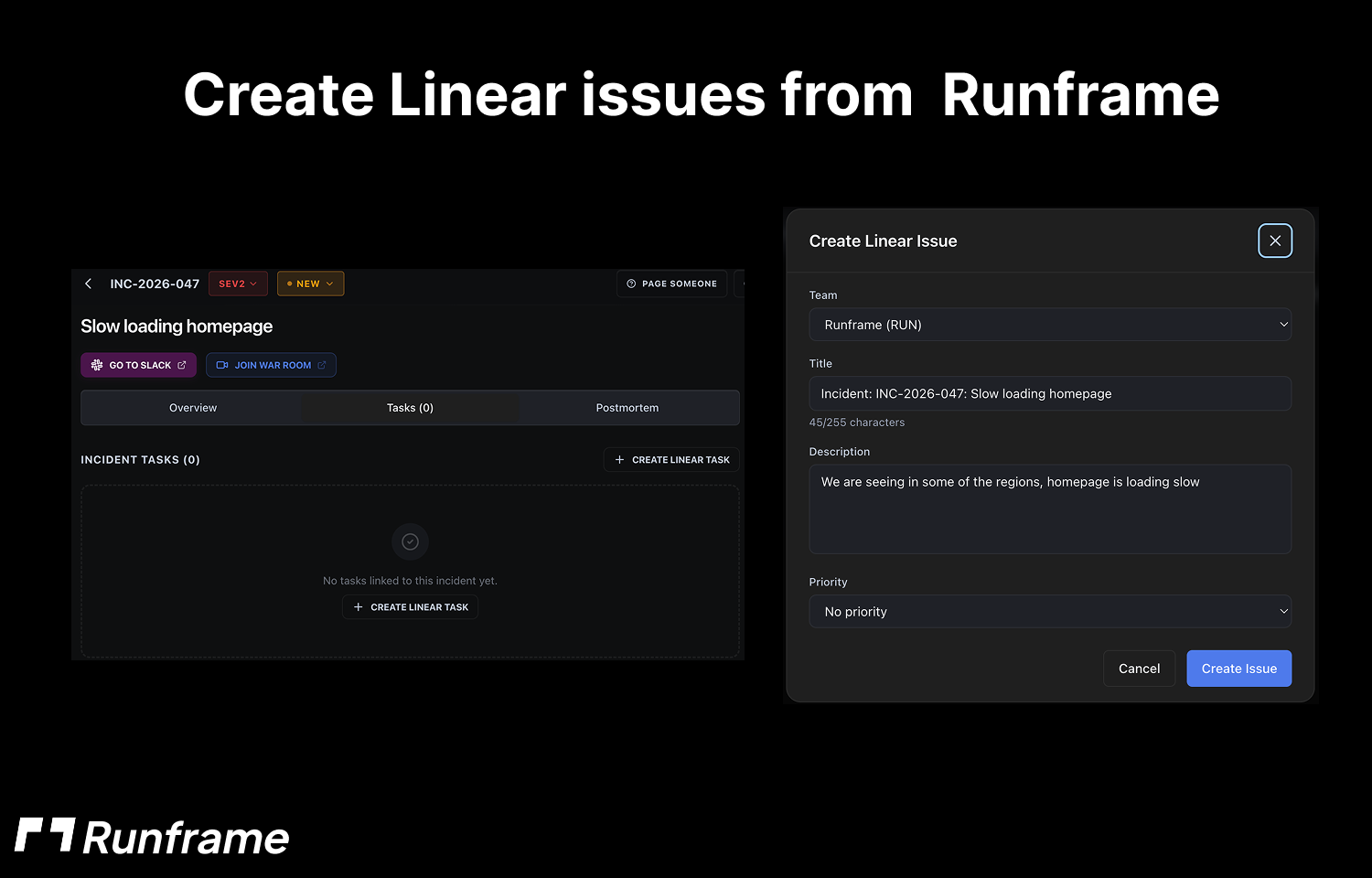
With Runframe and Linear connected, teams can create Linear issues from incidents and associated action items so remediation work is visible to engineering teams.
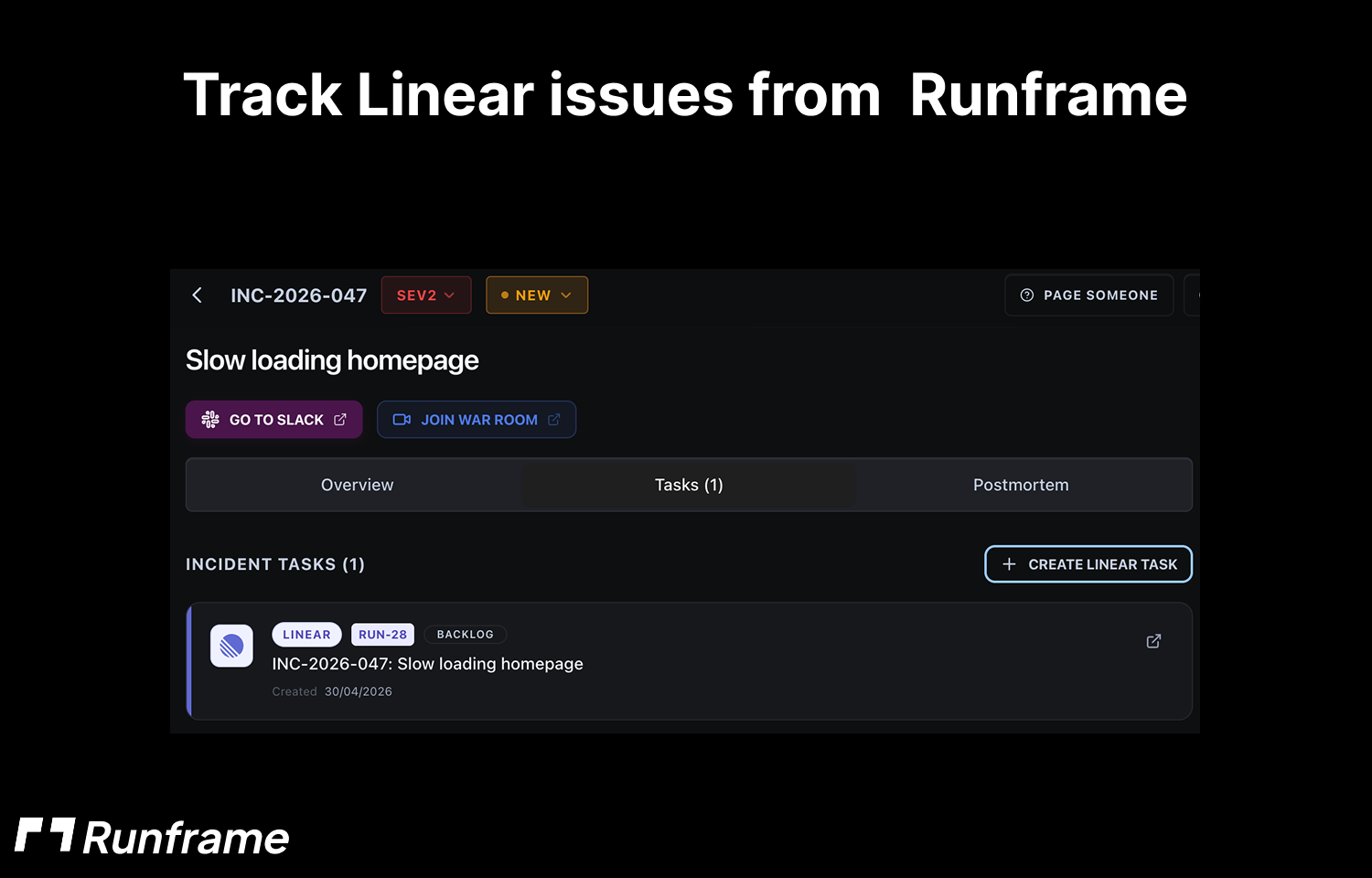
Runframe links incident records with Linear issues, preserving relevant context such as the incident, follow-up details, and ownership. This helps engineers understand why the work exists without switching between systems.
As incident follow-ups progress, teams can keep operational and engineering work aligned in Linear, making it easier to track outstanding actions after an incident review.
Configure
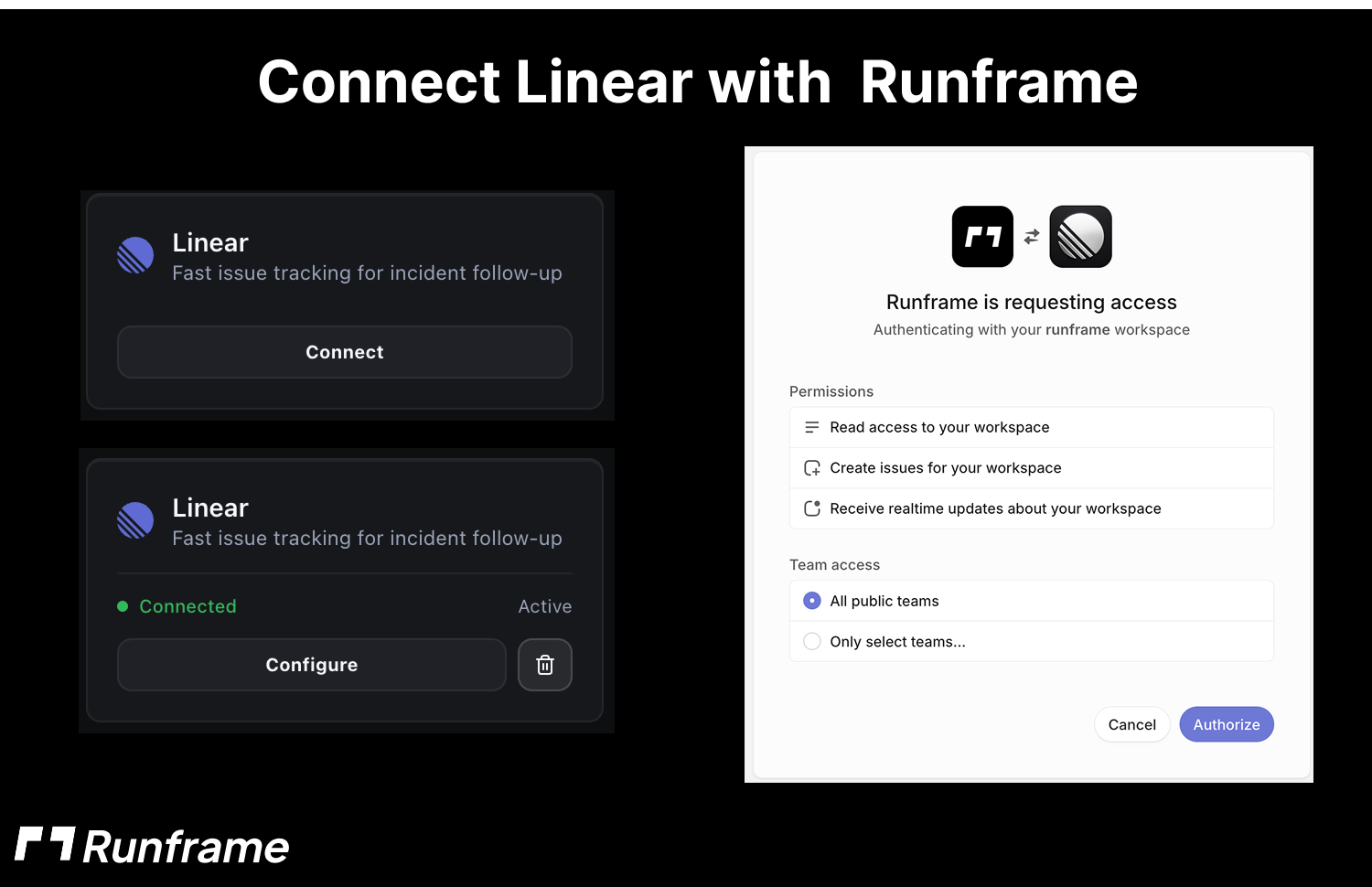
To configure the integration, connect Linear from your Runframe workspace settings. A Runframe workspace admin should go to Integrations, select Linear, and authenticate with Linear.
After connecting Linear, choose the Linear workspace, team, and project where incident issues or follow-up action items should be created. Once configured, Runframe can create and link Linear issues from incident workflows.