- Integrations
- Phase
Plan and prioritize Linear issues based on your biology and natural rhythms
Overview
Phase helps Linear users prioritize the right work at the right time by connecting their biology to their workload. By syncing active Linear issues and evaluating them against signals like cycle, sleep, and stress (cycle-signals currently available, others coming soon), Phase helps users see which tasks are best suited for today, which to plan for later, and how to structure work more sustainably.
How it works
Once connected, Phase securely syncs a user’s active Linear issues into Phase while leaving everything in Linear unchanged. Tasks are assessed based on the type of thinking they require, since work like bug triage, feature specs, roadmap planning, and code review all draw on different cognitive strengths.
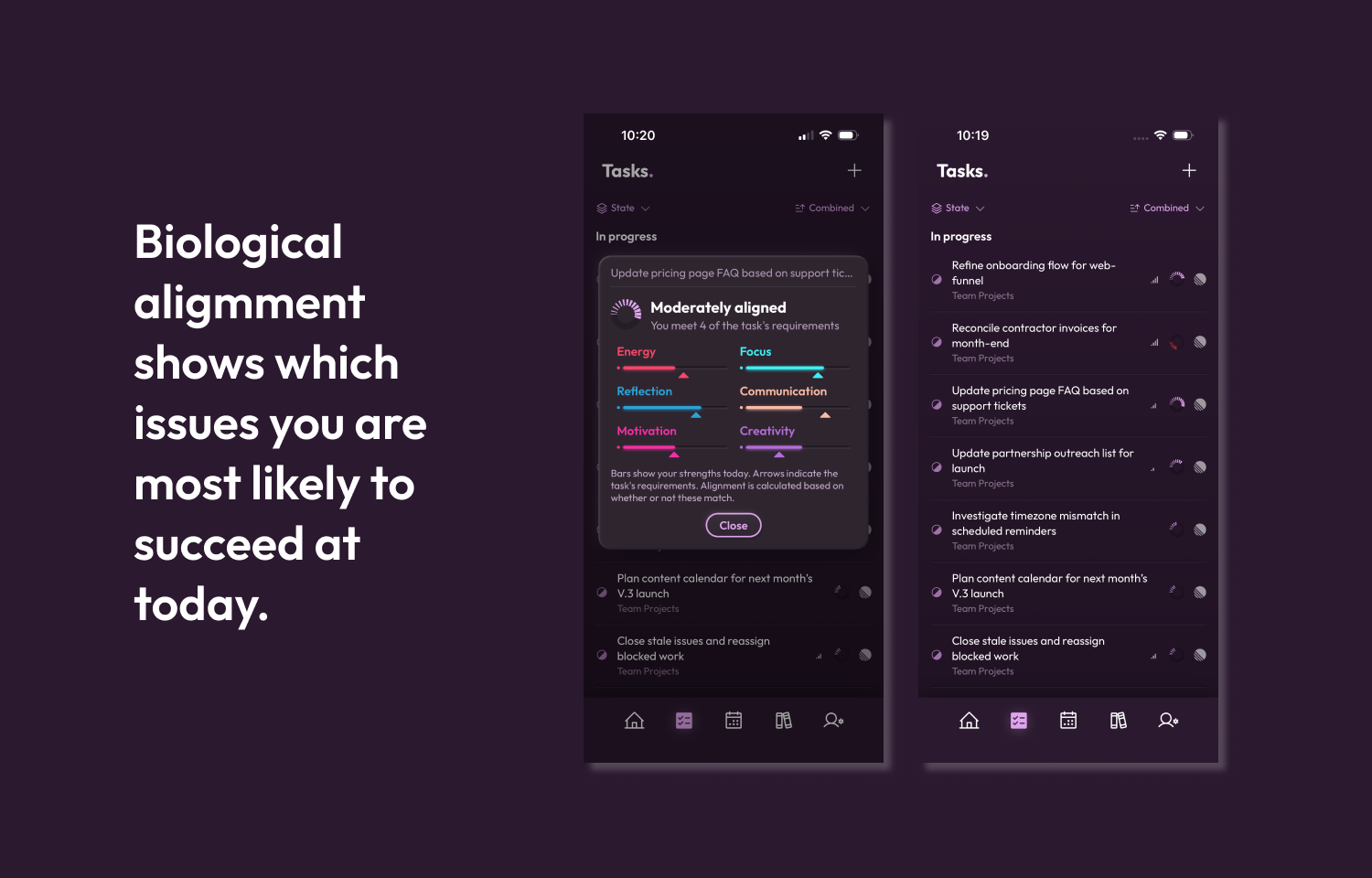
Phase then looks at the user’s biological data, including signals like menstrual cycle, sleep, and stress (cycle-based recommendations are currently available; additional biological inputs are coming soon), to understand their current and upcoming cognitive profile. Each task receives an alignment score based on how well it matches the user’s strengths across areas like focus, creativity, motivation, communication, reflection, and energy.
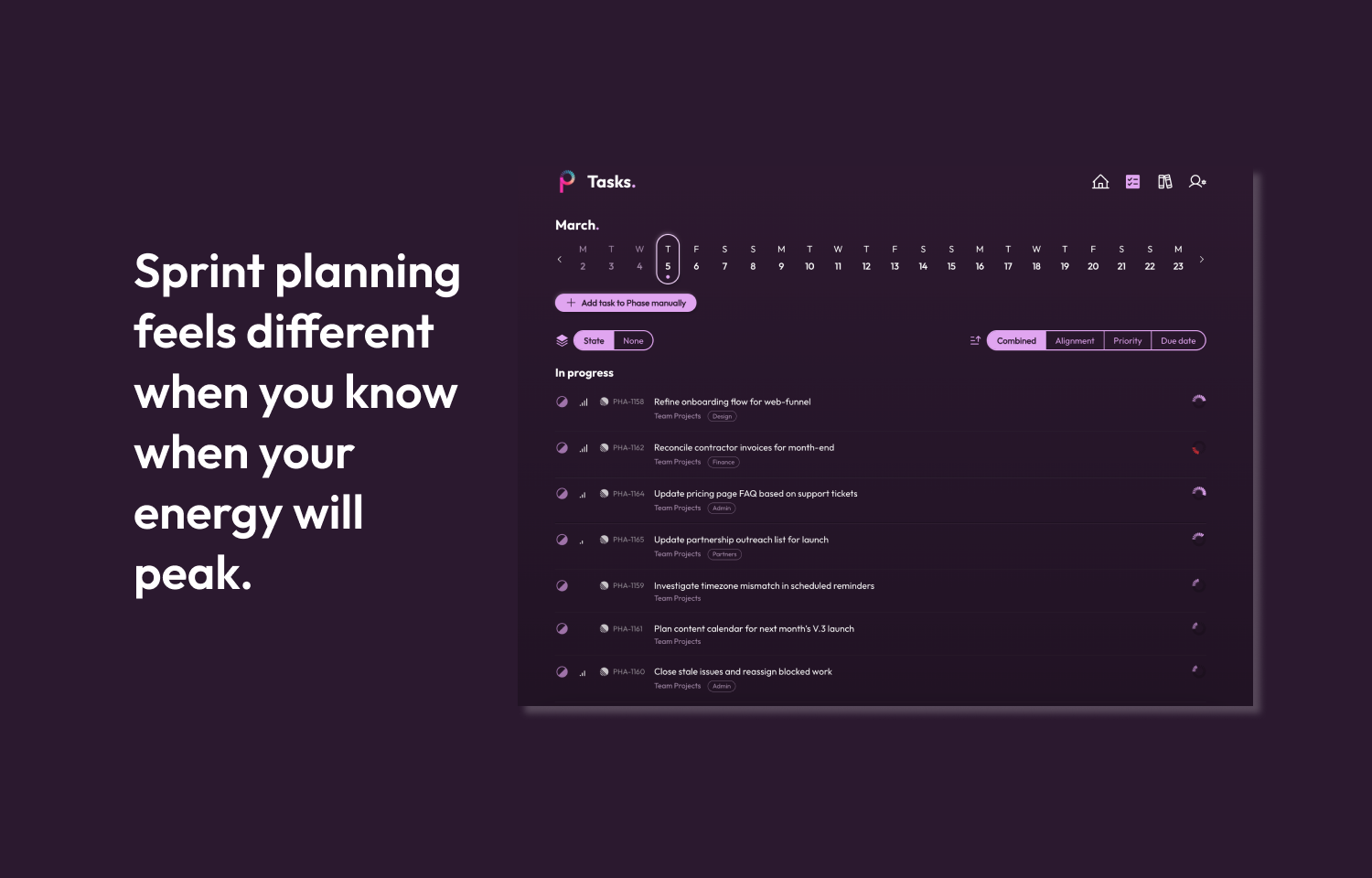
Inside Phase, users can rank Linear issues using biological alignment alongside practical inputs like priority and due date. This makes it easier to decide what to tackle now, what to save for a better-fit day, and how to plan upcoming sprint work around the moments when different types of work are biologically optimised.
Configure
To integrate Linear with Phase:
1) Login to Phase account (if you don’t already have one, create one here)
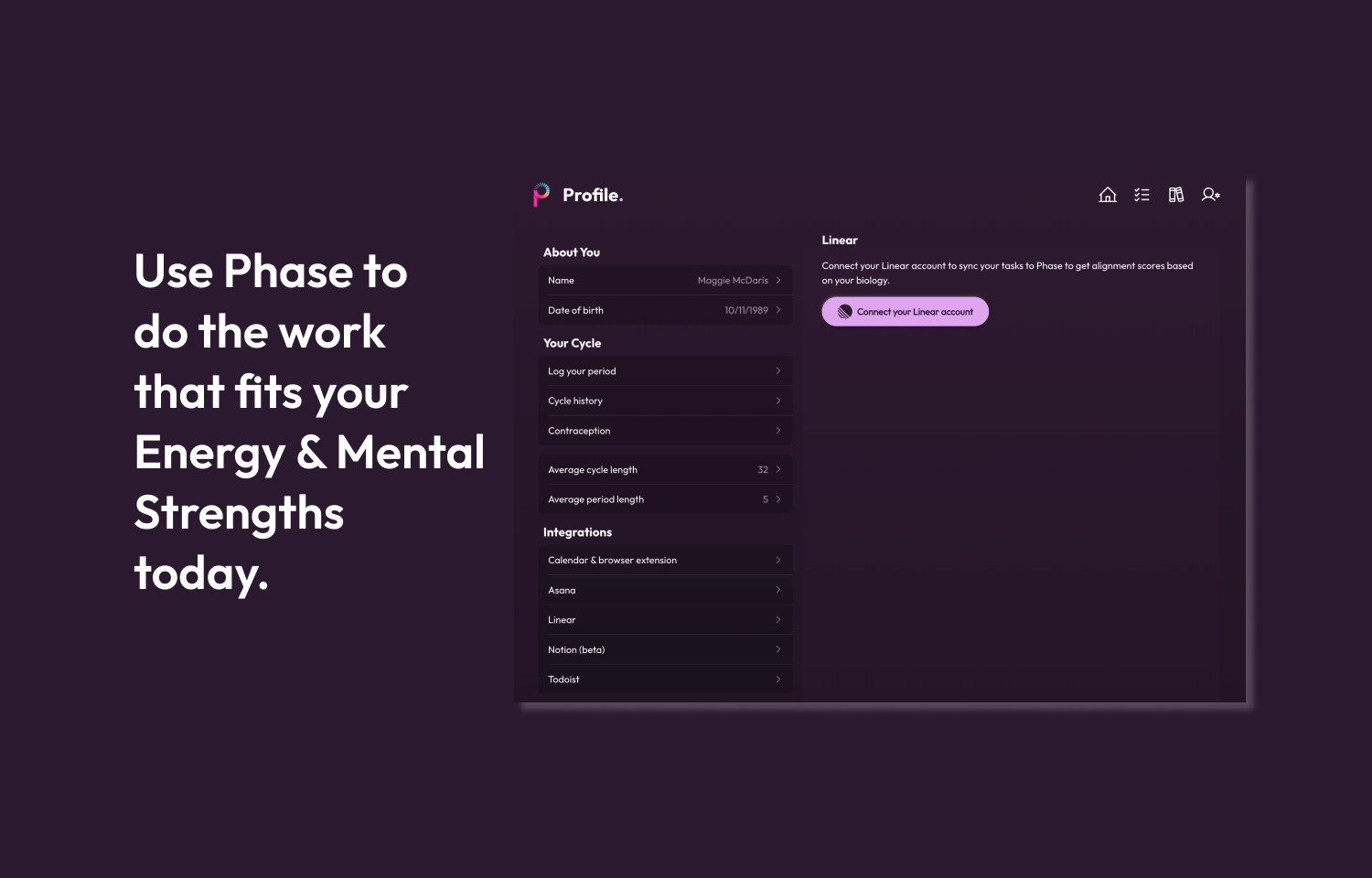
2) Go to the Settings page
3) Under the Integrations section, select Linear
4) Follow the Linear sign-in and permissions steps
5) Return to the Tasks screen in Phase to see you r Linear tasks aligned by biology, due date, priority, or a combination of the three