- Integrations
- Modem
Create issues from customer feedback
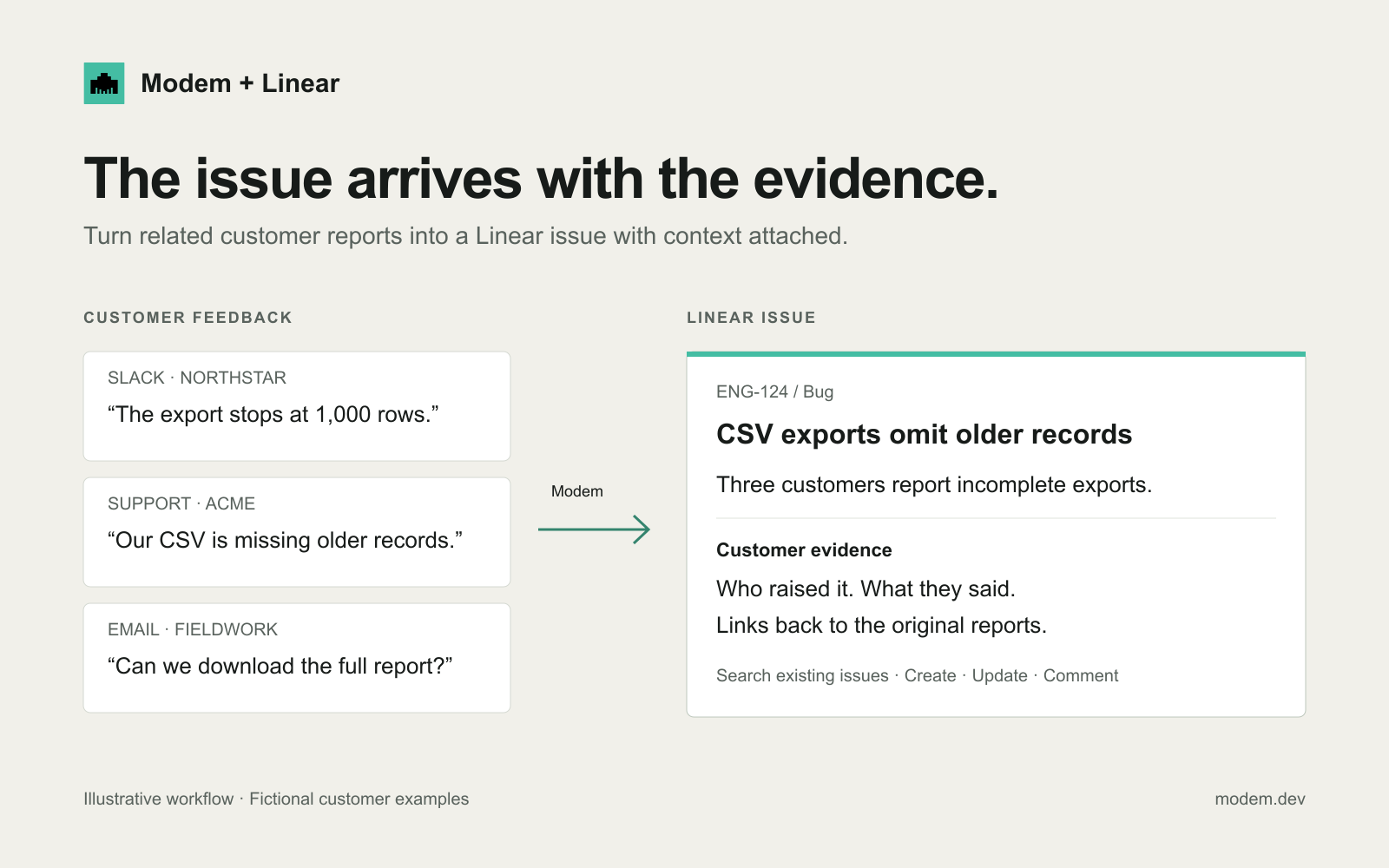
Overview
Turn customer feedback into actionable Linear issues. Modem brings together requests and bug reports from Slack, support tools, calls, and email, showing which customers are affected and what they need.
From Modem, ask the agent to find related Linear issues, create new ones with customer context, or add fresh evidence to existing work.
How it works
Modem collects customer feedback from the channels where it lands and groups related reports into topics. When a topic is ready to be worked on, the Modem Agent can create a Linear issue with the customers who raised it and quotes from their original reports.
From chat, you can ask the Modem Agent to search Linear before filing, update an existing issue, or add a comment with new customer details. You can also link Modem topics to existing Linear issues, keeping the feedback connected to the work.
Configure
Connect Linear from Modem’s integration settings. Click Connect Linear and approve the OAuth prompt with a Linear account that has access to the teams you want Modem to file issues in. Setup takes about a minute and requires no API keys.
You’ll need admin access in your Modem workspace to add the integration; steps are documented at Modem’s Linear integration docs. Once connected, the Modem Agent can search, create, update, and comment on issues in the authorized workspace.