- Integrations
- Aldena
Turn issues into pull requests with a team of AI agents
Overview
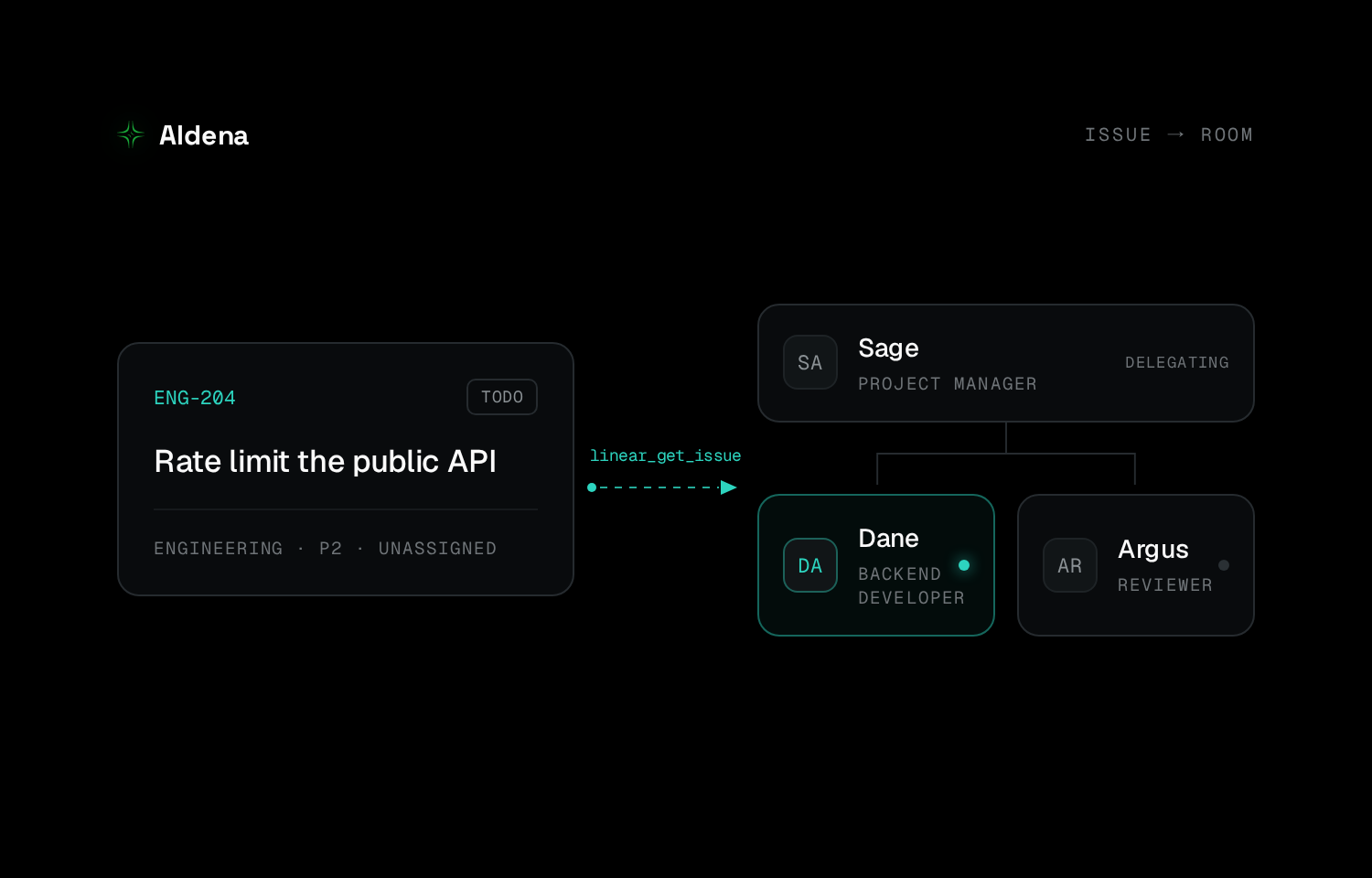
Aldena gives you a team of AI agents with their own server, so an issue can go from triage to a reviewed pull request in one place. Connecting Linear lets those agents read and update issues, move them through your real workflow states, and do the engineering work the issue describes, pausing for approval before anything changes.
How it works
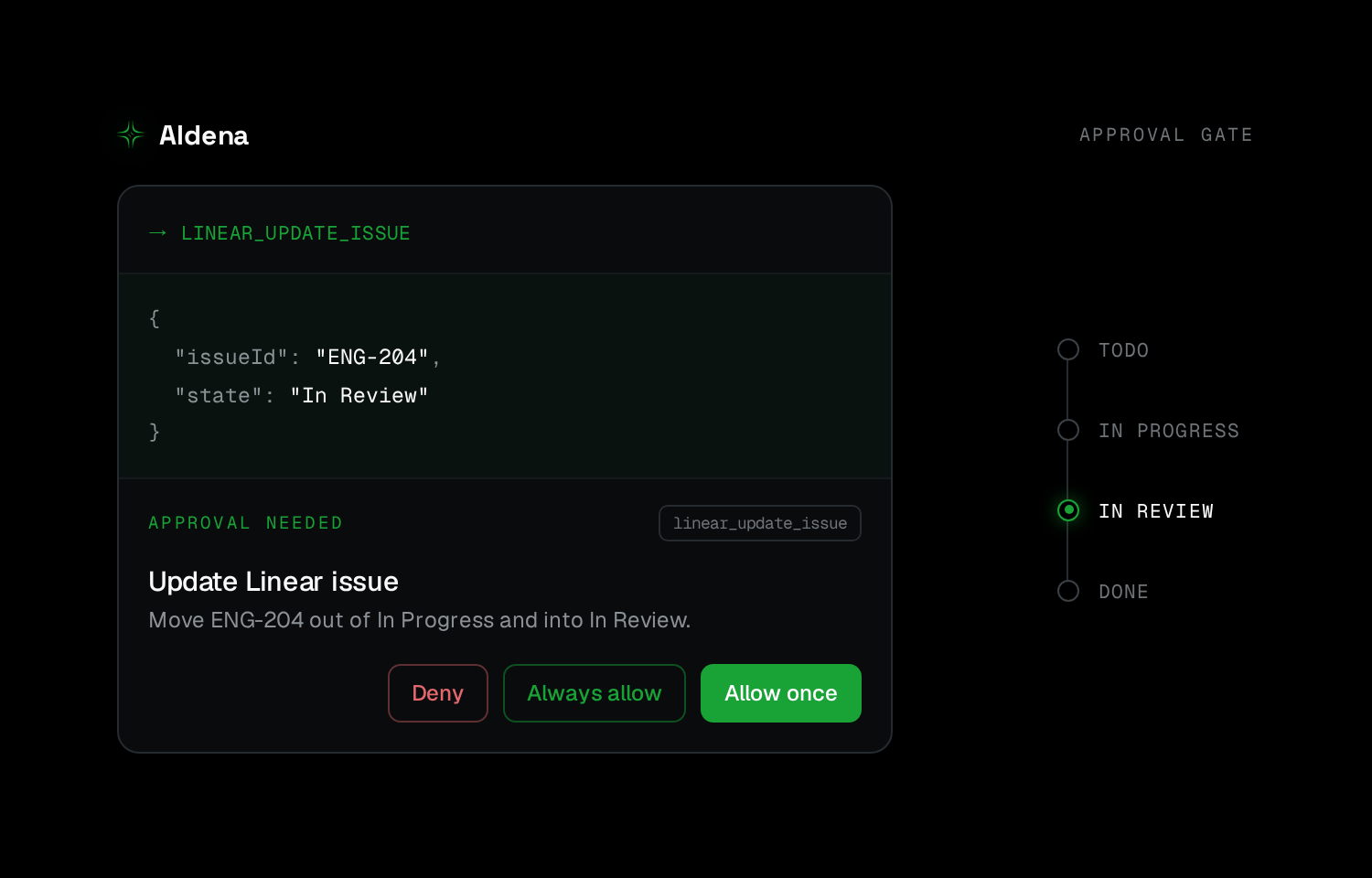
Linear connects at the room level, so one engagement can never reach another’s workspace. Agents can read issues, search across the workspace, and look up your team’s actual states, labels, and users before acting. Write operations (creating or updating issues, adding comments, linking relations) always pause for your approval first. Read operations never do, so an agent can always report what’s in flight without being able to change it. Agents also can’t overwrite a field they haven’t read first in the same chat.
Subscriptions let agents stay current without polling: attach one to an issue or a whole team and it wakes in chat the moment something changes.
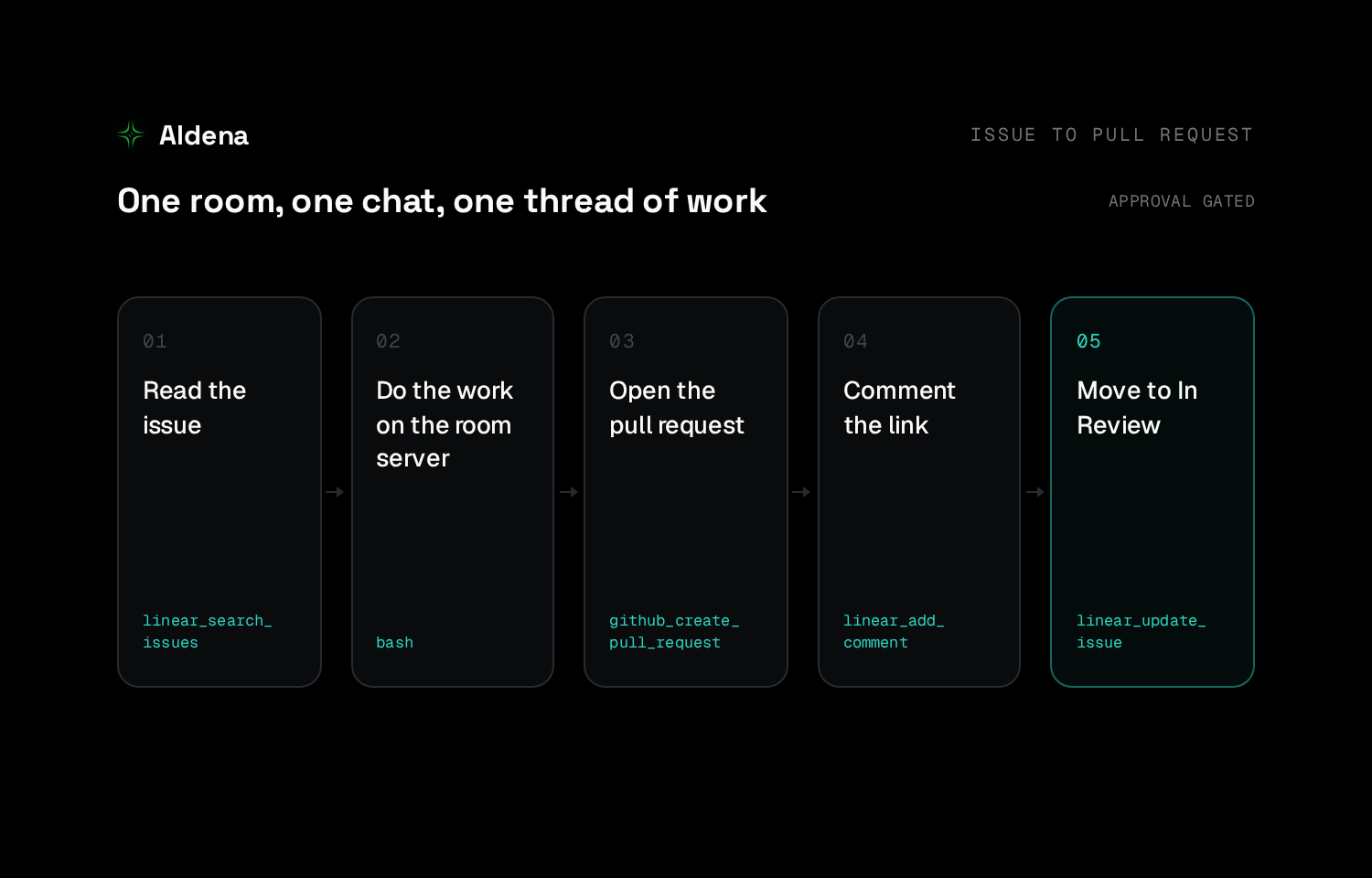
Because the room owns a server, the same agent that reads an issue can clone the repo, run the build and tests, open a pull request, and update the issue to In Review, all in one auditable chat with approval gates on every write.
Configure
Connect from the room’s Connectors tab using your own Linear account. No Aldena admin role needed, though workspaces that require third-party app approval will need an admin to approve once. You grant four scope groups upfront: read issues and projects, create and edit issues, look up users, and event subscriptions. The granted set is fixed after connecting, so widening it later means reconnecting. Connecting one room leaves all others untouched; disconnecting revokes the token immediately.