- Integrations
- Lay
Collect feedback on any UI element and create Linear issues from it
Overview
Lay turns in-app feedback into tracked work in Linear. New root comments create Linear issues, replies sync as Linear comments, and status stays aligned in both directions so teams can triage and resolve feedback without copying details by hand.
How it works
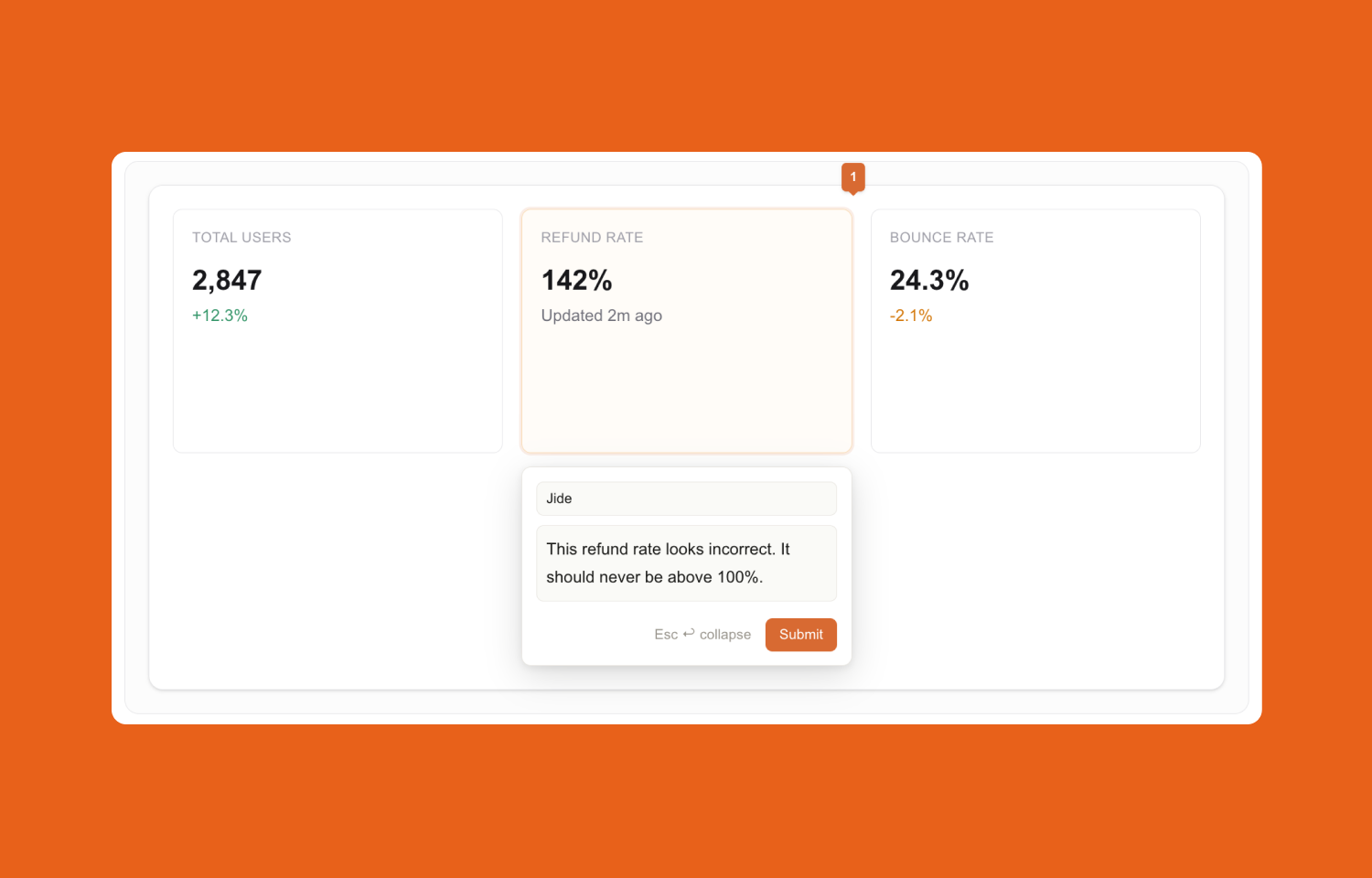
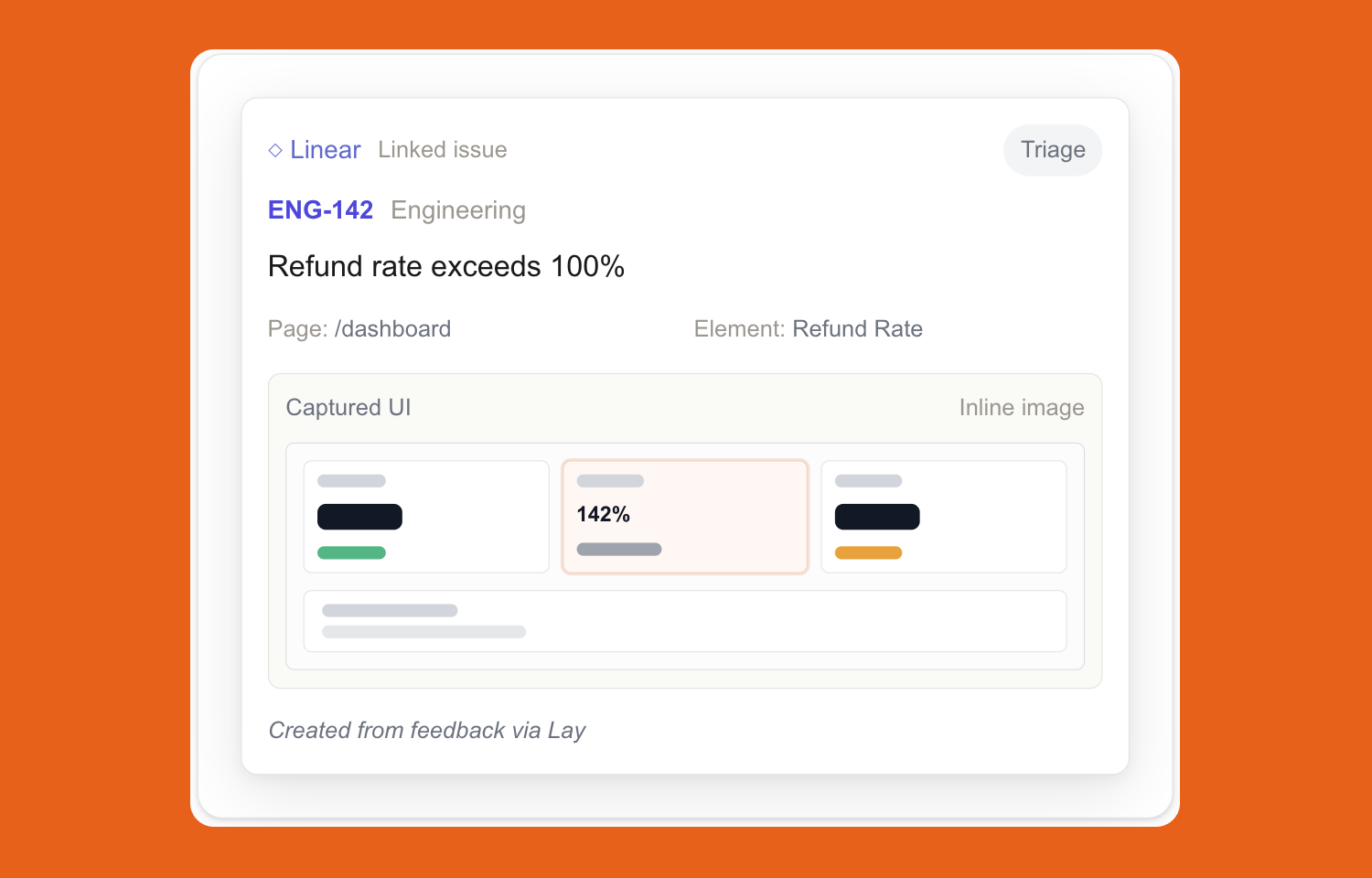
Lay connects visual, element-level feedback from your product to your team’s Linear workflow. When someone leaves feedback in Lay, each new root comment can automatically create a Linear issue in the team you select for that project. The issue includes the feedback text, author, page path, element context, device and viewport metadata, and a captured UI image so the assignee can see exactly what was reported.
Follow-up conversation stays connected. Replies in the Lay thread are added to the linked Linear issue as comments, so discussion can continue without losing the original UI context. This keeps the issue in Linear up to date while preserving the exact element-level thread in Lay.
The integration also syncs status both ways. Resolving or reopening a comment in Lay updates the Linear issue state, and completing or reopening the issue in Linear updates the Lay comment thread. The result is one workflow: feedback is captured in context inside Lay, then tracked and closed out in Linear without manual triage copy-paste.
Configure
A user first connects Linear at the account level in the Lay dashboard by going to the dashboard Settings page and clicking Connect Linear. This starts a Linear OAuth flow and stores one shared workspace connection for that Lay account. After that, the user opens an individual project’s Settings tab, enables Linear for that project, and selects the Linear team that should receive new issues. Once enabled, new root comments on that project create Linear issues automatically.
Requirements: the user must be signed into Lay, have access to the relevant Lay project settings, and be able to authorize the Linear workspace connection.