- Integrations
- Craft.io
Connect product planning in Craft.io with Linear issues
Overview
Craft.io is an end-to-end platform for product teams to prioritize, plan, and manage product roadmaps. The Linear integration connects product planning with engineering execution by allowing teams to push work items to Linear issues and track development progress.
How it works
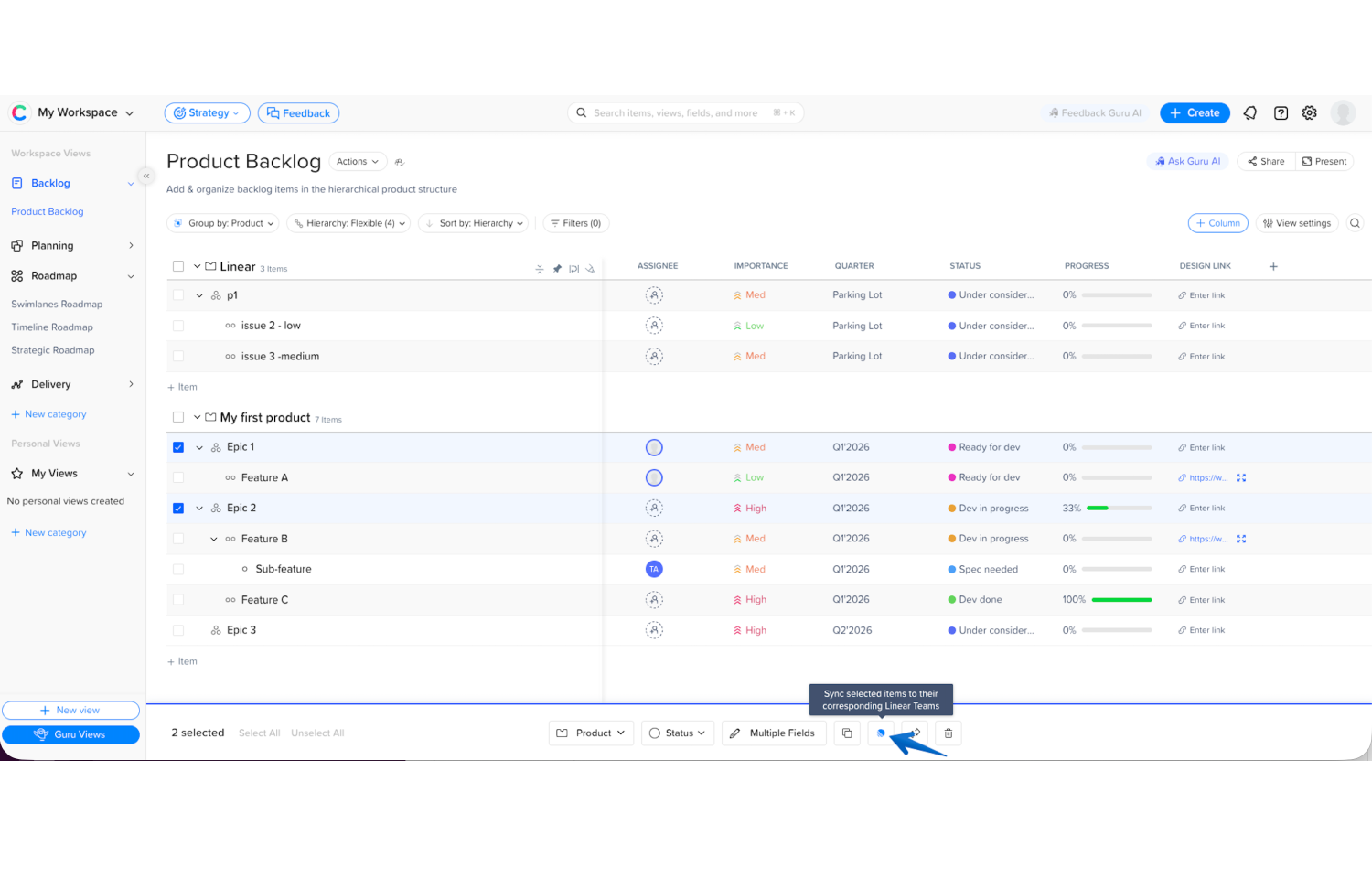
Craft.io integrates with Linear to connect product planning with engineering execution. Product teams manage ideas, feedback, prioritization, and roadmaps in Craft.io, then link or push selected work items to Linear as issues for development.
Teams can push work items from Craft.io to Linear while maintaining a clear connection between product decisions and engineering tasks. The integration keeps both systems aligned, allowing product managers to track development progress from within Craft.io while engineering teams continue working in Linear.
By linking Craft.io items with Linear issues, teams maintain visibility across the full product lifecycle, from strategy and prioritization through planning and delivery. This helps ensure product plans remain connected to real execution without disrupting existing workflows.
Configure
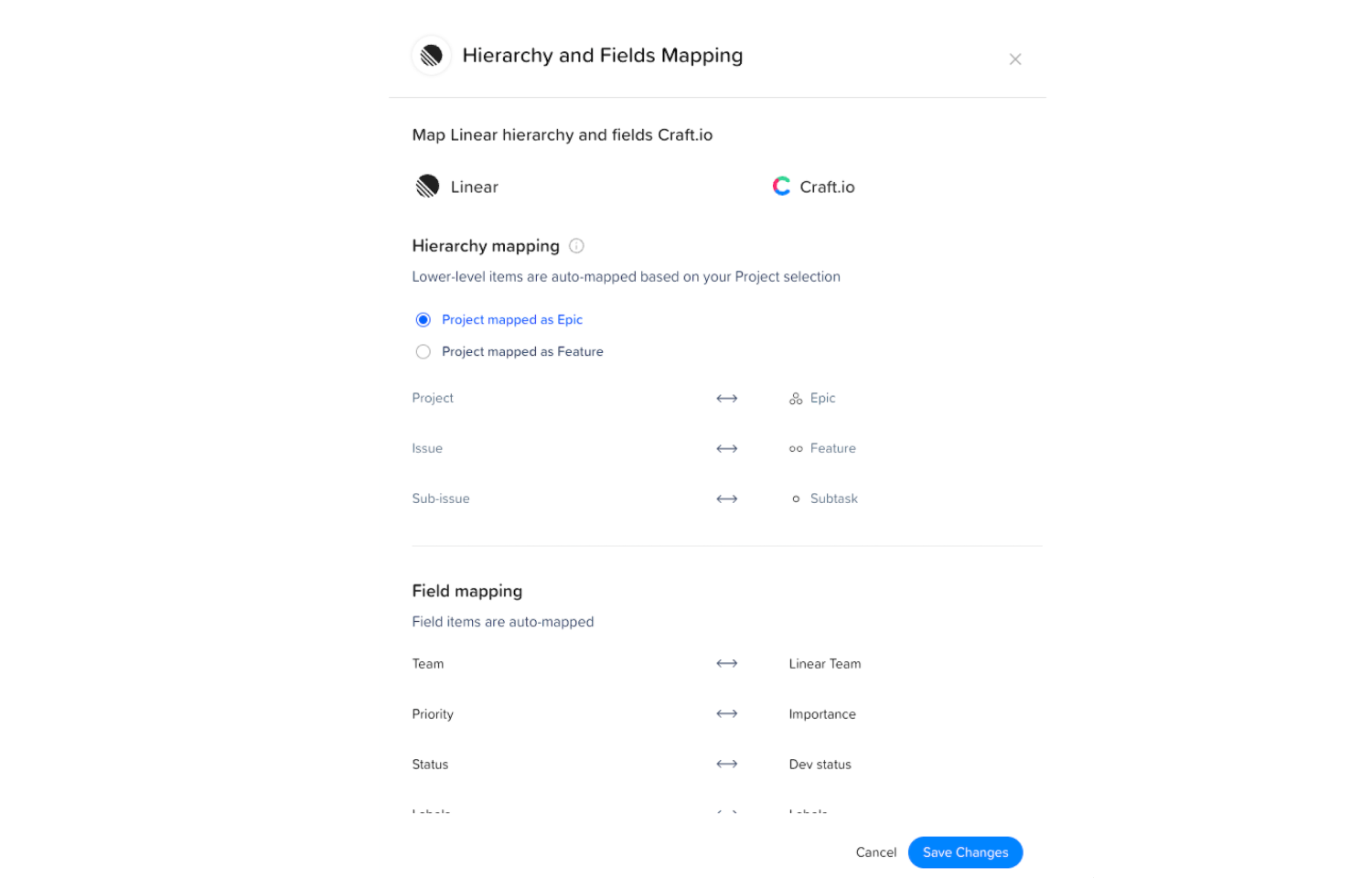
To configure the integration, an administrator connects Linear to Craft.io from the integrations settings in Craft.io. During setup, the admin authorizes access to their Linear workspace and selects the teams that should be available for synchronization.
Once connected, product teams can link Craft.io work items to Linear issues or push new issues to Linear directly from Craft.io. Teams can then track development progress from within Craft.io while engineers continue working in Linear.
For detailed setup instructions, see the documentation.