- Integrations
- ClosedLoop AI
Show the customer demand behind every Linear project
Overview
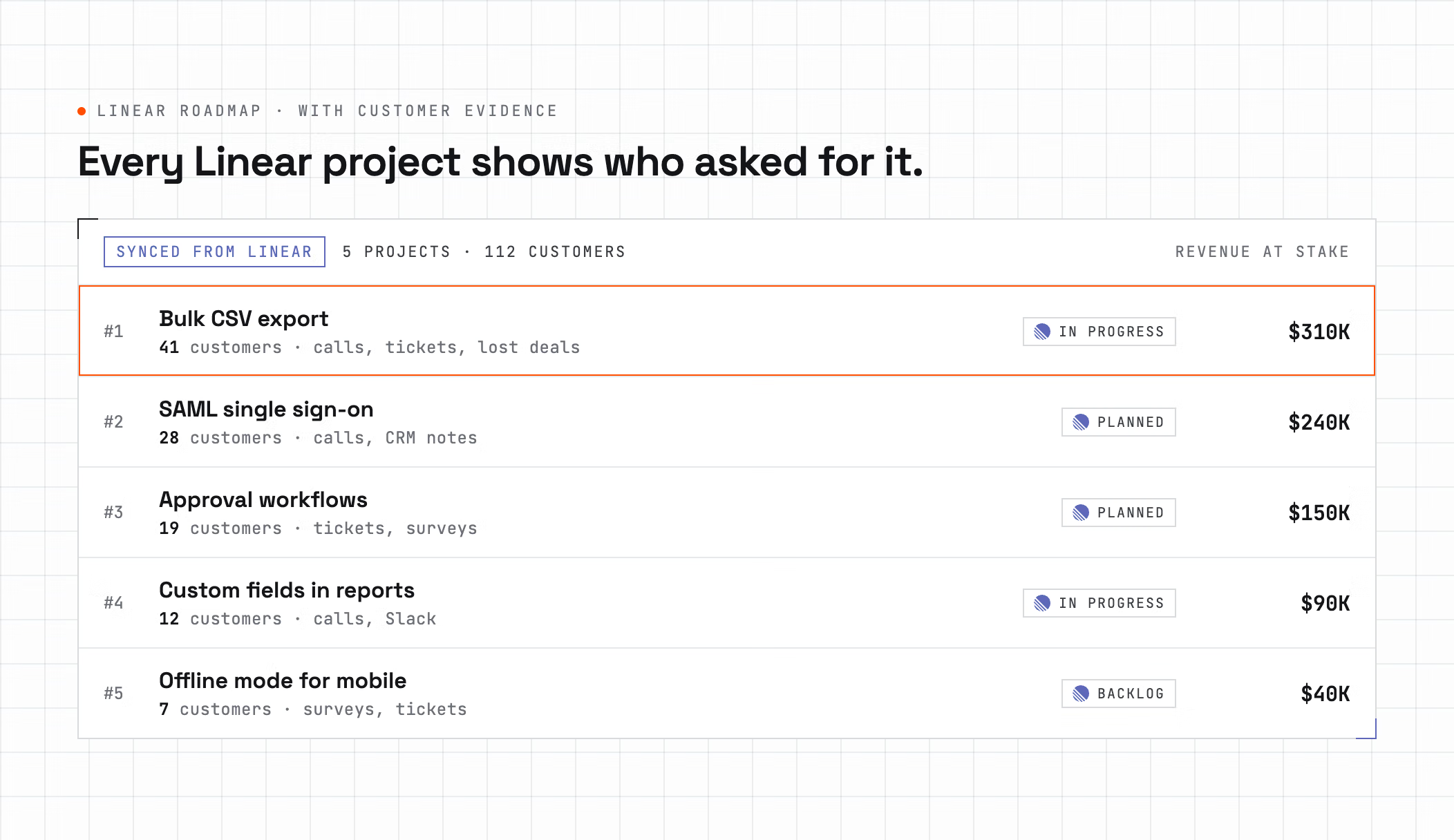
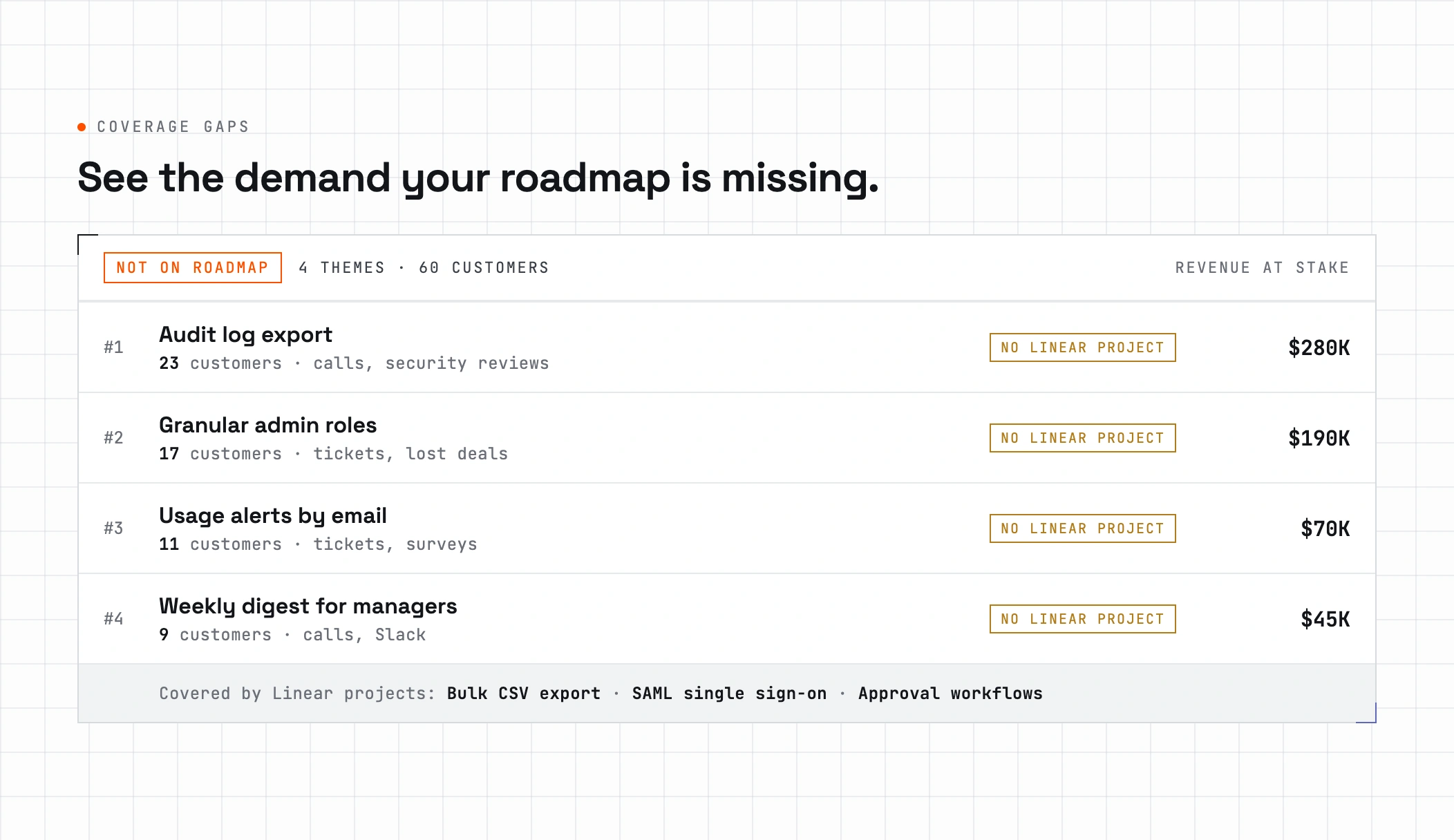
ClosedLoop AI connects your Linear roadmap to what customers are asking for. Every initiative and project shows how many customers want it and the evidence behind it, so you can see which planned work has real demand and which requests have no project yet.
How it works
ClosedLoop AI reads customer conversations from sources like sales calls, support tickets, and surveys, and turns them into product insights. Once you connect Linear, it syncs your initiatives, projects, and issues and matches those insights to the work you have planned, so each project carries the customers and quotes behind it.
The roadmap view shows demand next to every Linear project, and a coverage view lists the requests that have no matching project yet. Changes you make in Linear appear in ClosedLoop AI after the next sync, so the evidence always follows your current plan.
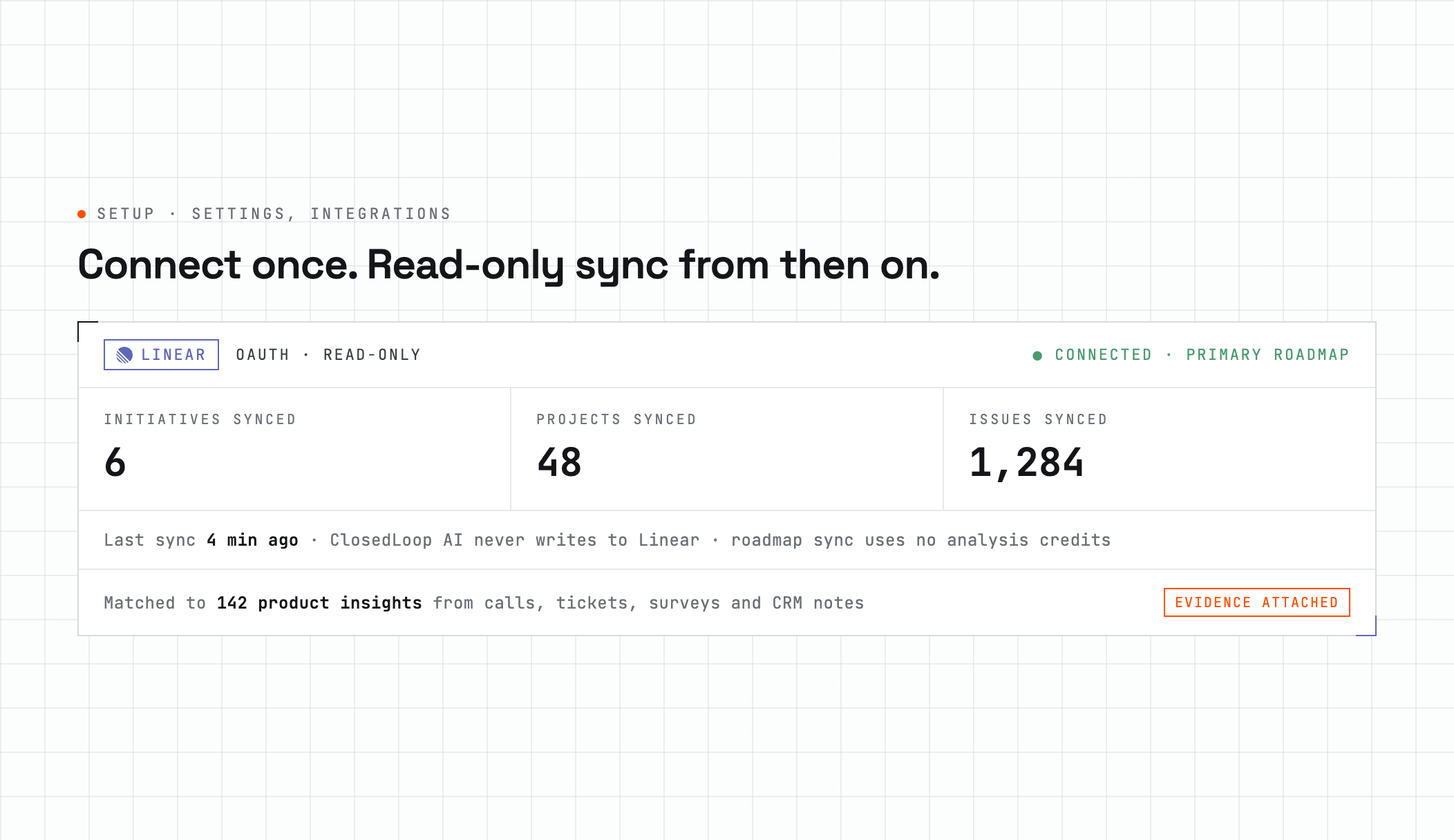
The integration is read-only. ClosedLoop AI never creates, edits, or comments on anything in your Linear workspace, and syncing your roadmap does not use analysis credits.
Configure
- In ClosedLoop AI, go to Integrations, find Linear, and click Connect.
- Authorize ClosedLoop AI in Linear. You are returned to ClosedLoop AI with the integration active.
- If you connect more than one roadmap tool, choose which one is primary in Settings.