- Integrations
- Gong
Automatically create customer requests from Gong calls
The Gong integration is available on the Linear Enterprise plan.
The Gong integration analyzes customer calls and surfaces feature requests and bug reports directly in Linear, giving product and engineering teams clear visibility into what customers are asking for — without needing to review call recordings themselves.
Overview
The Gong integration automatically creates Linear issues from customer call recordings. Each issue includes a drafted title and description, speaker-attributed excerpts pulled directly from the transcript, and a link to the exact moment in the recording where the request or problem was raised.
Once enabled, Linear reviews new customer-facing calls and identifies meaningful product feedback without requiring anyone to listen to the recording. The integration captures what customers are asking for, adds the relevant context from the conversation, and sends the issue into your team’s Triage view for review. This keeps your workflow organized in Linear while leaving calls and transcripts in Gong.
How it works
Linear periodically checks for new Gong recordings and processes new calls that meet specific criteria for analysis. Only customer-facing conversations are included, so internal or private calls and shorter recordings under 10 minutes are automatically skipped.
The system filters out items that aren’t actionable, like sales-related questions, beta access requests, general inquiries, or internal commentary.
Actionable findings that pass these filters are created as issues in Linear. Each issue includes a concise summary, customer motivation for the request, transcript excerpts with speaker attribution and a link directly to the timestamp in the recording for posterity.
Issues are added to your team’s Triage view, where they can be quickly reviewed, categorized, and moved into your existing backlog.
Configure
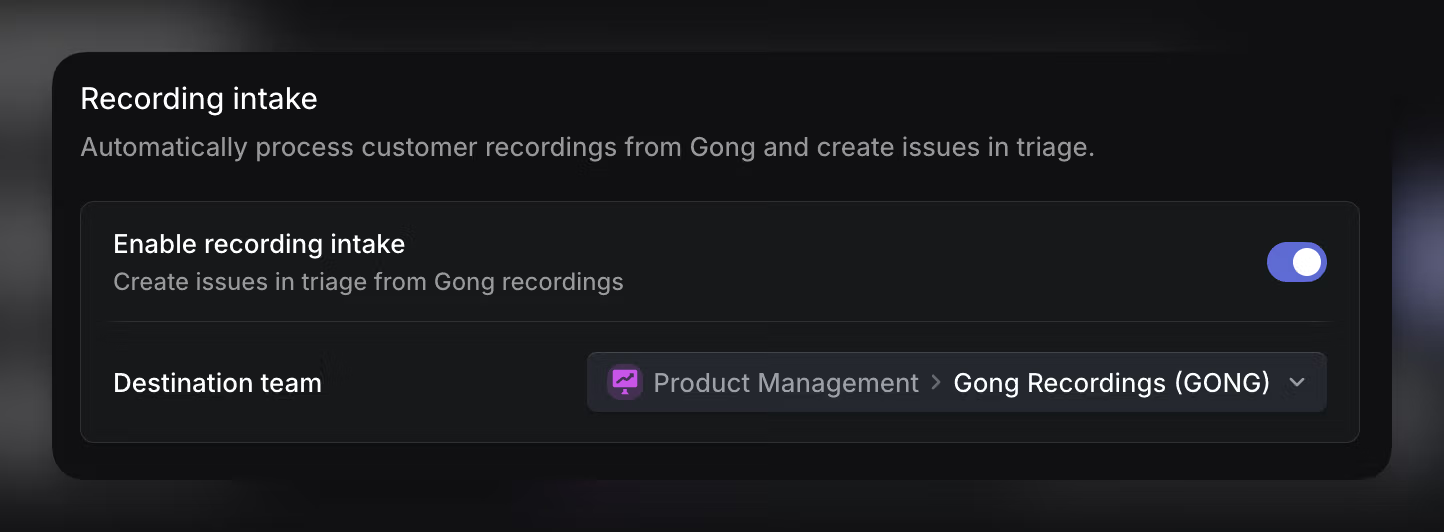
To set up the integration, navigate into your workspace-level Settings > Integrations and search for Gong. After enabling the Gong integration, navigate to your Gong settings, enable the recording intake and select the team that should receive Gong-generated issues:
Optionally, you can also provide additional guidance to help route issues to the correct teams or templates. This guidance can include examples, team mentions, or internal rules the Linear Agent should follow when interpreting feedback.