- Integrations
- Survicate
Turn customer feedback into Linear issues — without leaving your workflow.
Overview
Survicate is a customer feedback platform that helps companies gather and analyze user insights. With the Survicate and Linear integration, you can send insights from Survicate directly into Linear as actionable issues — helping your team prioritize and act on feedback efficiently. This integration is perfect for product managers looking to maintain a seamless workflow between collecting user feedback and driving product development in Linear.
How it works
Turn insights into Linear issues
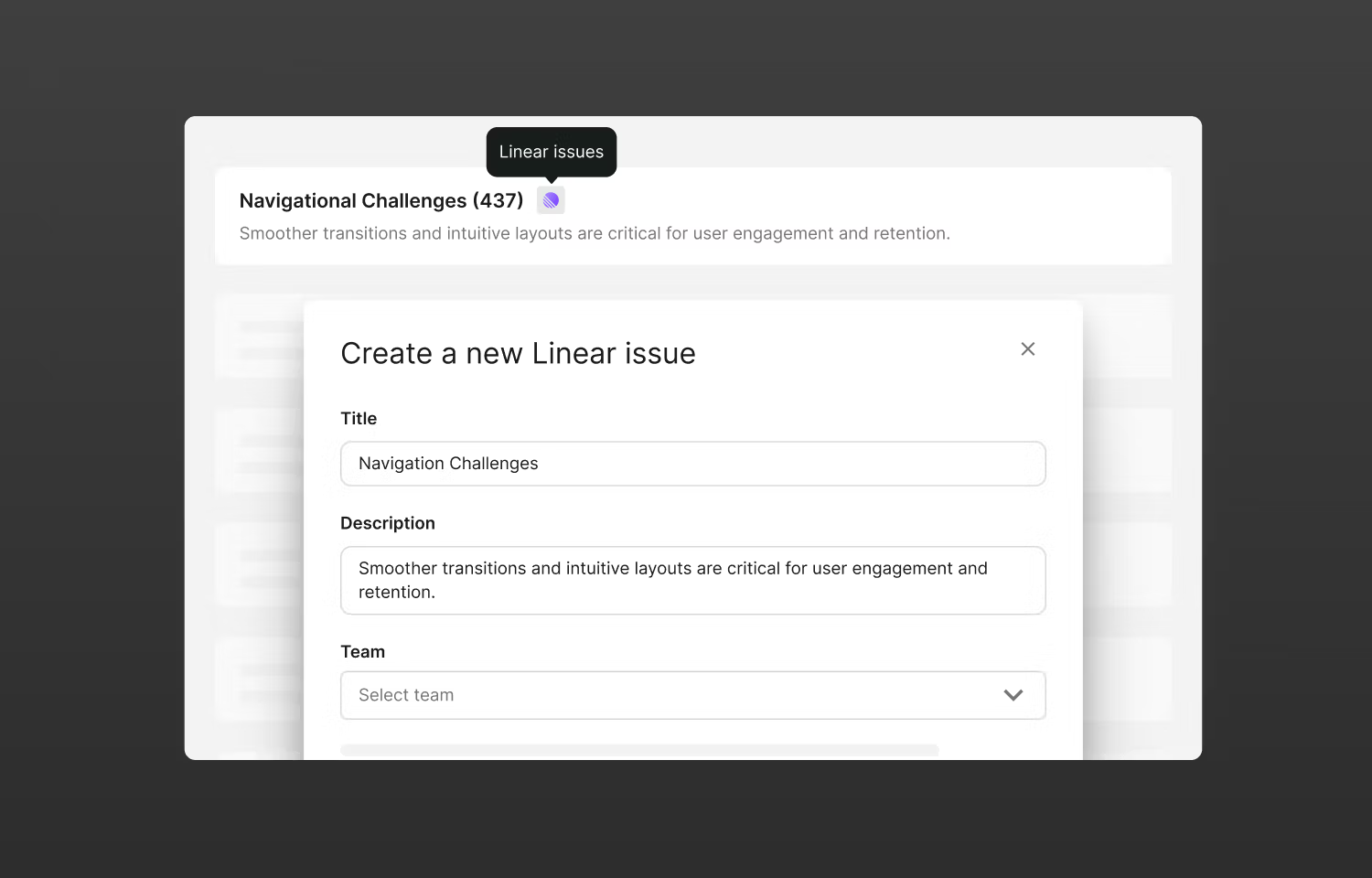
- In the Research Hub tab, select an insight you’d like to turn into a Linear issue → click the three dots → Connect to Linear
- Once you fill out the issue fields, you’ll see a notification in Research Hub confirming the issue was created, with a button to view it directly in Linear
- The insight will automatically be pinned, and you’ll see the Linear logo next to it — clicking the logo takes you to the Linear issue
- To remove the connection, click three dots → Disconnect from Linear to unpin the insight and remove the Linear icon
Turn feedback pieces into Linear issues
- In Research Hub, open a piece of feedback you’d like to send to Linear and click Linear issues
- Fill out the issue fields — you’ll see a confirmation notification with a button to view the issue in Linear
- If issues have already been created from this feedback piece, you can view existing issues in Linear or create a new one
Configure
To install the Survicate integration for Linear, create your free Survicate account and click Connect here.