- Integrations
- Roadmark
Turn a Linear initiative into a roadmap you can share
Overview
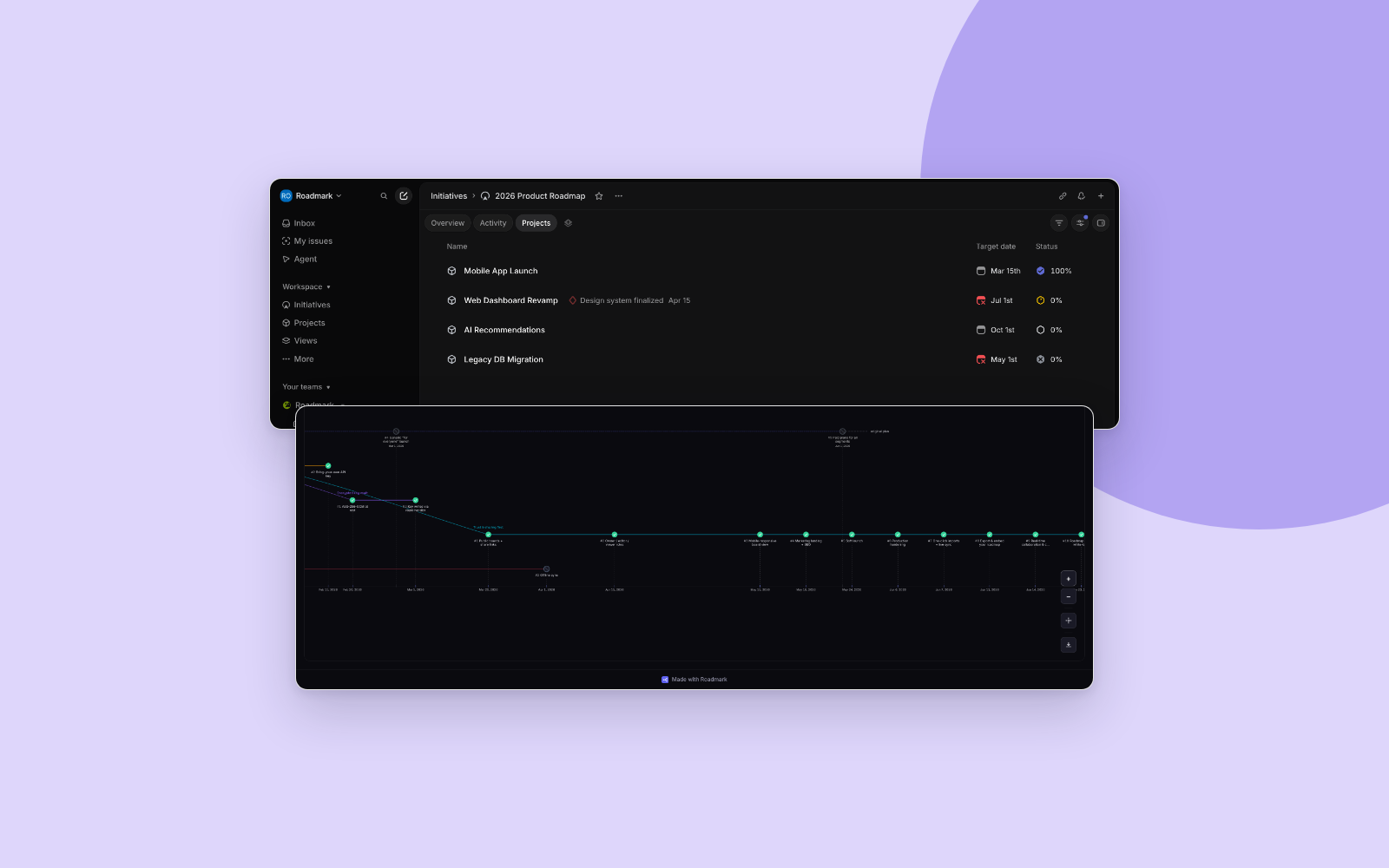
Roadmark turns a Linear initiative or project into a visual roadmap you can share outside the team. The board keeps itself current from Linear, and it records the reasoning whenever the plan itself changes.
How it works
Connect Linear from your Roadmark dashboard and pick what to import. An initiative becomes a board whose milestones are its projects, each carrying the project’s target date and state; a single project becomes a board of its own project milestones. Linear’s project states map onto Roadmark’s four statuses: completed stays completed, started and paused read as active, canceled becomes skipped, and backlog or planned wait as upcoming. Project milestones carry no state in Linear, so those are read from their target date. If your workspace has no initiatives, Roadmark lists your projects on their own.
The board then keeps itself current. Roadmark pulls a fresh snapshot from Linear once a day, and the editor has a Sync button for pulling on demand. A sync applies only what changed and never overwrites your own work. Milestones you have edited keep your version, and milestones you added yourself are left alone. An item that disappears from Linear is deleted only when that is safe: if you have edited it, or if a branch forks from it, the board keeps it and flags it as removed instead. Nothing is ever written back to Linear, which Roadmark reads with a read-only scope.
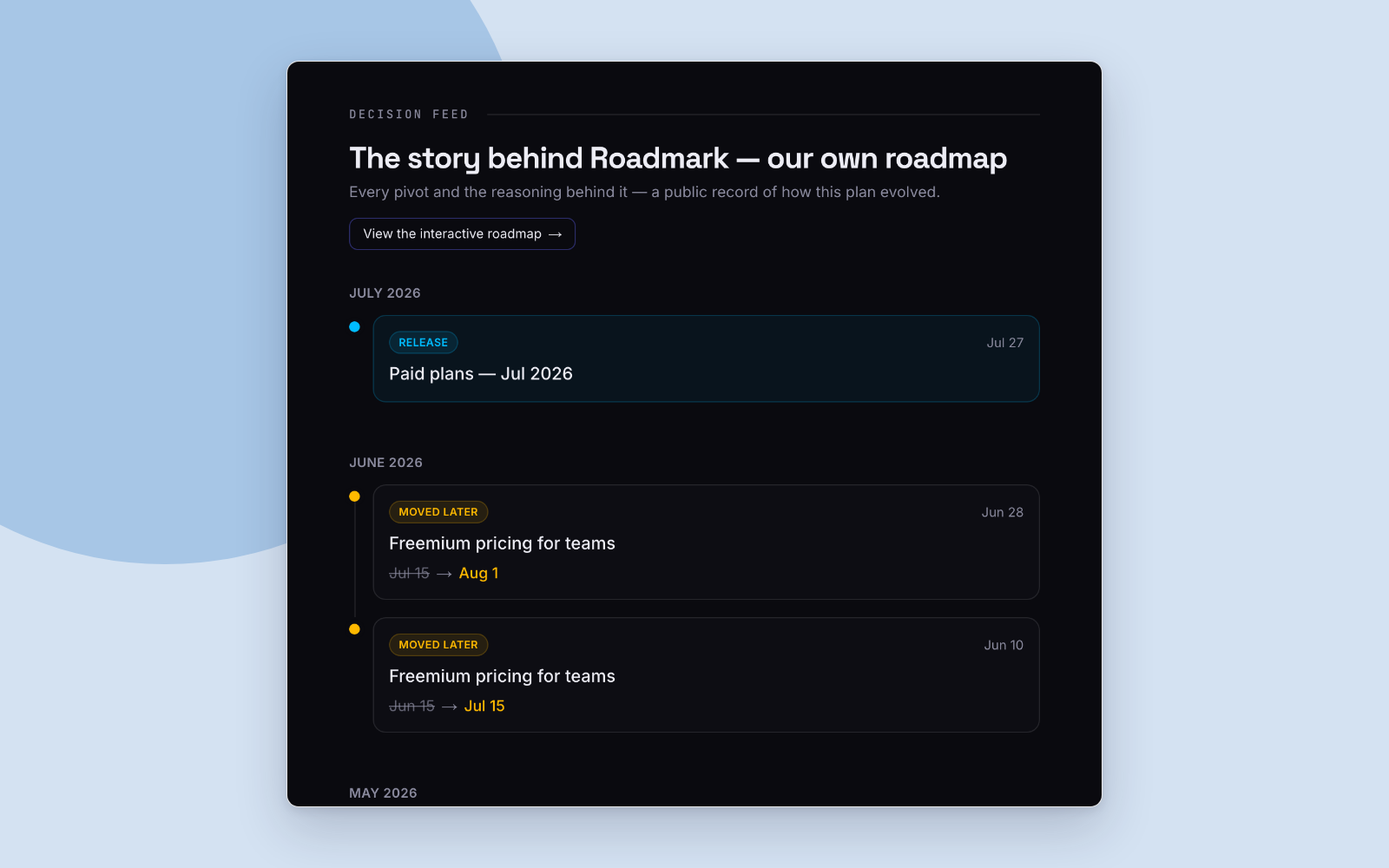
What Roadmark adds is the part an issue tracker cannot hold: why the plan changed. When the plan forks, you branch the roadmap and record the decision behind the fork, and the path you left stays visible beside the one you took. Share the result as a public link, a password-protected or expiring link, or an embed, and the people reading it see the plan and the reasoning together.
Configure
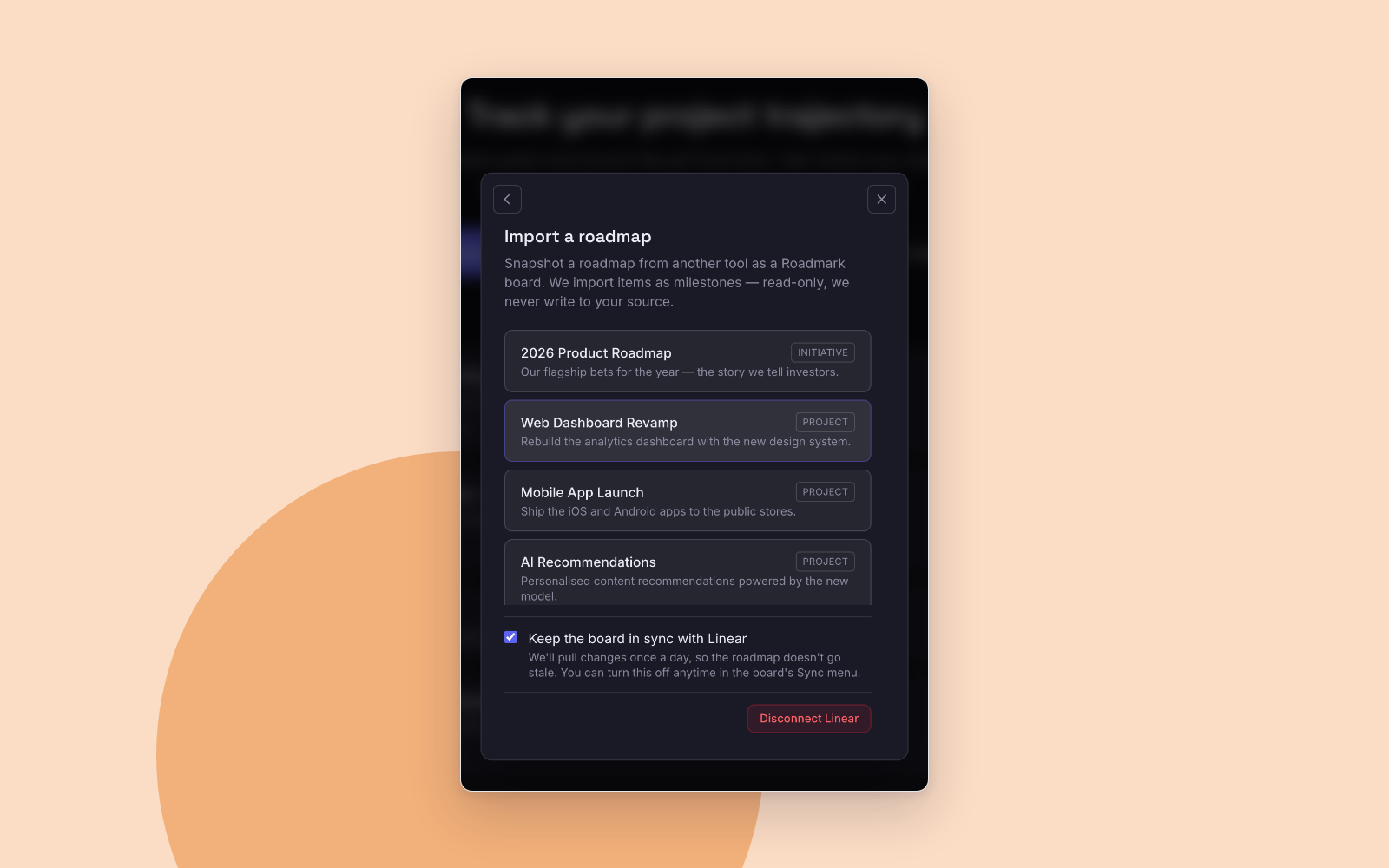
Sign in to Roadmark and open your dashboard, then choose Import roadmap and select Linear. You authorize Roadmark from your own Linear account, and it can see only what that account can see; the scope requested is read-only. Roadmark then lists the initiatives and projects it can reach, and picking one turns it into a board.
“Keep the board in sync” is ticked when you import, so the board pulls from Linear once a day. Untick it for a one-off snapshot, or change your mind later from the Sync menu in the board editor. To stop the connection entirely, disconnect Linear from the import dialog; the boards you already imported stay exactly as they are.