- Integrations
- minware
Improve agentic development efficiency with insights from AI, Code Tools, and Linear
Overview
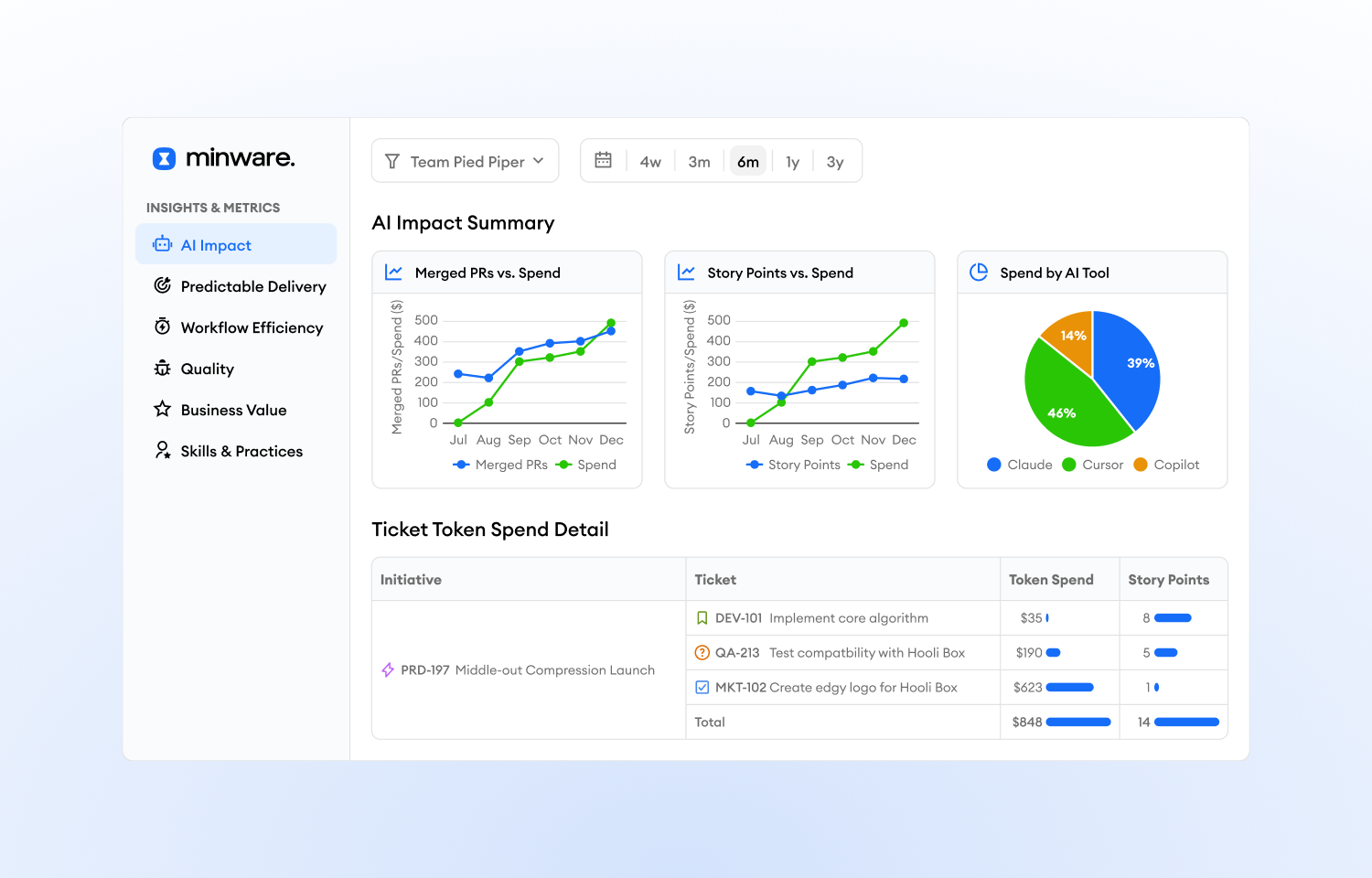
Linear customers can see all of their engineering insights in one place with visibility into agent sessions, token spend, projects, cycles, and issues. This integration offers workflow metrics like issue cycle times, work in progress, and sprint completion.
How it works
minware analyzes all of your historical Linear data to provide insights into AI impact, quality, agile processes, project completion, cost allocation, and more. minware loads data from Linear’s GraphQL API and computes metrics with our data pipeline. You can access the insights in minware’s dashboards, or natively in an agent with MCP.
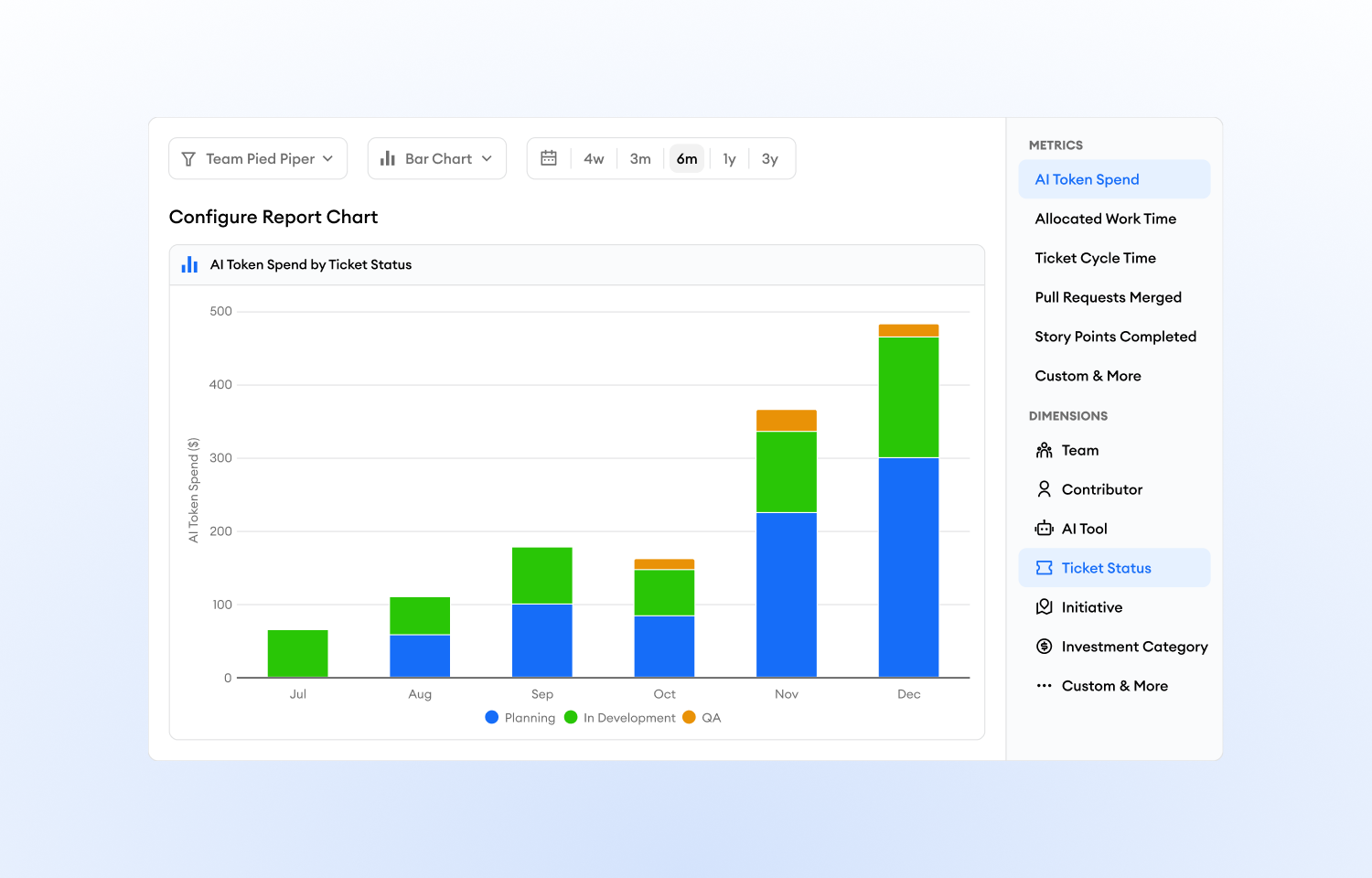
minware’s data model lets you break down any metric by any dimension so you can see how your Linear activity interacts with all your development tools, such as viewing token spend by cycle or project.
Linear users have full transparency and control over how each metric is calculated to customize the insights for how you work and your organization’s goals.
Configuration
Sign up for minware and follow these instructions to add the Linear integration.