- Integrations
- LineGuard
Enforce required fields and process rules on every issue change
Overview
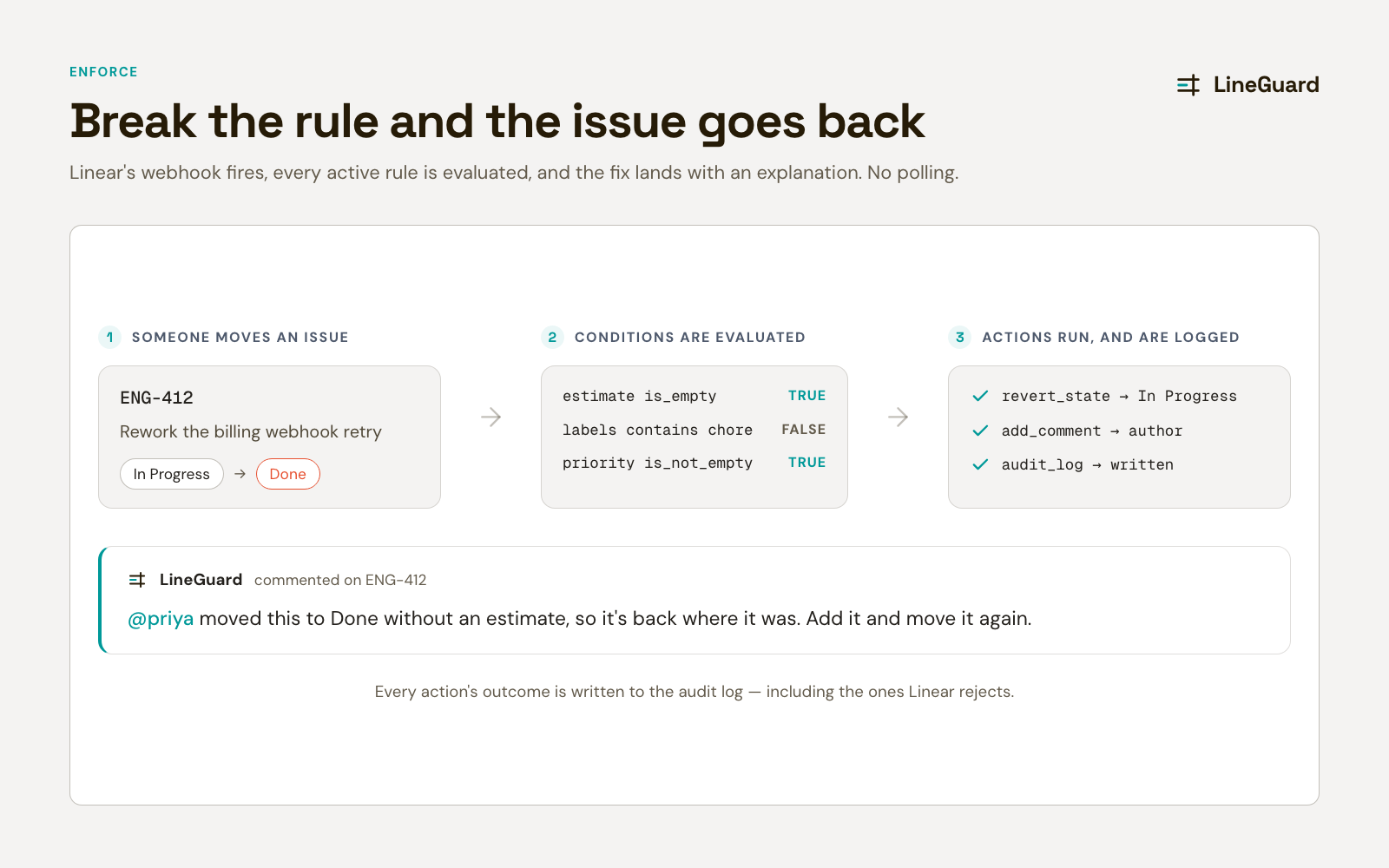
LineGuard is a workflow rule engine for Linear. It enforces the process rules Linear has no way to enforce on its own — an estimate before an issue reaches Done, a priority before it leaves Triage, an assignee before work starts. When a rule is broken, LineGuard moves the issue back and comments explaining what is missing.
How it works
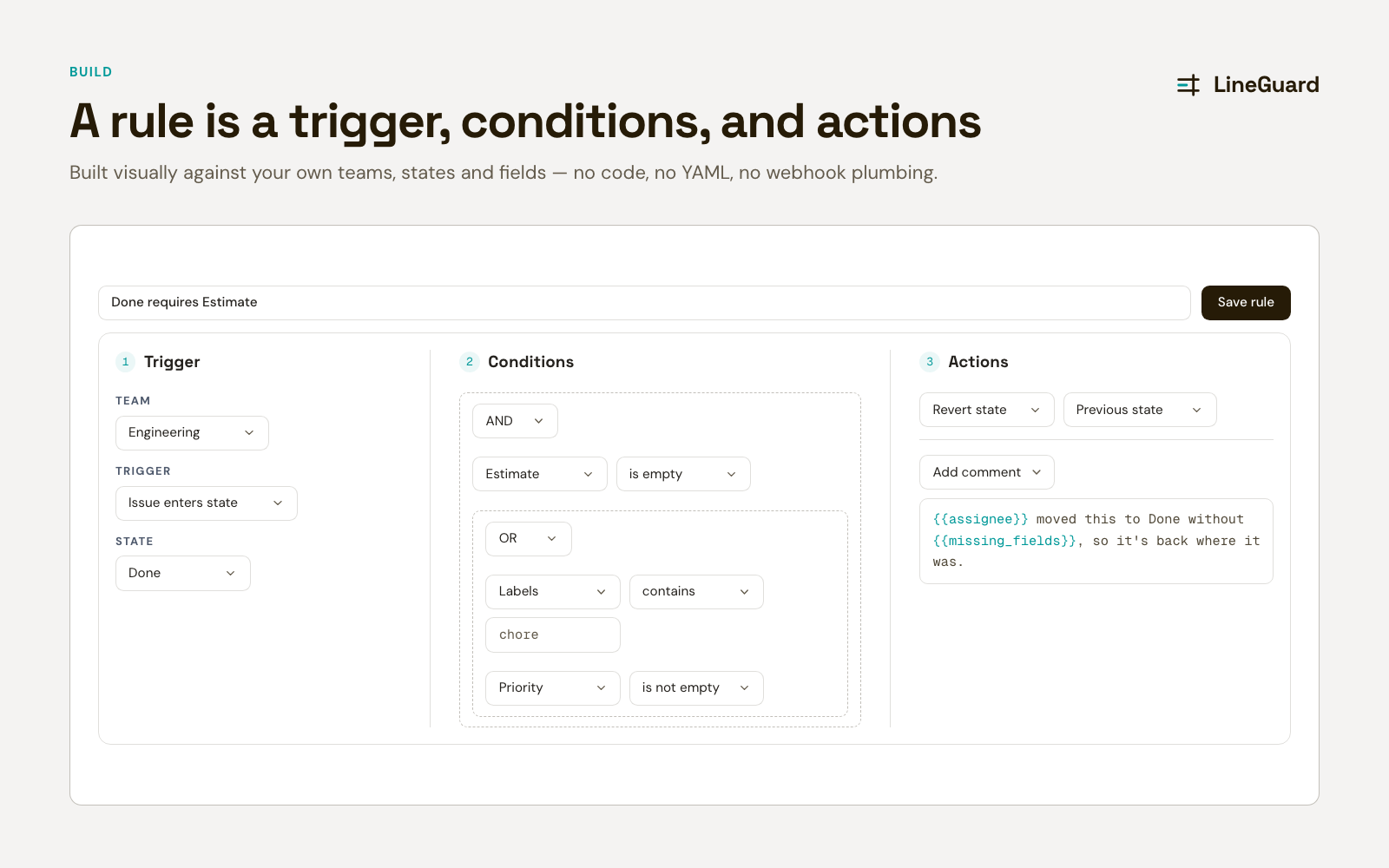
Every rule is three parts: a trigger, some conditions, and the actions that run when both match.
Triggers are the change that starts an evaluation — an issue entering a state, leaving a state, a field changing, an issue being created, or any update at all. Conditions then inspect that issue: state, priority, assignee, estimate, labels, or a Linear label group, combined with AND/OR groups that nest as deeply as the edge case needs. Actions move the issue back to a state you choose and post a comment naming the fields that are missing, mentioning whoever made the change.
The moment anyone updates an issue, Linear delivers the change to LineGuard, every webhook signature is verified, and each enabled rule for that issue’s team is evaluated in the order you set.
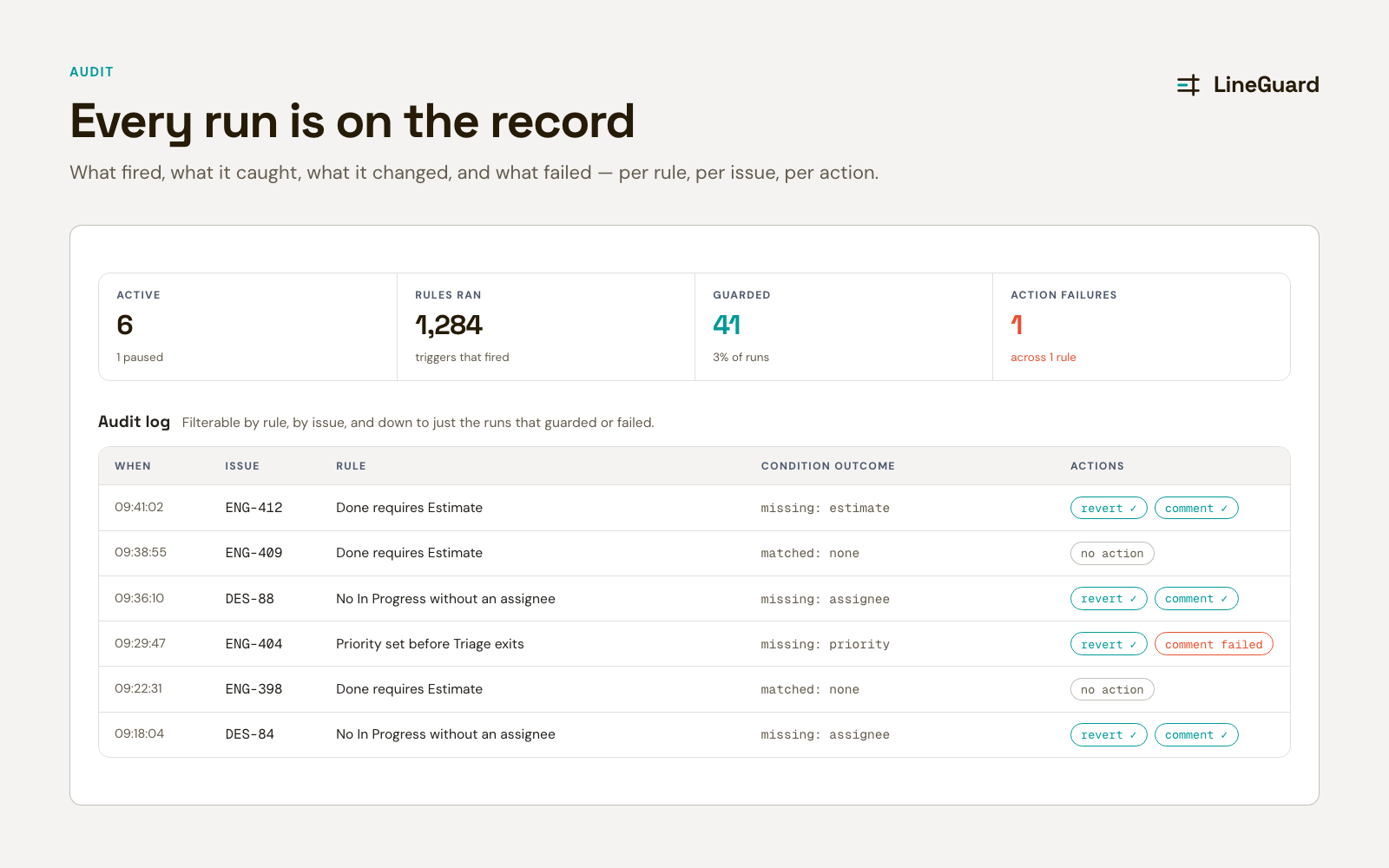
LineGuard corrects rather than prevents — it puts the issue back and explains why. In practice that is what makes it teachable: the person learns the rule on the issue, in the moment. Every evaluation is written to an audit log — which rule, which issue, whether the conditions matched, and what each action did, including the ones Linear rejects.
Configure
A Linear workspace admin installs LineGuard through Linear’s OAuth flow, which registers a single webhook for the workspace. No API keys, and no per-user setup.
Rules are built visually in the dashboard: pick a team, choose a trigger, add conditions, and set the actions. Comment templates support tokens that render as real Linear mentions. Each rule can be scoped to one team or every team, ordered, enabled or disabled, and set to stop later rules once it matches.
Anyone in the workspace can sign in to read the dashboard and audit log. Only workspace admins can create, edit or disable rules, or manage billing.
Visit the docs to get started.