- Integrations
- Traqq
Track time in Linear with Traqq
Overview
Track time spent on Linear issues with the Traqq browser extension. Start timers directly from Linear and log hours to Traqq without switching between apps.
How it works
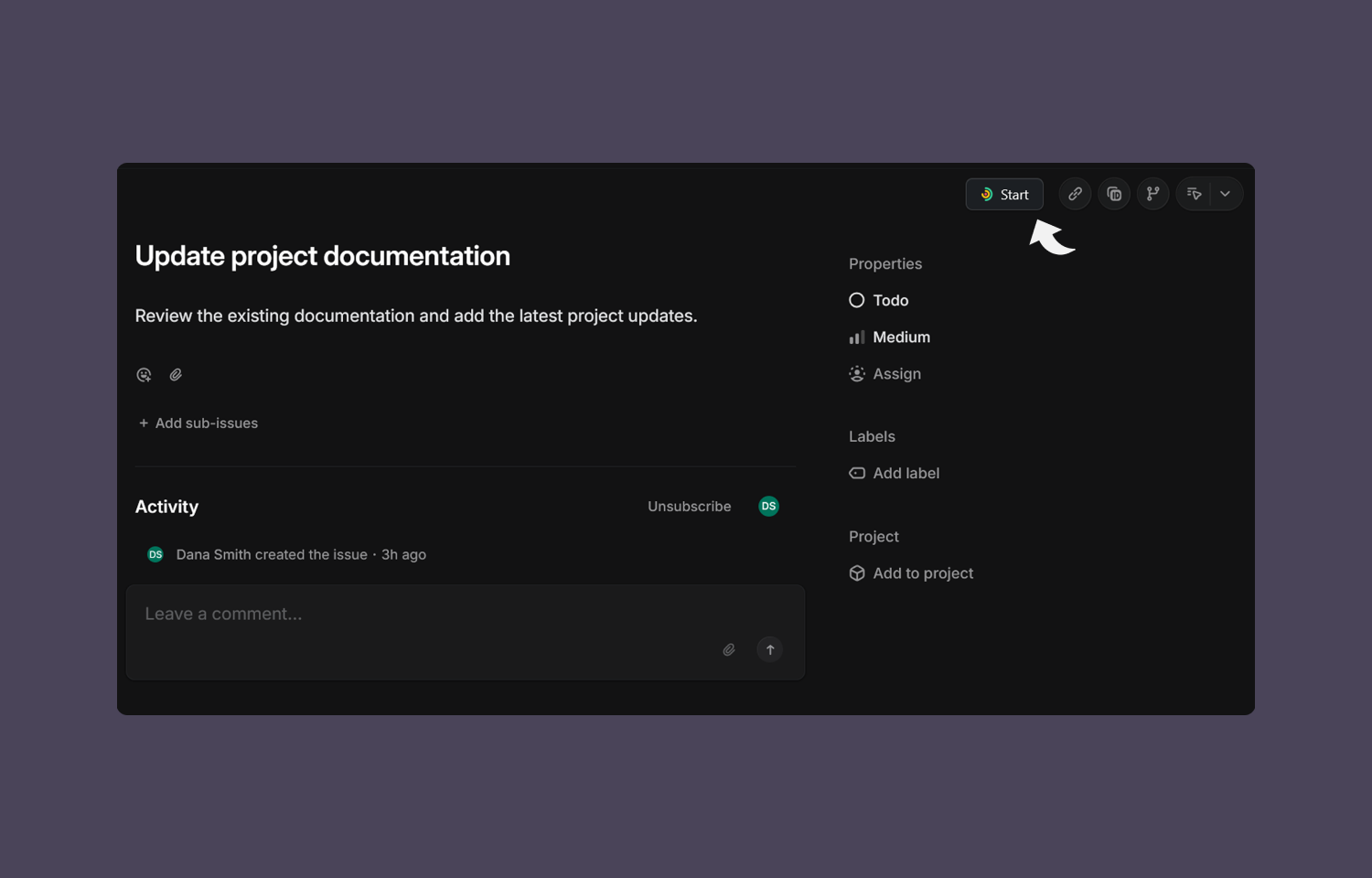
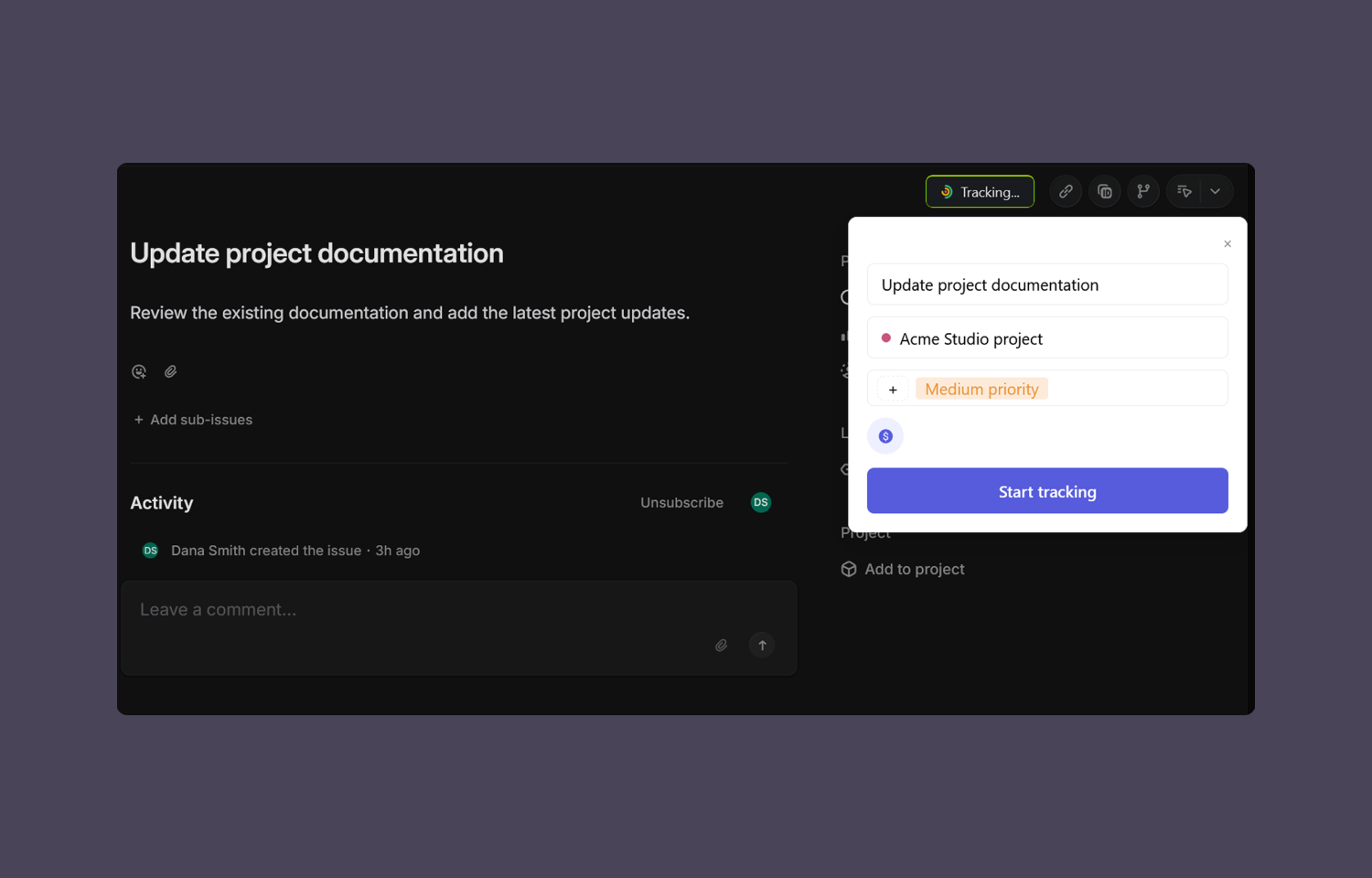
The Traqq browser extension adds time tracking controls to Linear issues. Start a timer directly from Linear, select a Traqq project, add tags, and mark the time entry as billable or non-billable before tracking begins.
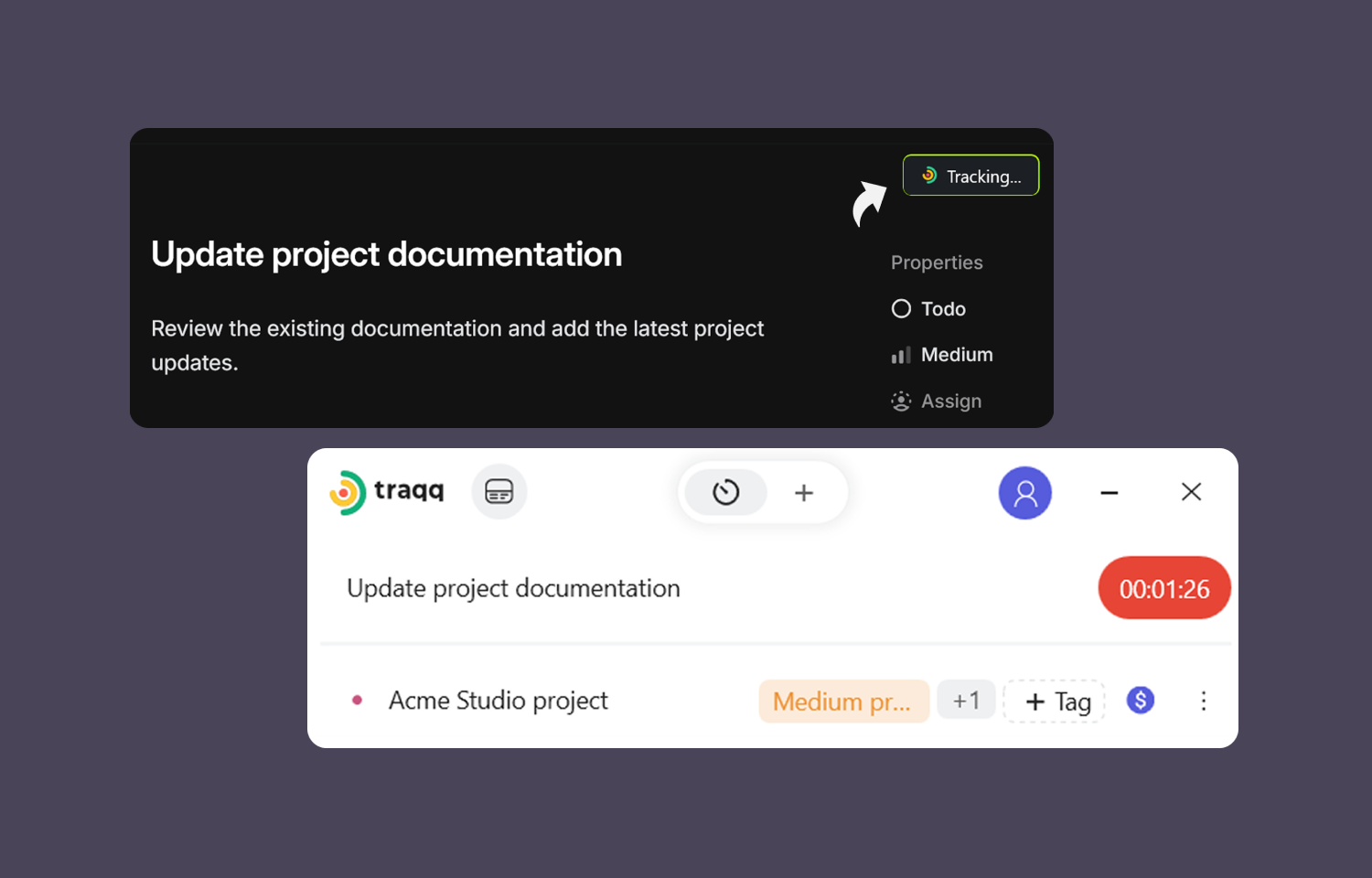
Traqq automatically uses the Linear issue title as the task name in your time entry. Logged hours are saved to the Traqq account and synced across the Traqq browser extension, web app, and desktop app. Tracking can be stopped from Linear or any Traqq app.
Configure
A Traqq account and the Traqq browser extension are required. Install the extension, sign in with the Traqq account, and enable the Linear integration from the extension settings. Once enabled, Traqq controls appear in Linear issues in the browser version of Linear only.