- Integrations
- Kollabe
Estimate Linear issues in Kollabe's Planning Poker
Overview
Use the planning poker technique to get your whole team aligned on estimates. Kollabe brings everyone together in real-time sessions with voting, timers, and AI-generated summaries to surface patterns and outliers. Connect to Linear to import issues, estimate collaboratively, and sync story points back automatically.
How it works
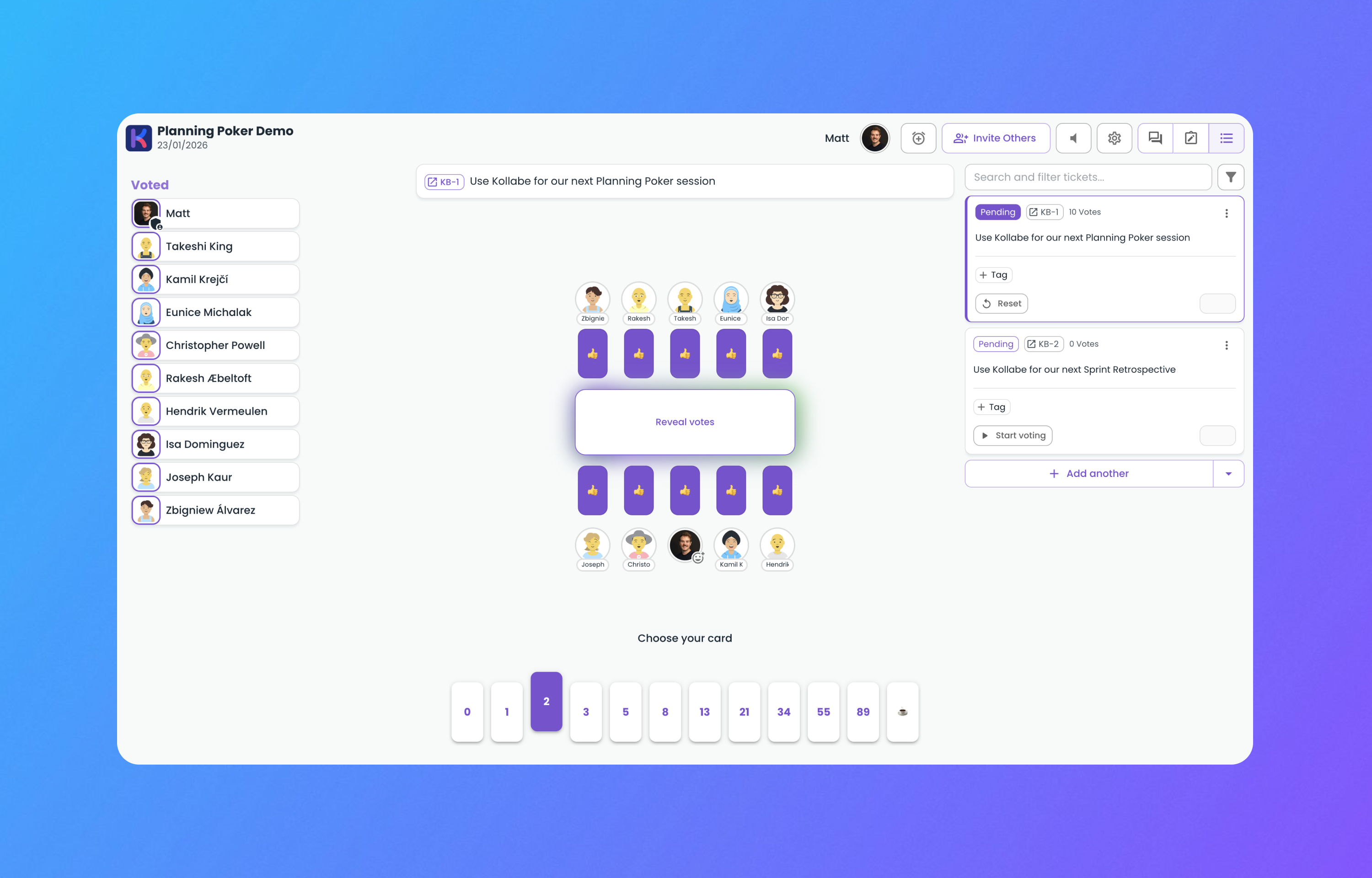
Estimating work as a distributed team can be tricky. Planning Poker solves this by giving everyone a voice without anchoring bias. With Kollabe, create a session, invite your team, and start estimating in real-time. Each participant votes privately, then all cards are revealed together so you can discuss outliers and reach consensus as a group.
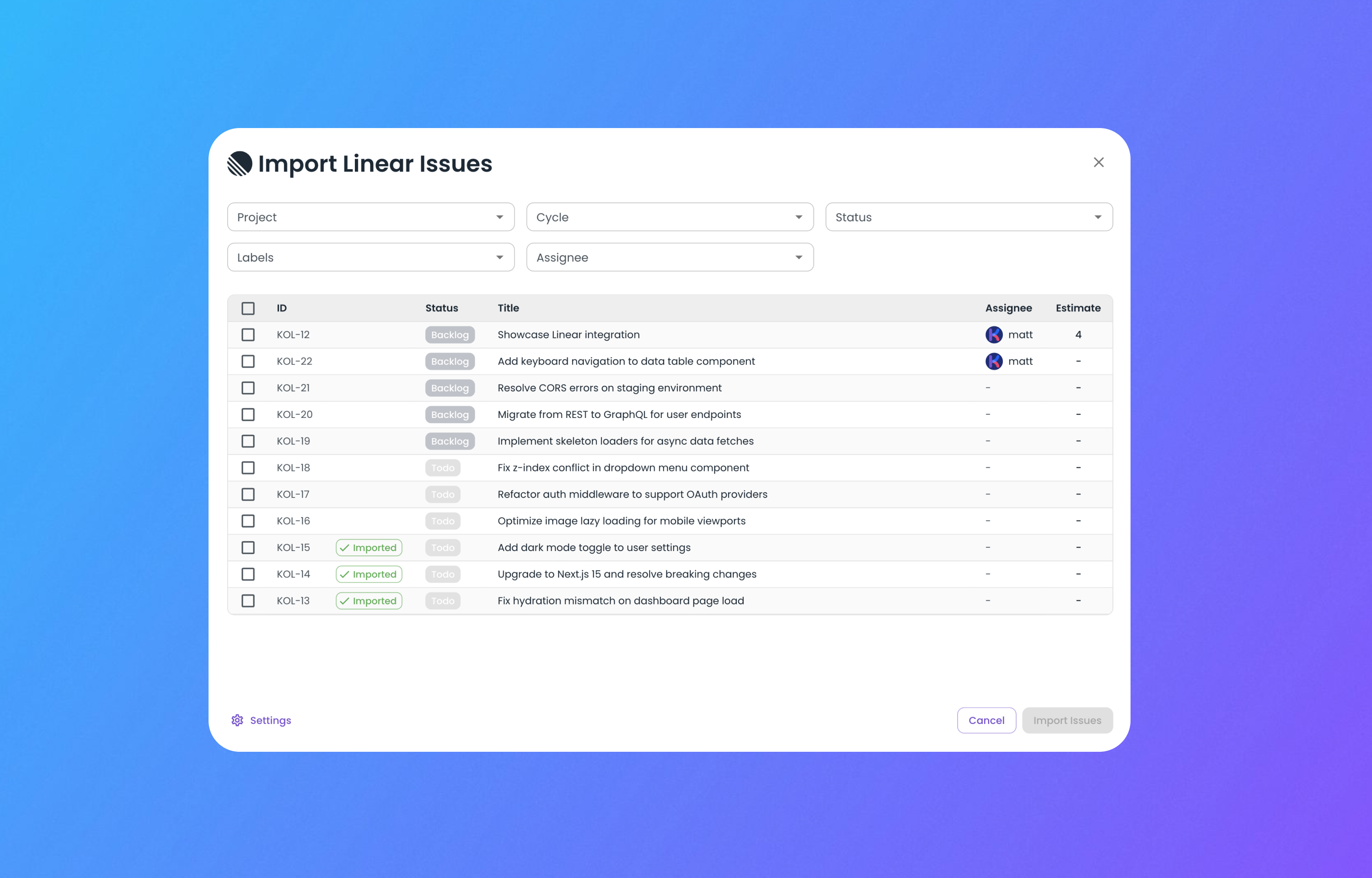
Connect your Linear workspace to pull issues directly into your session. Browse projects, select the tickets you want to estimate, and import them with a click—no copy-pasting titles or switching tabs. As your team works through the backlog, Kollabe tracks votes, highlights patterns, and uses AI to surface insights about your estimation trends.
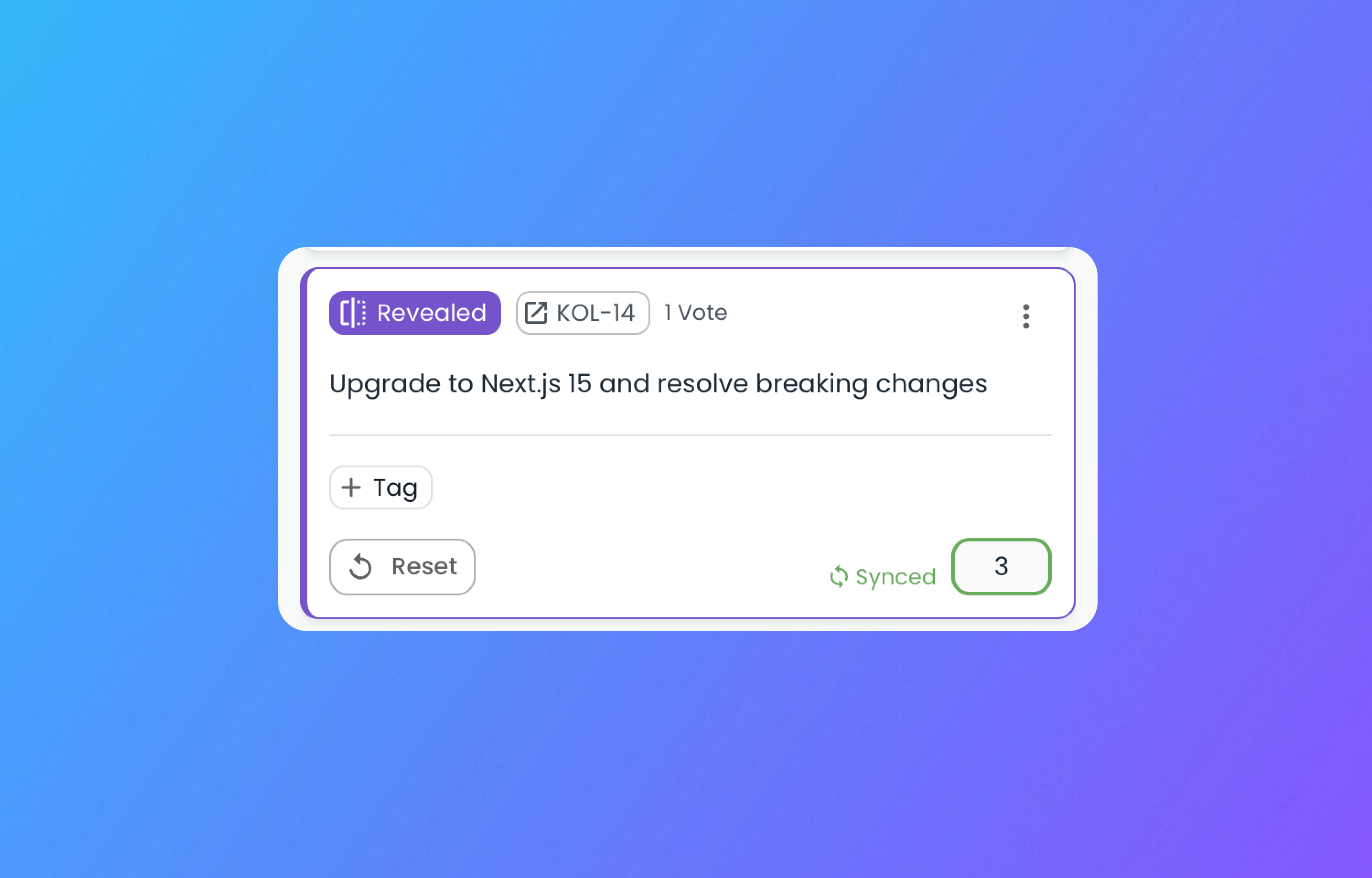
When the session wraps up, sync your estimates back to Linear automatically. Story points are written directly to your issues, keeping your backlog accurate and saving your team from manual data entry. Whether you’re refining a sprint or grooming the entire backlog, the integration keeps everything in sync.
To Configure
To connect Linear, start or join a Planning Poker session in Kollabe and open the import menu. Select Linear, and you’ll be prompted to authorize access through a standard OAuth flow. Once connected, choose your Linear team and browse issues to import into your session.