- Integrations
- Granola
Turn meetings into action items automatically
Overview
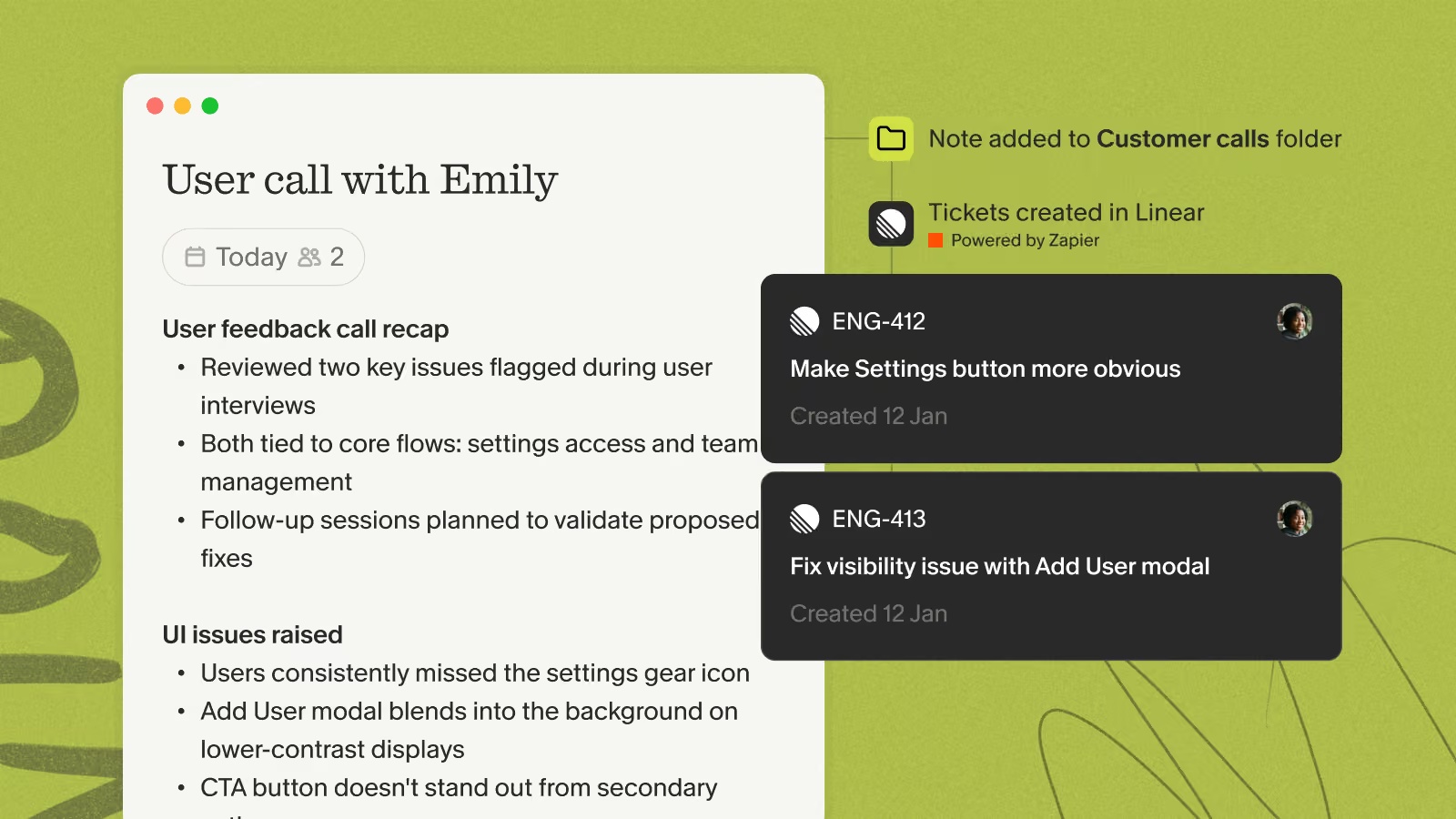
Connect Linear to Granola via Zapier to turn your meeting action items into Linear issues automatically — so what you agreed to in the call lands in your engineering backlog without any copy-pasting.
Zapier is available to paid Granola users on the desktop app, and you’ll need a Zapier account.
How it works
Once the Zap is live, every note that hits your trigger flows straight to Linear:
- Point the folder trigger at a folder like Customer Interviews — new notes added there create issues automatically.
- Or leave it manual and push a specific note to Zapier from the share menu when you want it in Linear.
- Each issue is populated with the note’s action items, so your backlog reflects what was actually decided in the meeting.
Configure
- In Zapier, create a new Zap and choose Granola as the trigger app.
- Pick your trigger — Note added to Granola folder to fire automatically whenever a note lands in a chosen folder, or Note shared to Zapier to push notes by hand from the note’s share menu.
- Add Linear as the action app and select Create Issue.
- Map the note’s action items into the issue title and description, choose the team and project, then turn the Zap on.