- Integrations
- Expiration Reminder
Create issues from expiring certificates and contracts
Overview
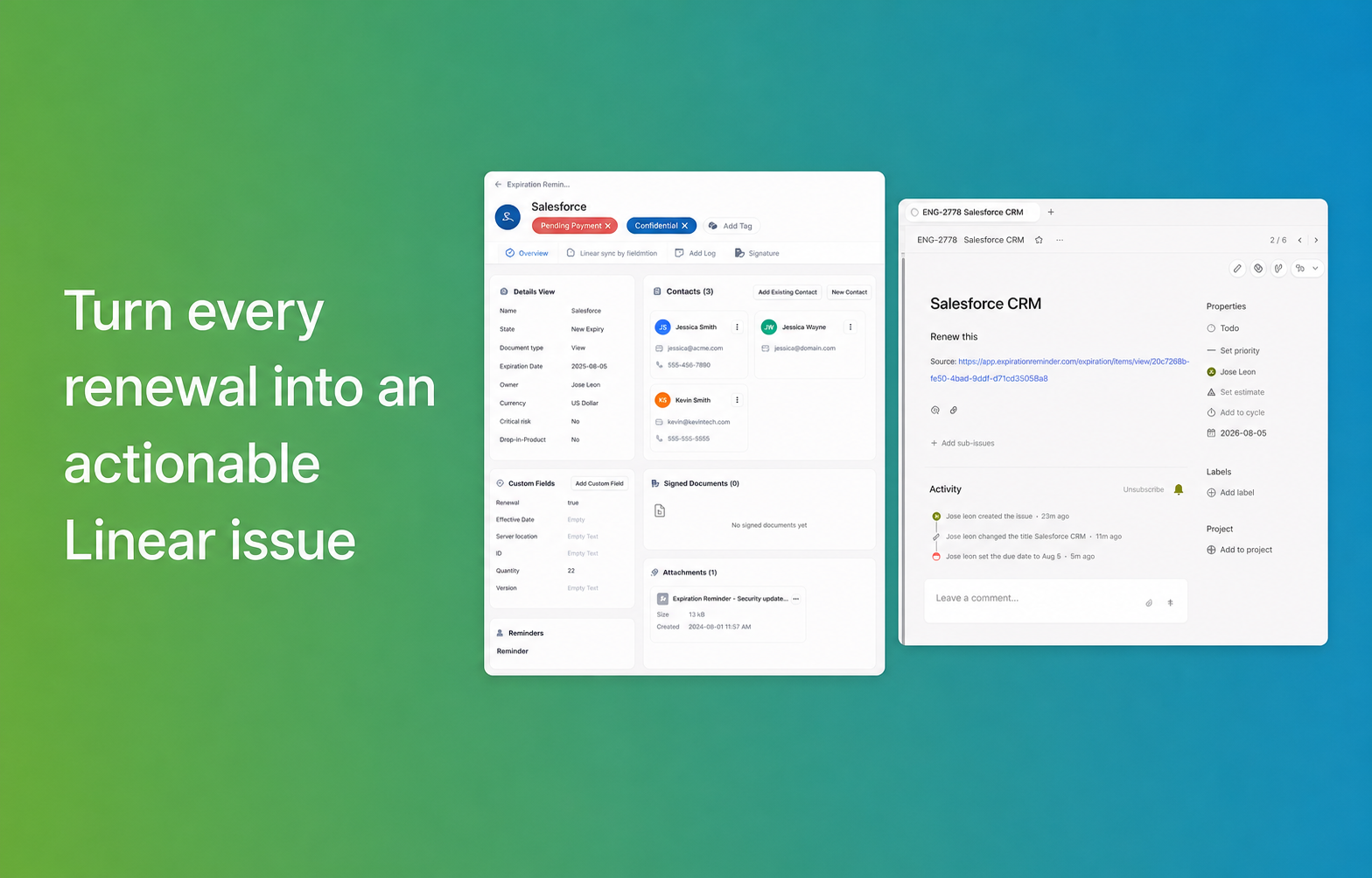
Expiration Reminder tracks documents that expire like SSL certificates, domain registrations, software contracts, vendor SOC 2 reports, insurance certificates, and licenses, and creates a Linear issue when a renewal comes due. The issue carries the expiry date as its due date and is assigned to whoever owns that document, so renewals land in the same queue your team already works from instead of in a spreadsheet nobody opens.
How it works
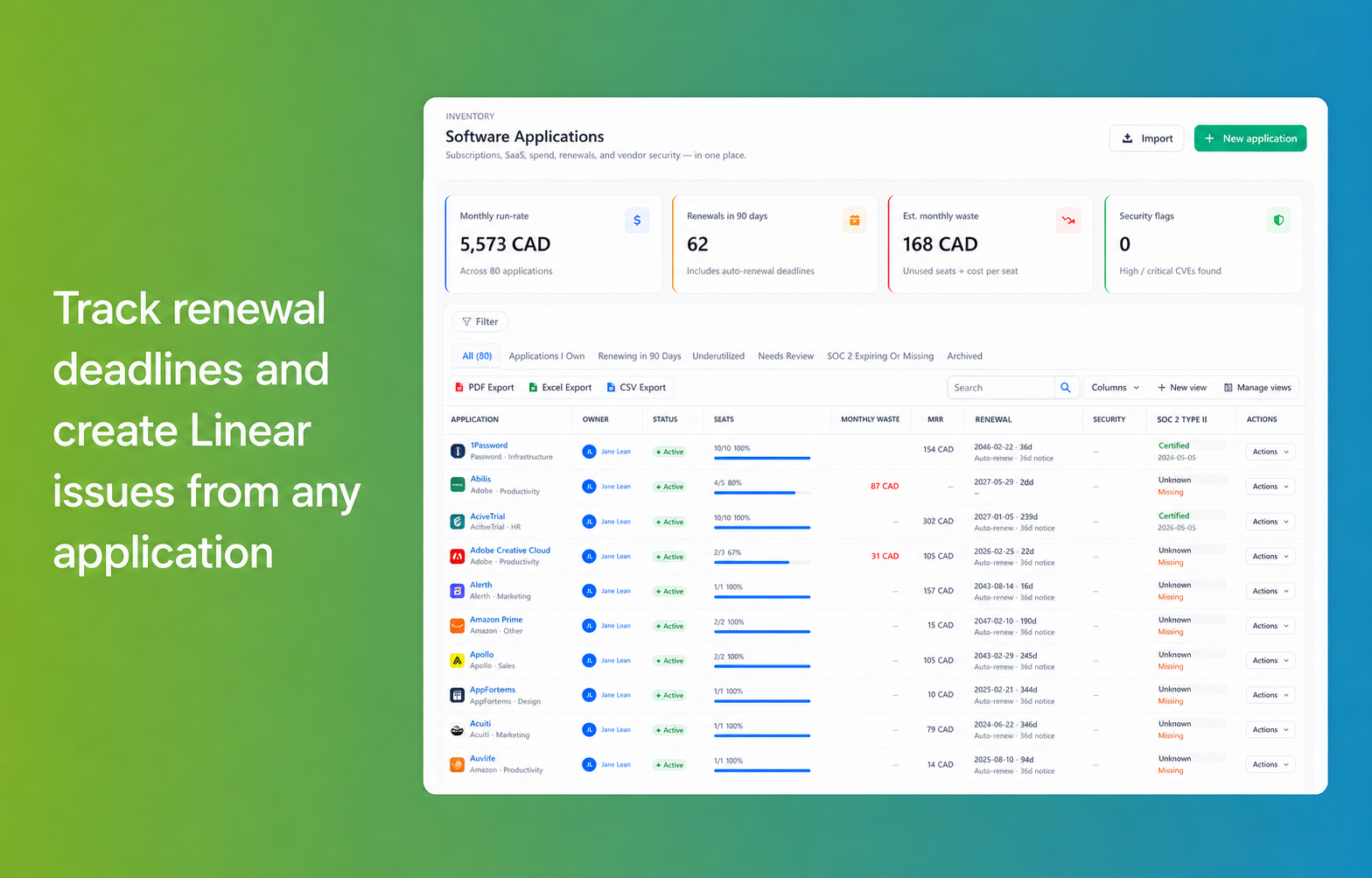
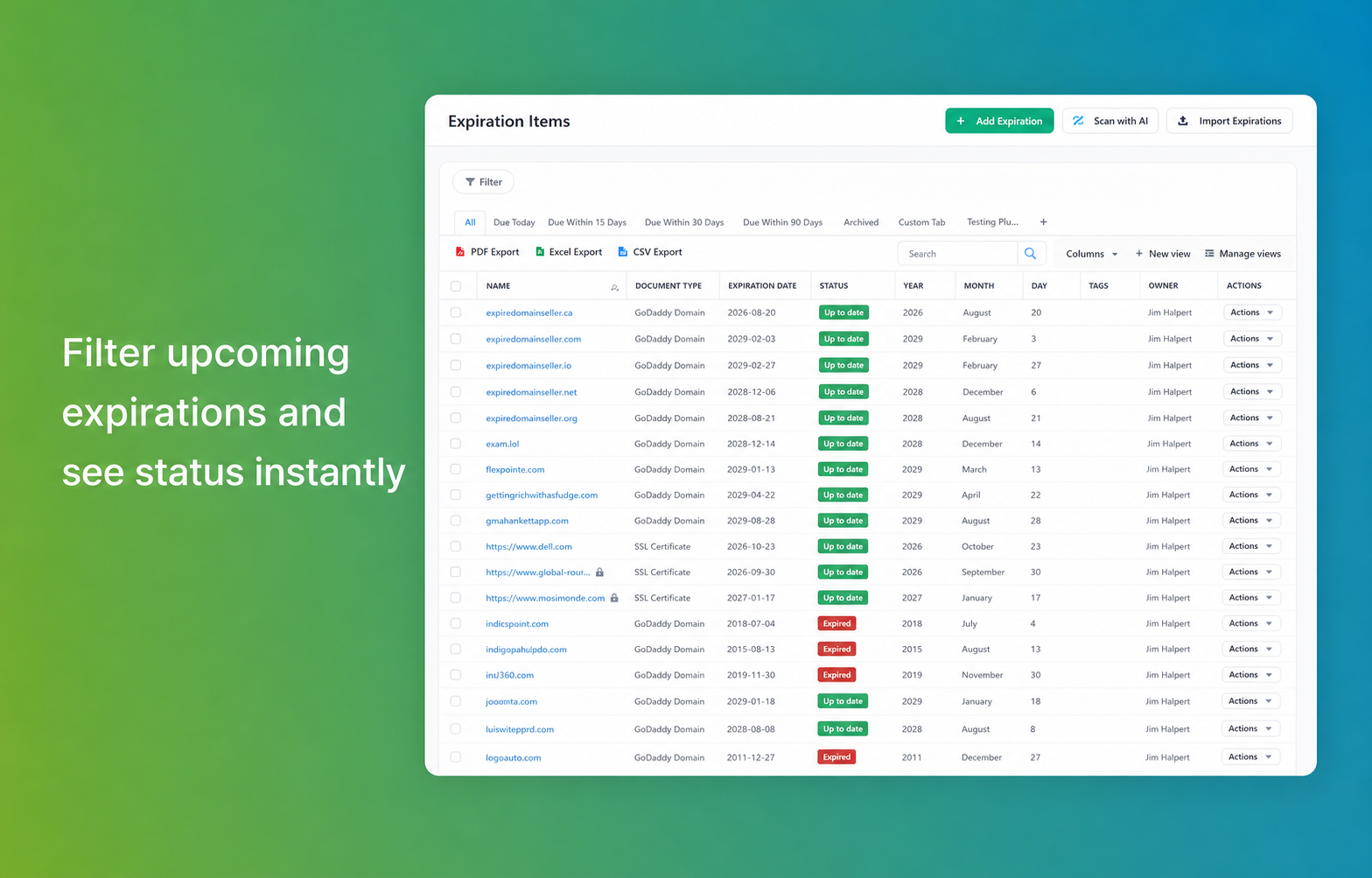
Expiration Reminder holds a record for each document your team is accountable for, with its expiry date, owner, vendor, and the file itself. Documents can be added manually, imported in bulk from a spreadsheet, or scanned from PDFs. Each document type has its own renewal window, so a wildcard certificate can surface 60 days out while a domain registration surfaces at 30, and auto-renewal notice periods are tracked separately from the expiry date since that is usually the deadline that actually matters on a vendor contract.
When a document enters its renewal window, Expiration Reminder creates an issue in the Linear team you mapped that document type to. The issue includes the document name and type, the expiry date as its due date, and a link back to the source record in Expiration Reminder. It is assigned to the document owner, and you can apply a label so renewal work is filterable alongside everything else in the team’s backlog. Renewals that pass without action stay visible in Expiration Reminder as expired rather than disappearing from the list.
Once the renewed document is uploaded in Expiration Reminder, the record’s expiry date rolls forward and the next renewal window is calculated from the new date. Alongside the Linear issue, Expiration Reminder sends email reminders to the owner and any additional contacts on the record, so the reminder still reaches people who don’t work in Linear day to day like procurement, finance, or an external vendor contact.
Configure
Configuring the integration requires a Linear workspace admin, since the OAuth authorization applies to the whole workspace, and an Expiration Reminder account on any paid plan.
In Expiration Reminder, go to Settings → Integrations → Linear and select Connect. You’ll be redirected to Linear to authorize access, then returned to Expiration Reminder to finish setup. Choose the Linear team where issues should be created, map each document type to a team if you want renewals routed to different groups, and set how far ahead of the expiry date issues should be created.