- Integrations
- Drobber
Turn client feedback on websites, PDFs, images, and video into Linear issues
Overview
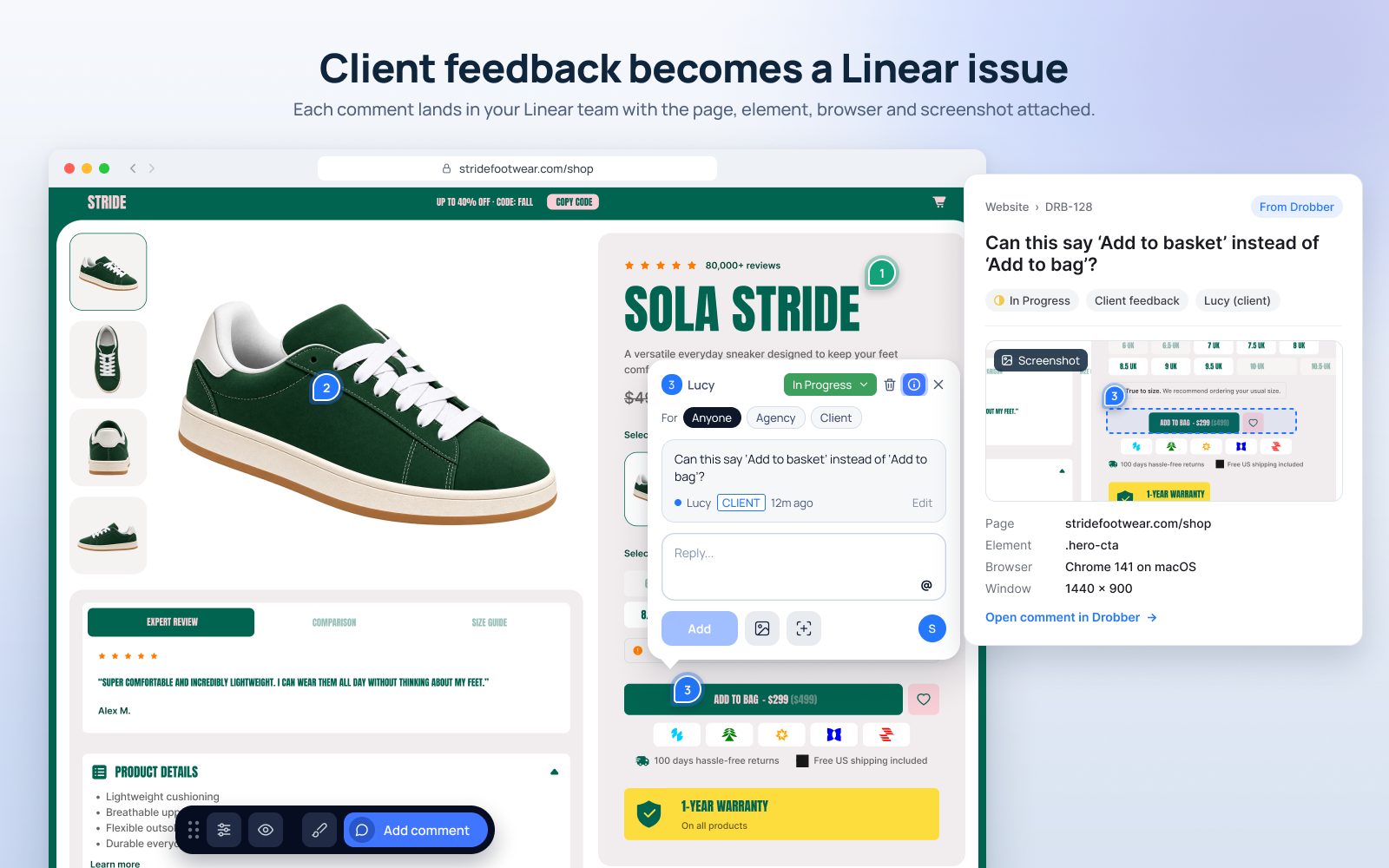
Drobber lets clients pin feedback directly on live websites, PDFs, images, and video. With the Linear integration, every comment becomes a Linear issue with the context your team needs to fix it.
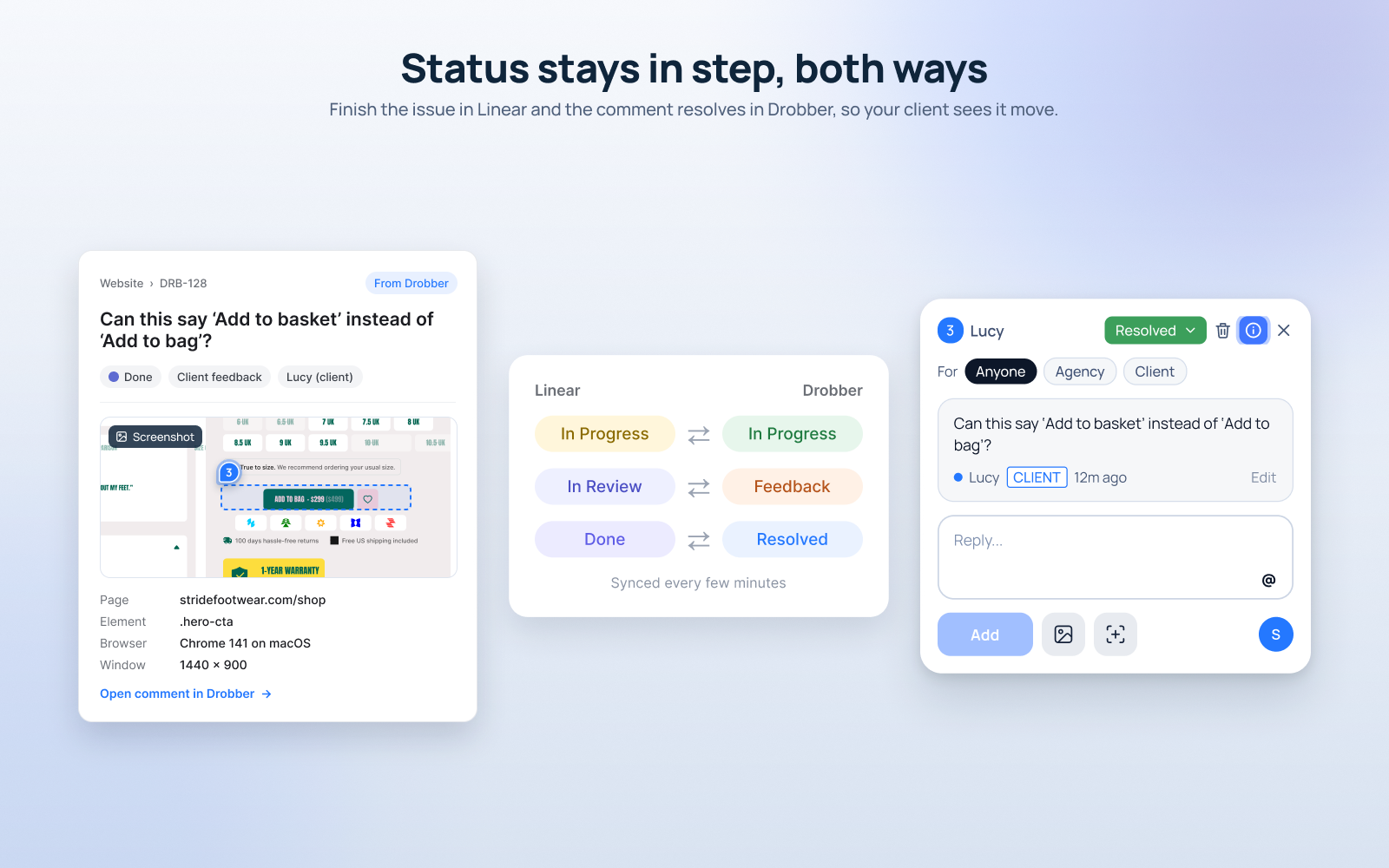
Status stays in step between Linear and Drobber, so clients can see their feedback being handled without anyone chasing updates.
How it works
When a client or teammate pins a comment in Drobber, an issue is created in the Linear team you choose. The issue title is the comment, and the description carries the page URL, the element the comment was pinned to, the browser and version, operating system, device and window size, any screenshot the reviewer added, and a link back to the comment in Drobber. Replies on the comment are added to the issue as comments.
Status syncs both ways. Move the issue to In Progress, In Review, or Done in Linear and the comment follows in Drobber as In Progress, Feedback, or Resolved. Change the status in Drobber and the Linear issue moves to the matching state, so neither tool falls out of date. Assignees are matched by email.
Clients do not need a Drobber account to leave feedback, so comments from clients and from your own team arrive in Linear the same way. You connect Linear once for your workspace, then switch the integration on for the projects you want to sync.
Configure
In Drobber, open Integrations and choose Linear. Sign in with Linear to authorize Drobber, then pick the team that new issues should be created in.
Turn the integration on for each project you want to sync. You need a Drobber account (there is a 14-day free trial) and access to the Linear workspace you are connecting.