Time in status
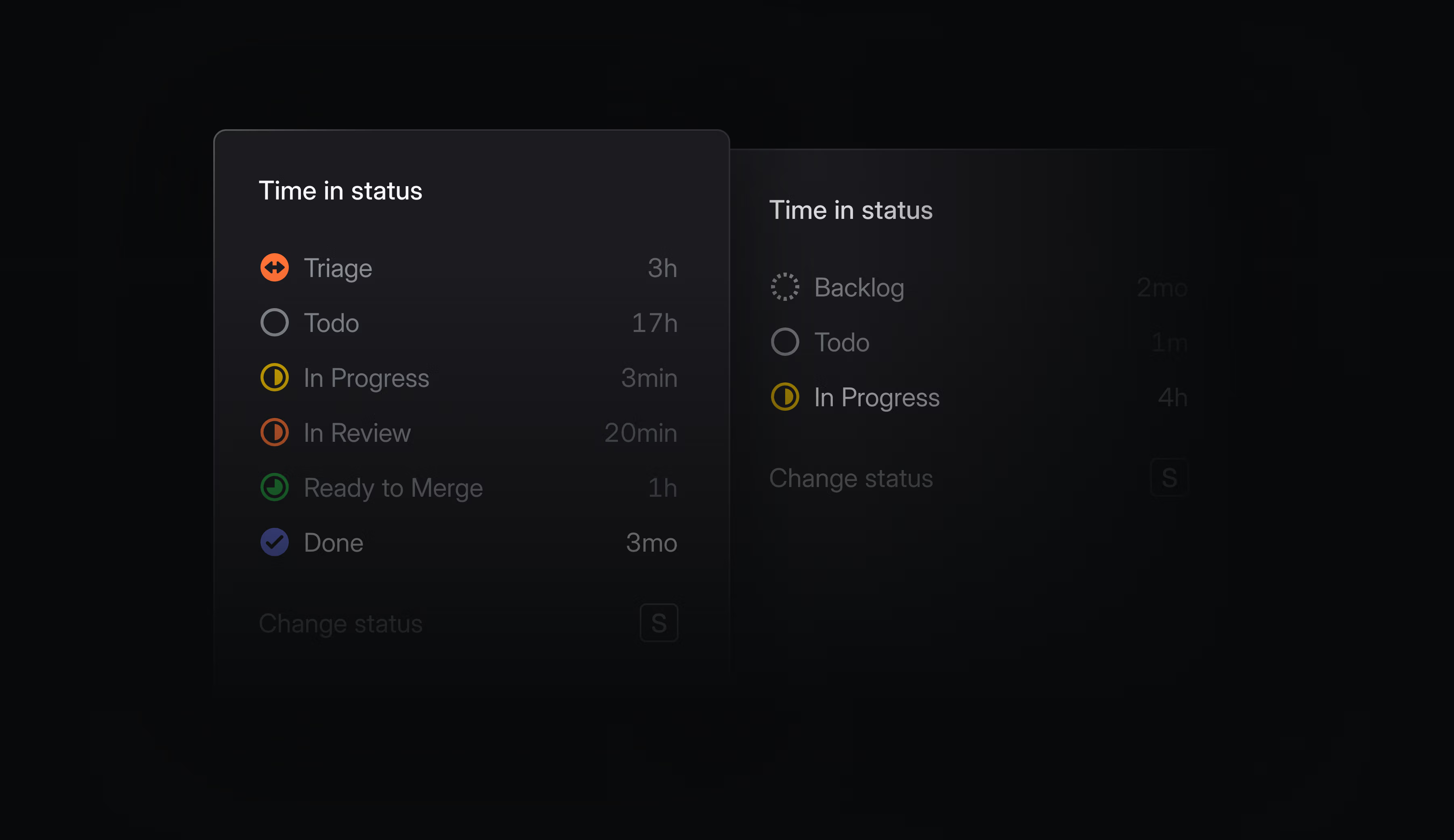
Time spent in individual statuses is now tracked and available throughout Linear. Hover over any issue’s status indicator to see the cumulative time it’s spent in each status. You can use this to spot where things are getting stuck, identify bottlenecks, and optimize your development process.
On lists and boards, you can see how long items have been in their current status. Order by time in status to surface blocked work, or filter by conditions like In Review > 7 days to catch issues that have fallen through the cracks.
In Insights and Dashboards, analyze the time spent in any status and slice by time period or other attributes to see how performance changes and differs across your workspace. Use this to quickly uncover systemic bottlenecks and outliers.
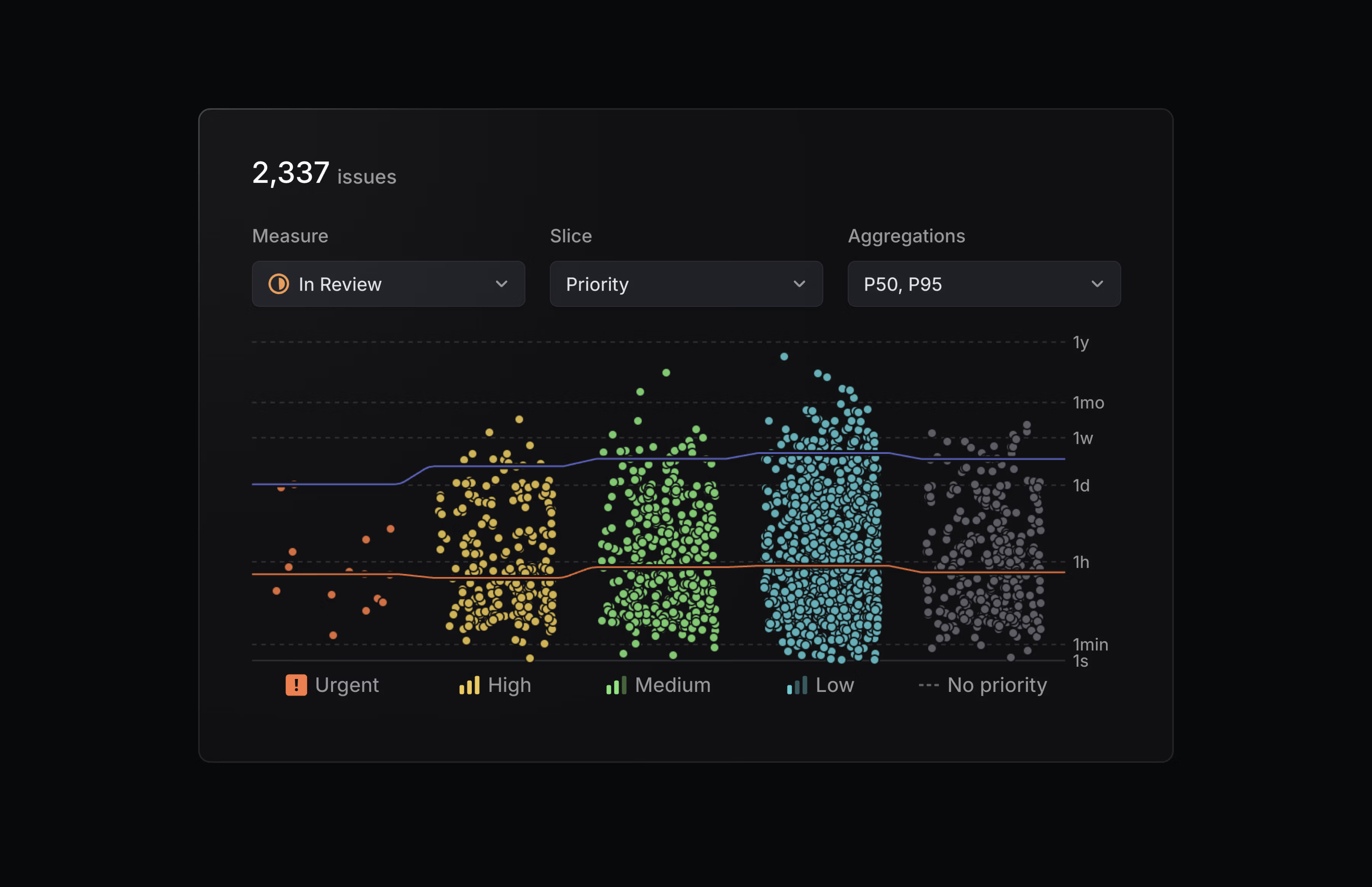
Time in status is available as a display option in views, and as a new measure in Insights.
Jira Epic sync
We’ve upgraded our Jira integration to support bi-directional syncing between Jira Epics and Linear projects. Changes to properties like status, target date, and description automatically reflect in both applications, so you don’t have to update them manually.
Configure the Jira integration from your Linear workspace’s integration settings.
- BoardsFixed horizontal scroll position not being restored on the board view when using rows grouping
- CommentsFixed showing both when a comment was created and edited
- EditorFixed slash command sub-menus to be selectable using the mouse (instead of just the enter key)
- EditorFixed drag-to-reorder todo items not working in Firefox
- FiltersFixed incident.io link filters failing to match issues
- IntegrationsFixed connecting Slack channels from the desktop app
- IssuesFixed issue properties overflowing at certain screen widths
- ProjectsFixed a bug where milestone content or other data could be lost during project creation if the server returned an error
- SettingsFixed label search not updating correctly when switching between workspace and team label pages
- SettingsFixed team member lists not refreshing after members were added or removed
- AndroidAdded support for creating a project and editing project title and summary
- AndroidAdded the ability to filter inbox notifications by category
- ImportersIssue numbers are now preserved from the source tool during imports when the destination team is empty, even if the team was created outside the import flow
- IntegrationsImproved error notifications when Linear can’t connect to a self-managed GitLab instance
- iOSAdded support for creating a project and editing project title and summary
- iOSYou can now toggle todo checkboxes in issue descriptions without entering the editor
- IssuesImproved assignee search by ranking Project and Team members higher than others
- LightboxImproved zoom controls for the image lightbox
- In
update_issue, allowedassigneeanddelegateto be set tonullto remove them. - In
update_project, allowedleadto be set tonullto remove it