- Integrations
- Stepflo
Surface user journey friction and generate flow fixes from your issues
Overview
Stepflo connects to your Linear workspace and uses AI to identify user journey friction including onboarding blockers, activation drops, confusing UX that are buried in your issues. It maps problems to specific steps in your user flows and generates targeted solutions, so your team can fix what’s actually hurting adoption.
How it works
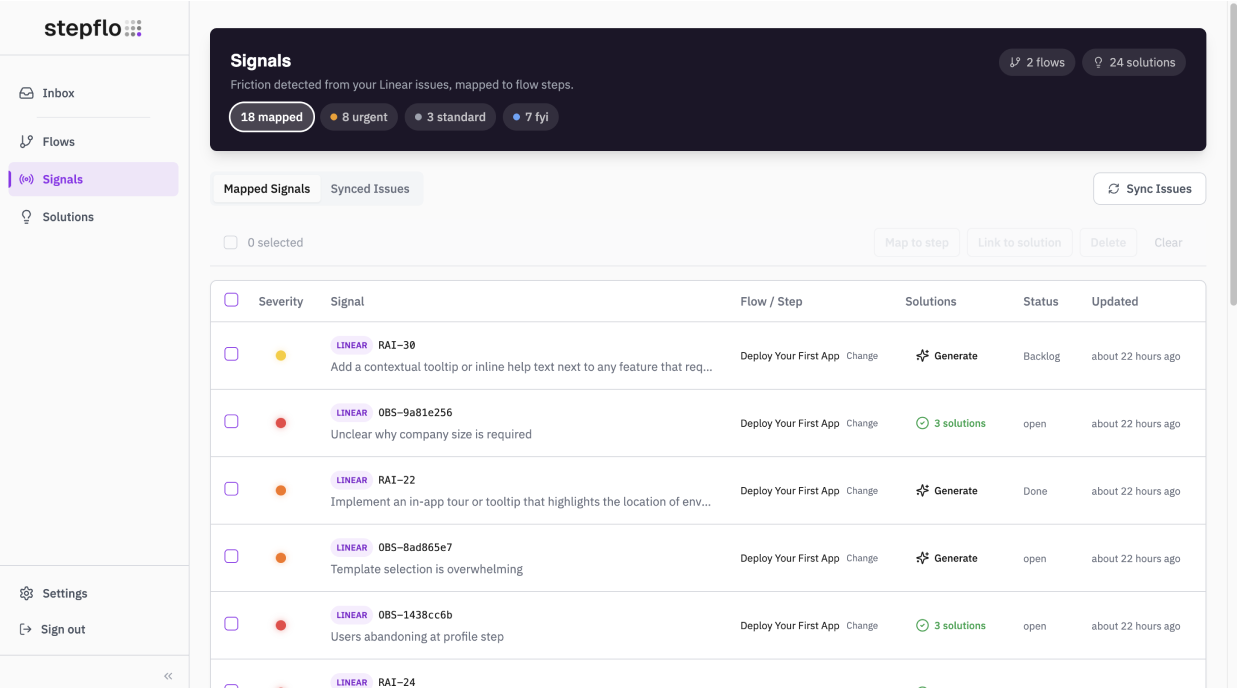
Stepflo syncs with your Linear workspace and continuously analyzes issues for signals of user journey friction. Using AI trained on product and UX patterns, it identifies when issues indicate onboarding confusion, activation blockers, or flow breakdowns—even when the issue description doesn’t explicitly mention them.
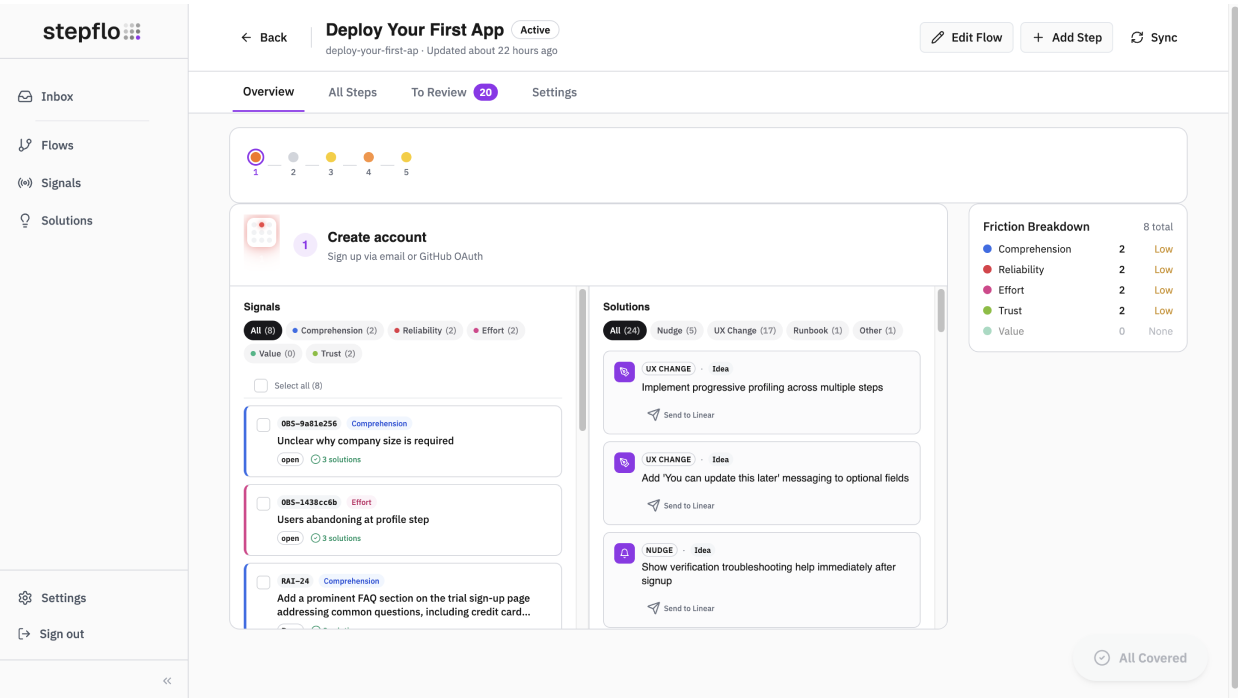
Each friction signal gets mapped to a specific step in your user flows, giving you a clear view of where users are struggling. Instead of scattered issues across your backlog, you see friction concentrated by flow and step, making it obvious which parts of your product need attention.
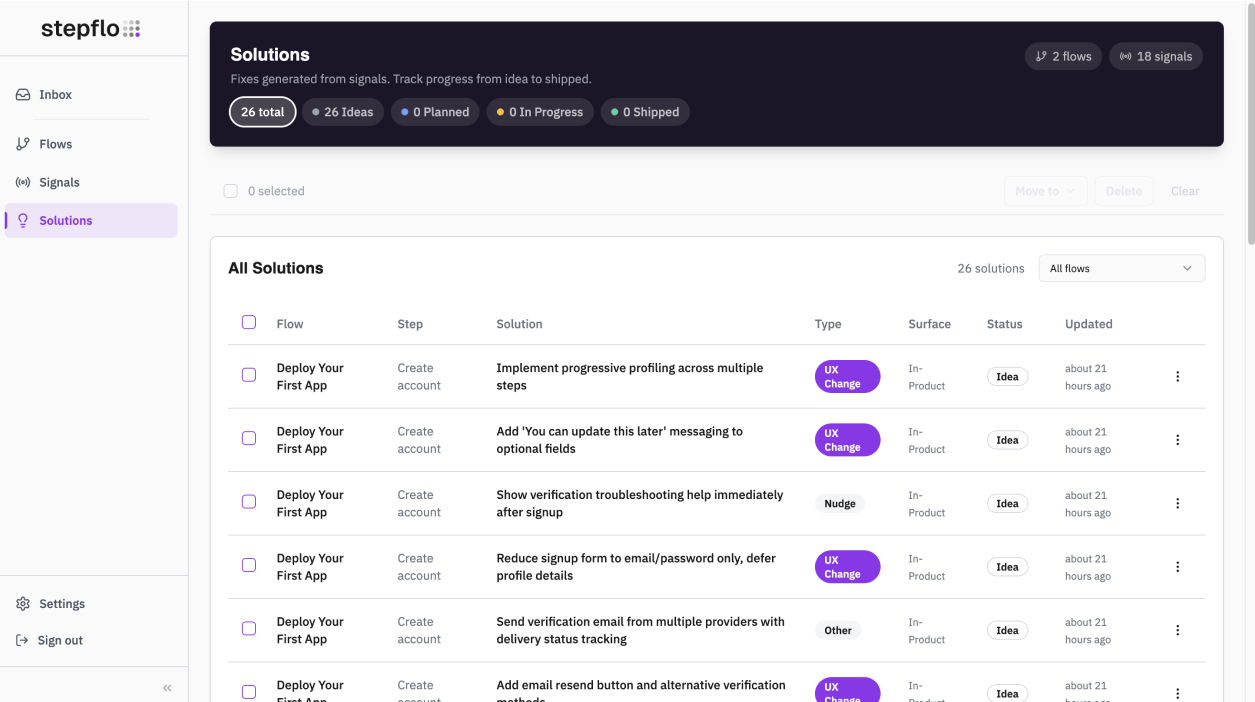
From there, Stepflo generates targeted solution recommendations based on the friction type and context. Solutions link back to the original issues, so your team can move from insight to action without leaving their workflow.
Configure
Connect your Linear workspace from Stepflo’s settings page. You’ll need to be a Linear workspace admin to authorize the OAuth connection. Once connected, Stepflo syncs your issues and begins analyzing them for user journey friction. You can configure which teams and projects to include from the dashboard.