- Integrations
- Rand
Turn Linear issues into R&D Tax Incentive evidence
Overview
Rand turns the work your team already tracks in Linear into evidence for Australia’s R&D Tax Incentive. It reads issues from the teams you choose, proposes which R&D activity each one belongs to, and uses their dates to estimate R&D time, so the claim is built from records made at the time instead of reconstructed at year end.
How it works
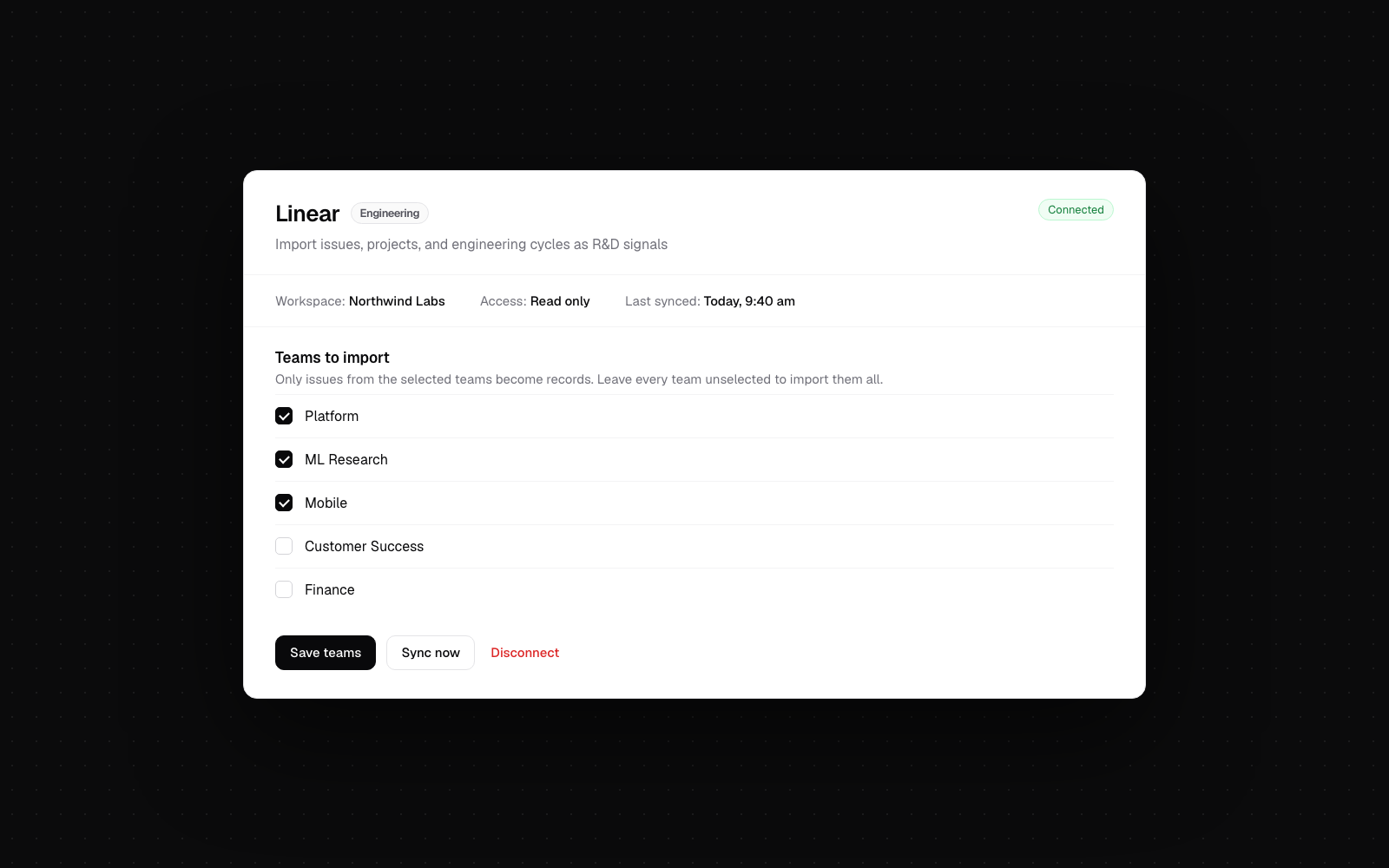
Rand connects to Linear with read-only access and imports issues from the teams you select: title, description, state, labels, estimate, project, assignee, and dates, plus comments, sub-issues, related issues, and attachment links for context. It imports the claim year month by month, then stays current through a daily sync and Linear’s webhook. Rand never creates, edits, or deletes anything in Linear.
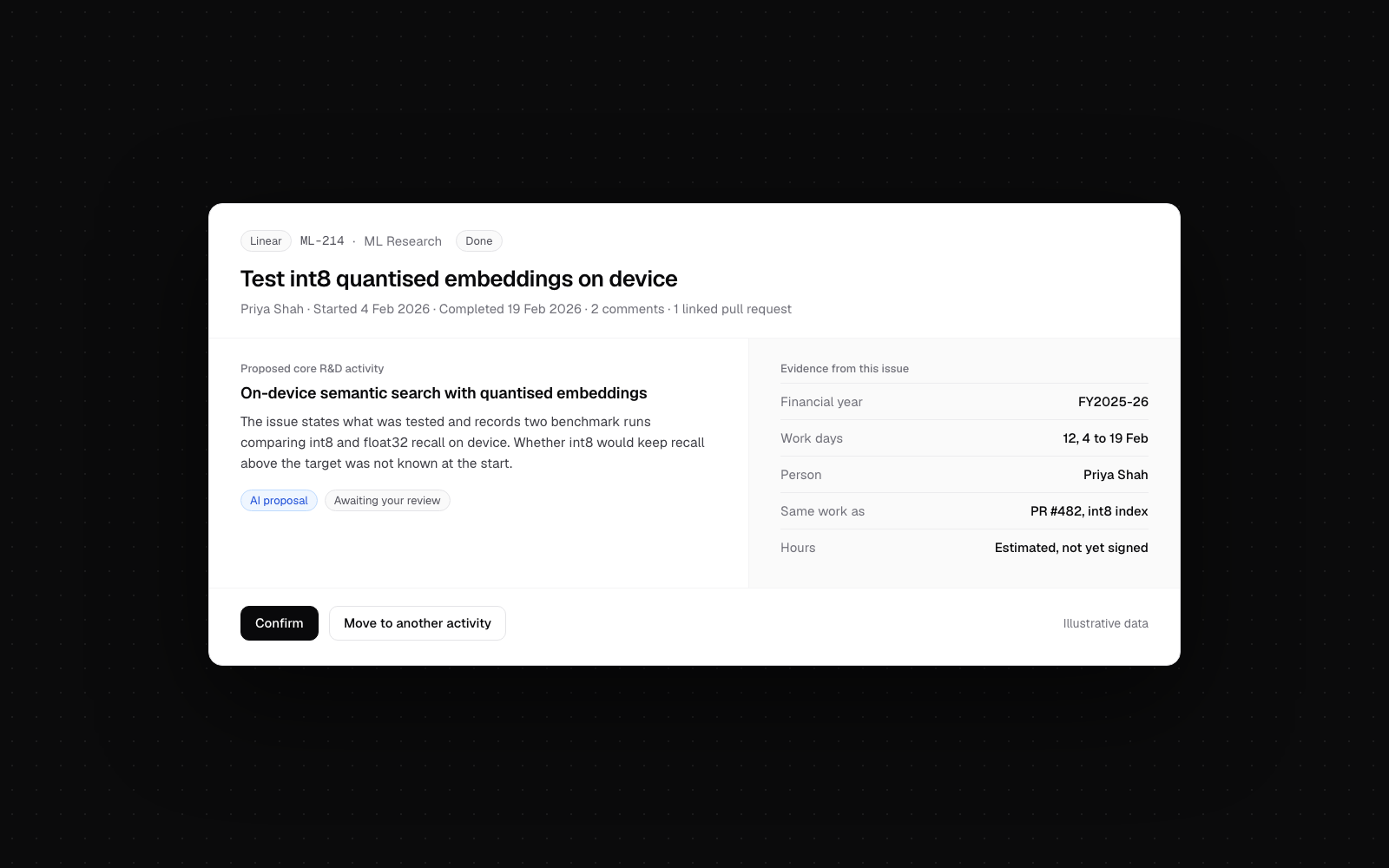
Each issue becomes a dated record. Issues in Triage, Backlog, or Todo wait until work starts, canceled and duplicate issues are left out, and issues from business teams such as finance or sales are filtered unless they mention R&D. For each remaining issue, Rand’s AI proposes the core or supporting R&D activity it belongs to, or asks your team a short question when the issue doesn’t say enough. An issue cited by a GitHub pull request is grouped with it, so the work counts once.
An issue’s started and completed dates show when work was underway, and they feed each person’s R&D time estimate as days of work, not hours. Nothing is claimed until your team has reviewed it, an Expert Reviewer has checked the activities, and a director has signed the year’s hours.
Configuration
Any member of your company’s Rand organization can connect Linear. If your Linear workspace only lets admins approve third-party apps, a Linear admin needs to approve it.
In Rand, go to Company, then Integrations, click Connect on the Linear card, and approve read-only access on Linear’s consent screen. Then choose the teams to include, such as engineering and research, or leave the selection empty to include every team. You can change the teams or disconnect Linear from the same card at any time.