- Integrations
- Quicktion
Quicktion turns forwarded emails into Linear issues
Overview
Quicktion turns forwarded emails into Linear issues.
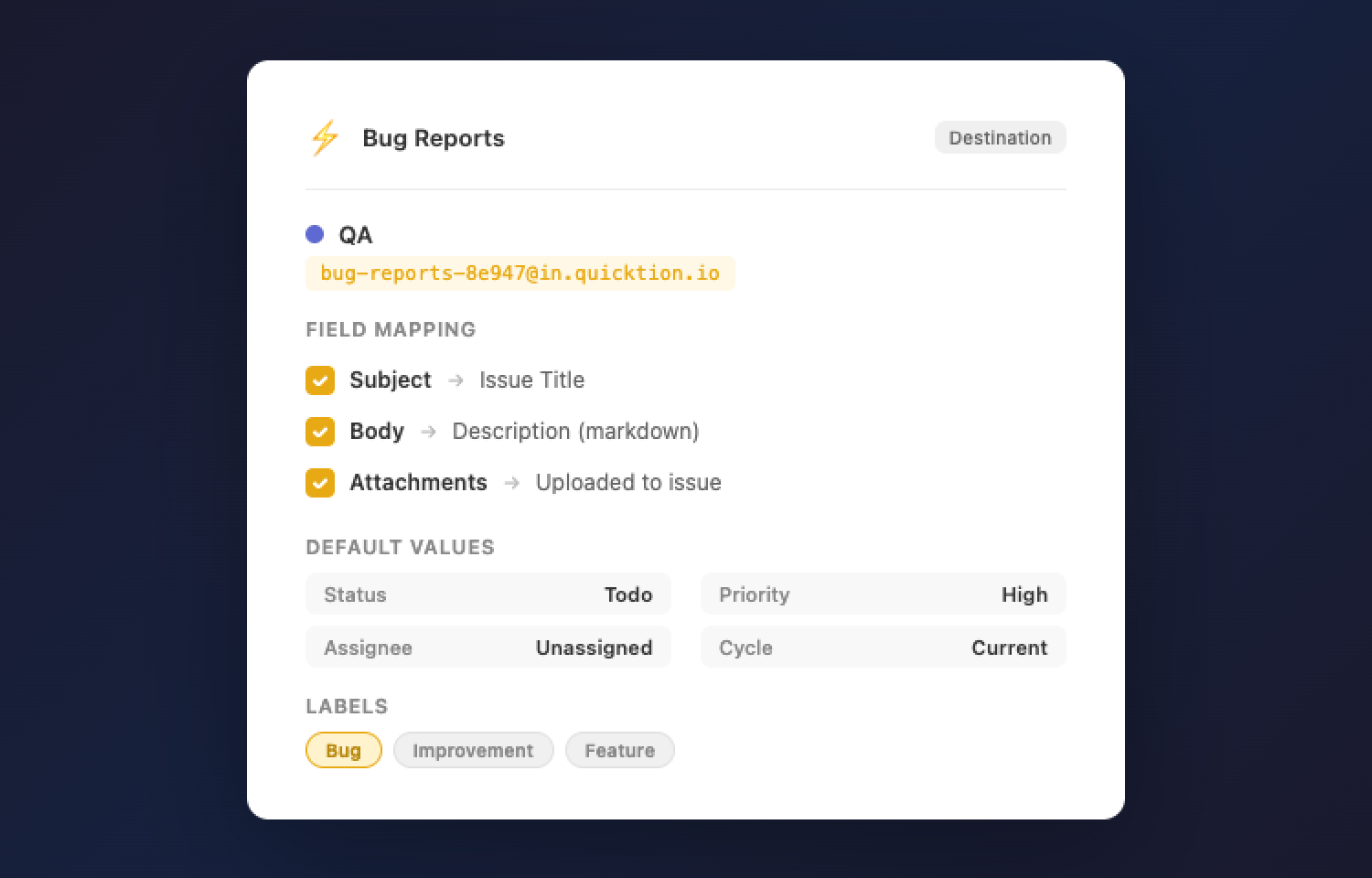
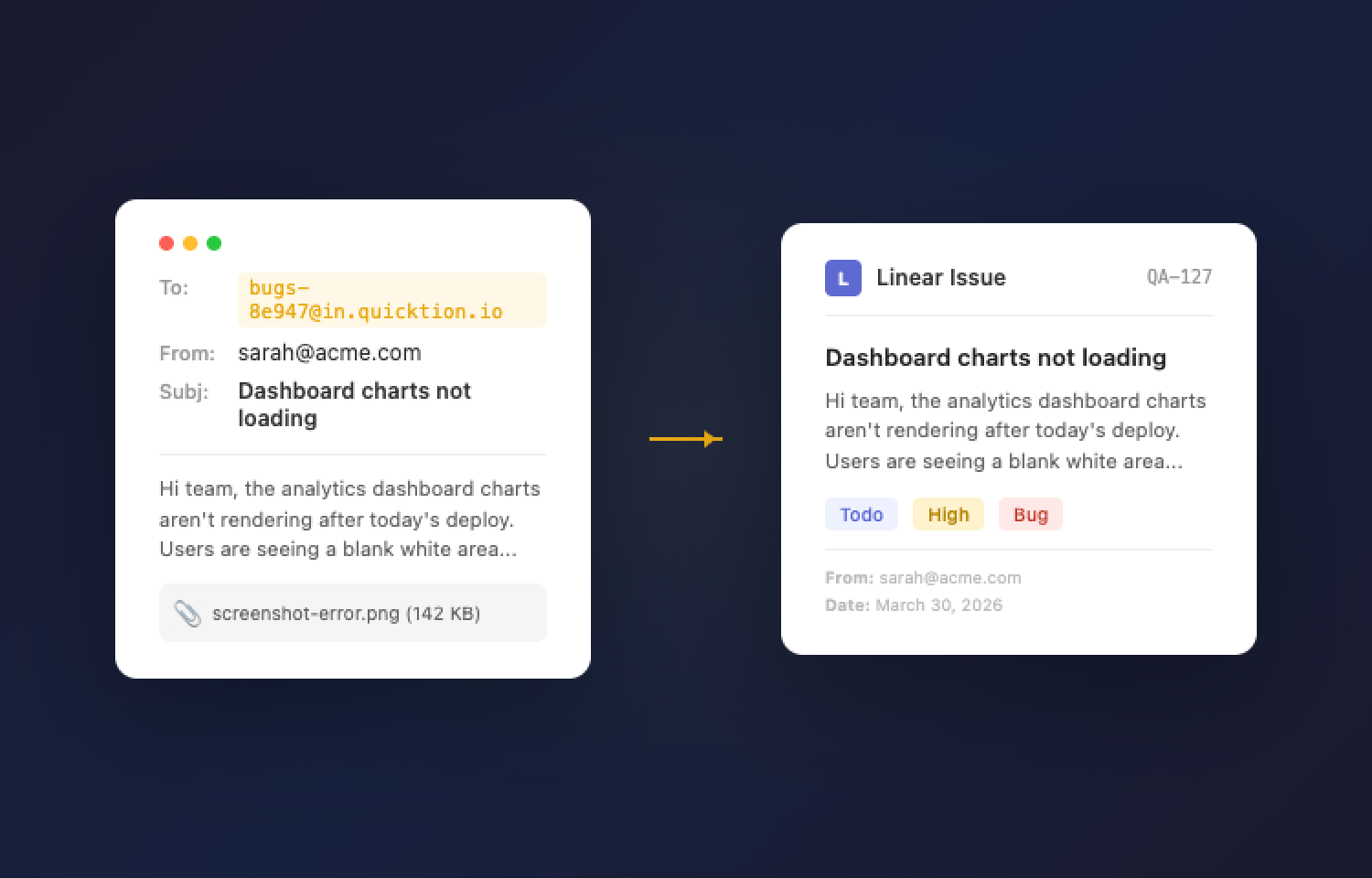
The email subject becomes the issue title, the body is converted to clean markdown for the description, and any attachments are added directly to the issue. You can set defaults for project, status, priority, assignee, labels, and cycle per destination so every email is triaged automatically.
Quicktion requires a separate account (free plan available) and connects to your Linear workspace via OAuth. Setup takes a couple of minutes and works with any email client that supports forwarding, including Gmail, Outlook, and Apple Mail. Gmail users can also install a dedicated add-on to create issues in one click.
How it works
Quicktion creates a unique forwarding address for each destination.
Forwarding an email to that address creates a Linear issue with:
- Subject → issue title
- Body → markdown description
- Attachments → uploaded to the issue
Each issue also includes metadata such as the sender, date, and a link to the original email.
Each destination maps to a Linear team and can include default values for project, status, priority, assignee, labels, and cycle. Every email sent to that address inherits those defaults, so issues arrive pre-configured.
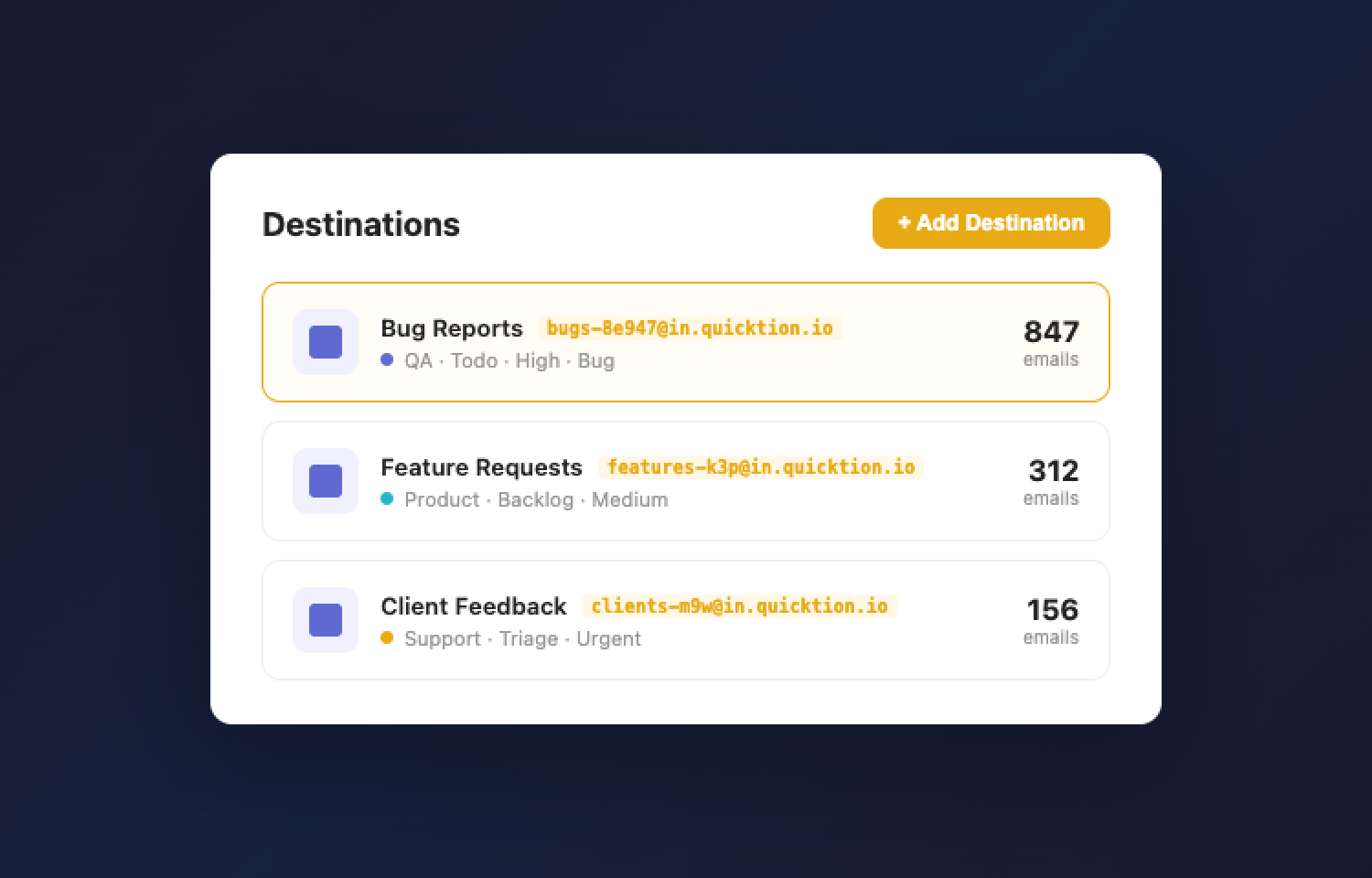
You can create multiple destinations for different workflows, such as bug reports, feature requests, or customer feedback.
Setup is quick: connect your Linear workspace via OAuth, choose a team, configure defaults, and start forwarding emails.
Configure
Sign up at quicktion.io and connect your Linear workspace using OAuth. No API keys or manual setup required.
After connecting:
- Create a destination and select a Linear team
- Optionally set default values (project, status, priority, assignee, labels, cycle)
- Use the generated forwarding address to create issues from emails
You can forward emails manually or set up rules in your email client to route them automatically.
Gmail users can also install the Quicktion add-on from the Google Workspace Marketplace. This allows you to create issues directly from your inbox, preview the issue, and adjust fields before saving.
All destinations and configuration are managed from the Quicktion dashboard: quicktion.io/destinations