- Integrations
- HubSpot Sync by IssueLinker
Two-way sync between HubSpot tickets and Linear issues, with bidirectional comment and status sync.
Overview
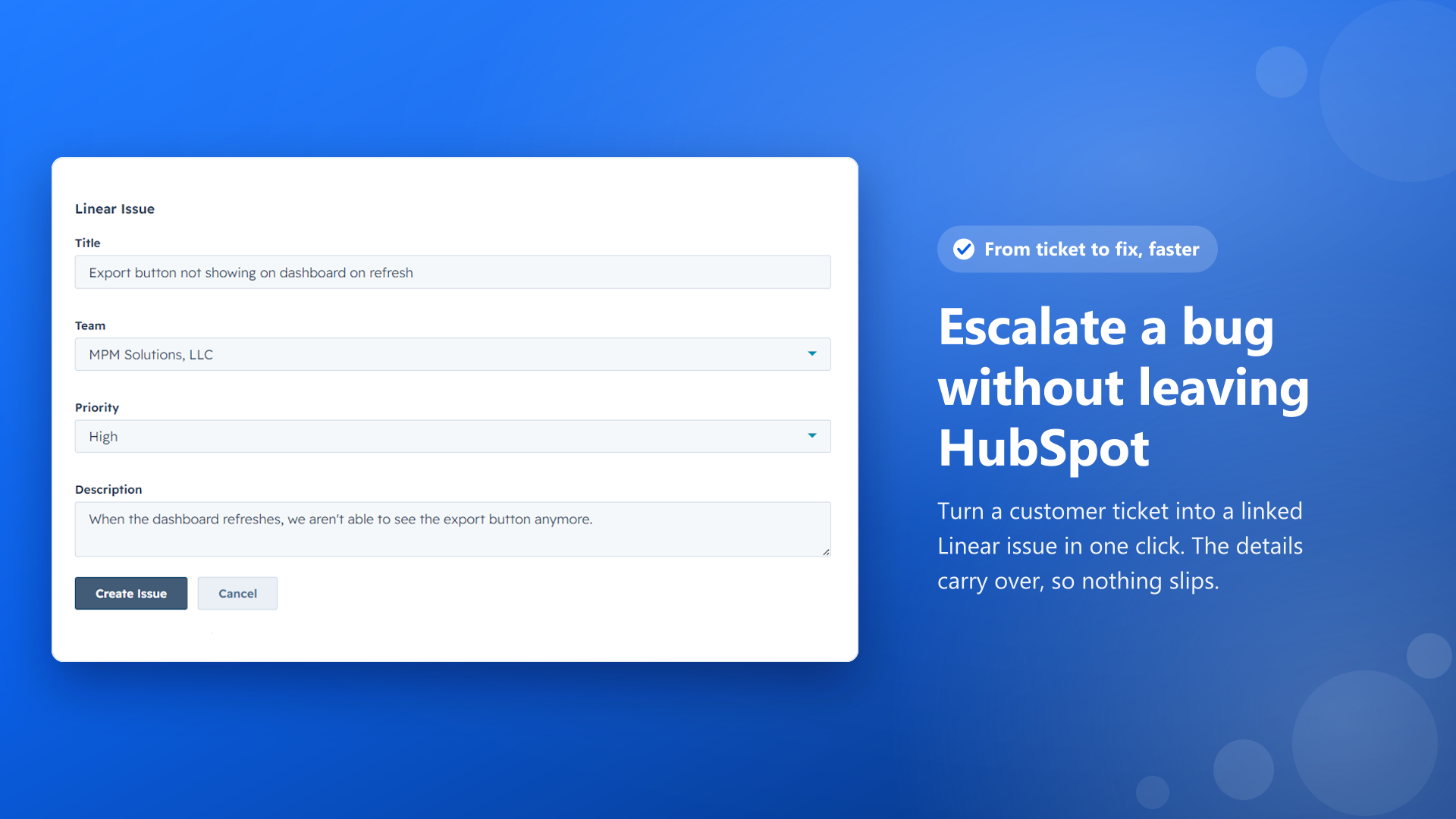
IssueLinker connects HubSpot and Linear so support and engineering teams work from the same source of truth. From any HubSpot ticket your team can create a Linear issue or link an existing one, and from then on comments and status stay in sync across both tools automatically.
How it works
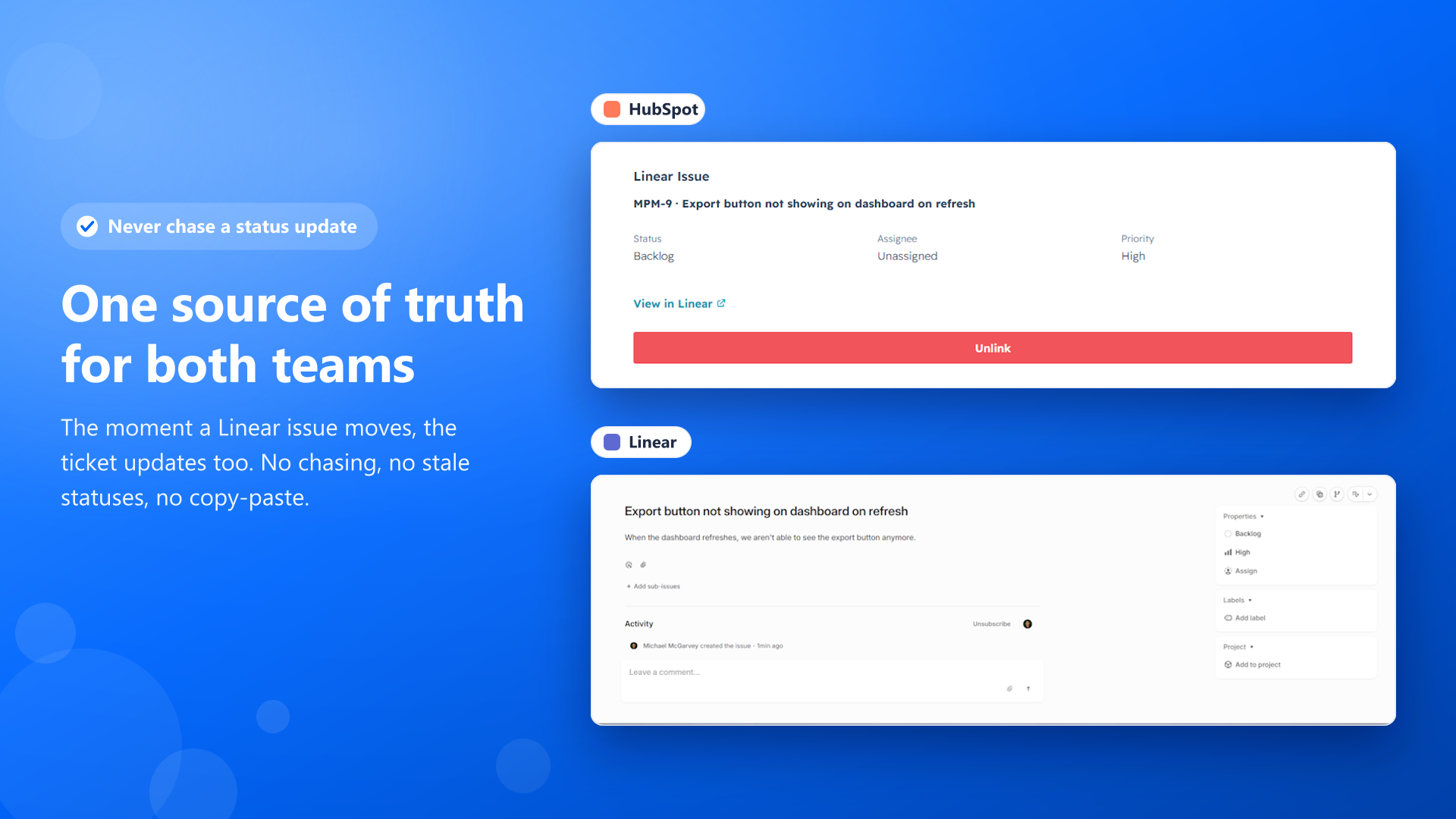
IssueLinker adds a card to the HubSpot ticket record where support reps can create a new Linear issue, search the Linear workspace to link an existing issue, or unlink one they no longer need. Once a ticket is linked, the card shows the connected Linear issue along with its current status, so reps can see where engineering stands without leaving HubSpot.
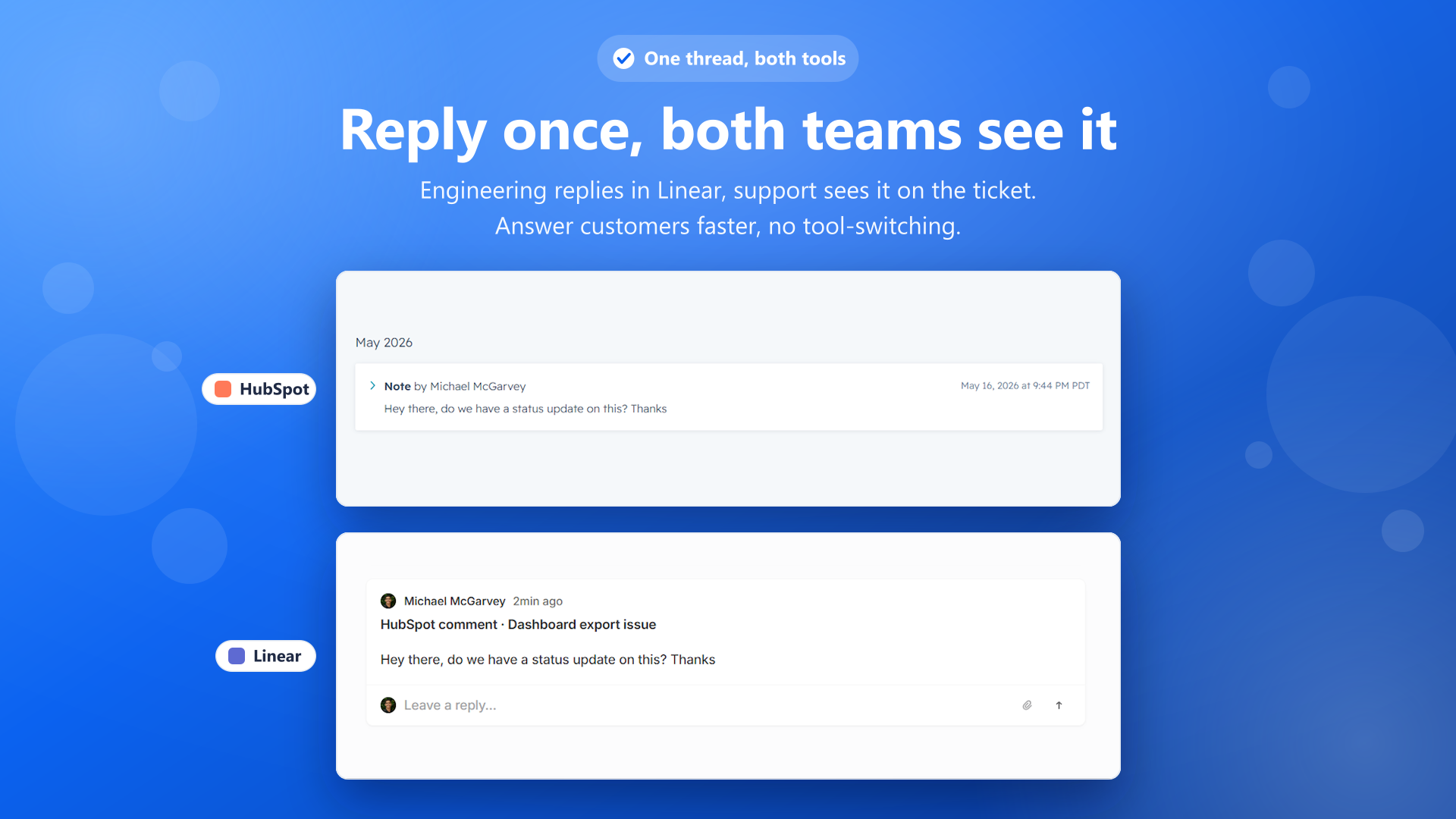
Comments and notes sync in both directions. A note added to a HubSpot ticket is posted as a comment on the linked Linear issue, and a comment added in Linear is written back as a note on the HubSpot ticket, each labeled with its source and an optional link to the originating record. Status changes in Linear are reflected on the HubSpot side, and built-in loop prevention makes sure a synced message is never echoed back or duplicated.
Everything runs in real time over webhooks rather than scheduled polling, and the integration does not depend on HubSpot’s Pro or Enterprise workflow tiers, so smaller teams can use it on standard plans. A settings panel inside HubSpot lets an admin pick the default Linear team and project that new issues are created in and toggle which sync directions are active, giving each team control over how much flows between the two tools.
Configure
Install IssueLinker from the HubSpot App Marketplace. You must be a HubSpot account admin to approve the OAuth connection during install. Immediately after HubSpot is connected, IssueLinker hands you off to authorize your Linear workspace through Linear OAuth, which is what links the two accounts.
Once both are connected, open the IssueLinker settings panel in HubSpot to choose the default Linear team and project for new issues and to turn individual sync directions on or off. No HubSpot Pro or Enterprise plan is required. Full setup instructions are at IssueLinker setup.