- Integrations
- himala
Automatically sync Linear issues to your meetings and update them from himala’s notes
Overview
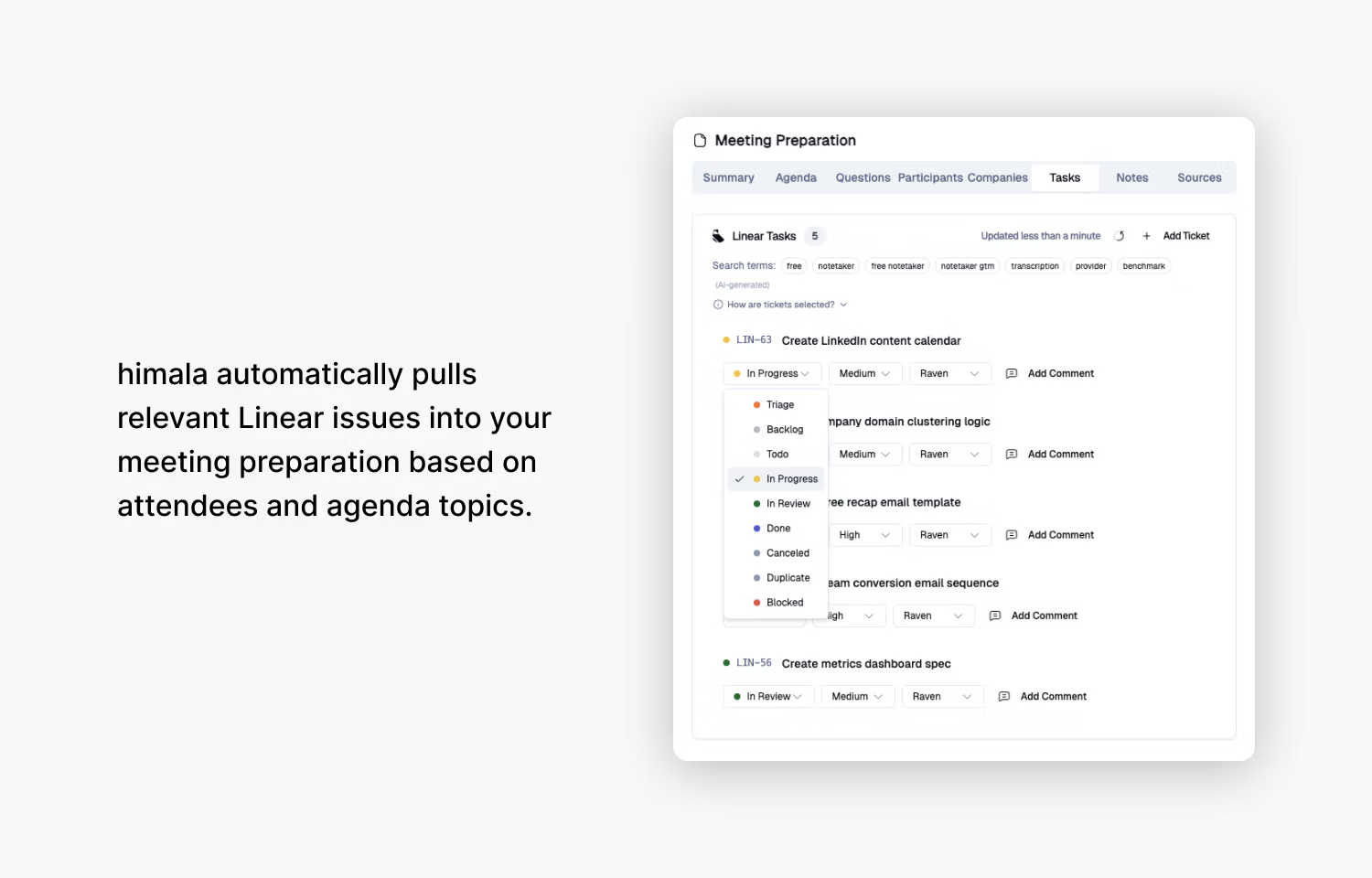
himala is an AI meeting intelligence tool that connects to your calendar and work tools to help you and your team prepare for, run and follow up on meetings. With the Linear integration, himala surfaces the issues most relevant to each meeting based on attendees and agenda topics before the meeting starts.
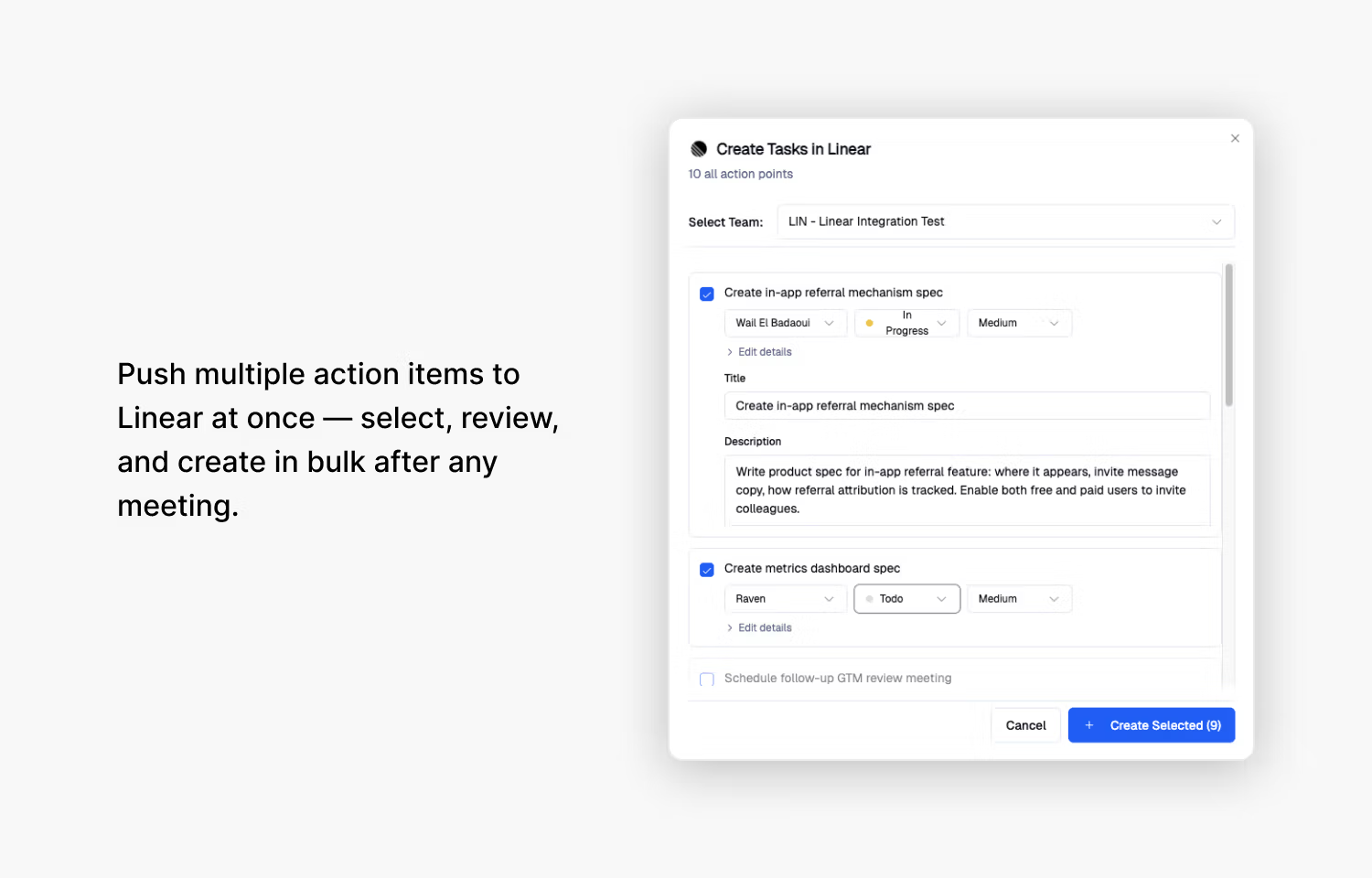
After the meeting, action items captured in himala can be pushed back to Linear as new issues or comments on existing ones, with meeting context and participant details included automatically.
How it works
Once connected, himala displays relevant Linear issues in the meeting details view for each upcoming meeting, drawing on attendee information and agenda content to determine relevance. From this view, you can update an issue’s status, priority, or assignee directly without leaving himala. You can also search your Linear workspace to manually add any issue to the meeting.
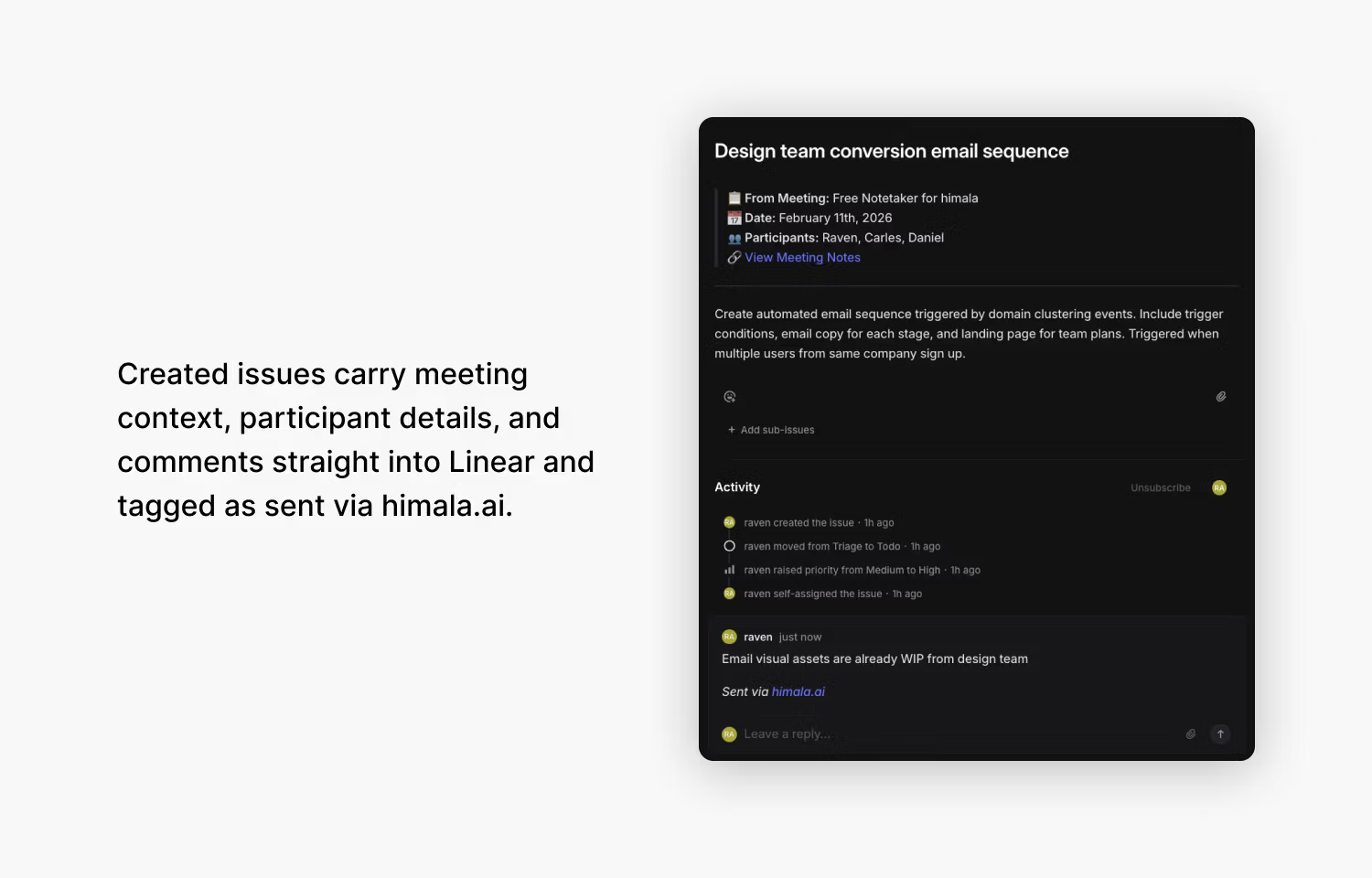
After the meeting, select any action item from himala’s meeting notes and choose to create a new Linear issue or add a comment to an existing one. Created issues include the meeting title, date, participants, and a link to the full meeting notes in the description. Comments are posted with a “Sent via himala.ai” attribution.
Configure
In himala, go to Integrations > Task Management and click Connect Linear. Complete the authorization flow to grant himala access to your Linear workspace.
Once connected, select your role directly on the Linear settings card. Choose “Manager / Team Lead” to surface issues assigned to all participants — useful for managers and team leads. Choose “Individual Contributor” to surface only issues assigned to you. You can update this at any time from the same settings card.