Working with agents
Use agents to help with one issue, a group of issues, or recurring work.
Delegate an issue
Open an issue and select the Assignee field, then choose an agent. You can also press A when an issue is focused.
The agent works on the issue while you remain responsible for it. Open the agent session status on the issue to follow its progress.
UI to show
The Assignee menu with an agent selected, plus the agent session status on the issue.
Orchestrate work at scale
Open a view containing issues that need the same kind of help. Select the issues, open the bulk Assignee action, and choose an agent.
The selected issues are delegated in parallel. Large selections may require confirmation.
UI to show
Several selected issues and the bulk Assignee action.
Monitor agent activity
Open an issue to review its agent session, updates, and any pull request it creates.
Use views filtered by Delegate to focus on work assigned to an agent. In Insights, filter by agent-session status to understand active, completed, or errored work.
UI to show
An issue with an active agent session and a view filtered by Delegate.
Hand off recurring work
Use a Loop when an agent should handle a repeated task automatically.
Open Loops, select New loop, choose a schedule or issue-based trigger, add instructions, set the access and tools it needs, then publish it. Open a published Loop to review its run history.
UI to show
A Loop with its trigger, instructions, and run history.
Read the docs
- Assign and delegate issues. Delegating issues and tracking ownership.
- Coding sessions. Following agent implementation work and reviewing pull requests.
- Loops. Creating and managing recurring agent workflows.
How agents fit in
Agents appear in Linear as users that can be mentioned in comments, assigned issues, and given access to projects and documents, and their activity shows up in the same views as everyone else’s.
Available agents
Partner agents include Cursor, Copilot, Codex, Devin, Warp, and Sentry, with the full list in the integrations directory. Teams can also build their own on Linear’s developer platform.
Working with agents
There are two ways to hand work to an agent:
- Assign it the issue directly in Linear, the same way you would assign a teammate
- Mention an agent in a comment with what you need, like a question about the code or a follow-up change
Delegation works best on well-scoped issues with a clear description and acceptance criteria.
[UI showing delegation]
If the issue you’ve assigned to an agent involves code generation, like fixing a bug or working on a feature, the agent will work in the background and produce a pull request linked back to the issue.
You can also open an issue directly in your own coding tool, preloaded with that context, when you’d rather drive the work yourself.
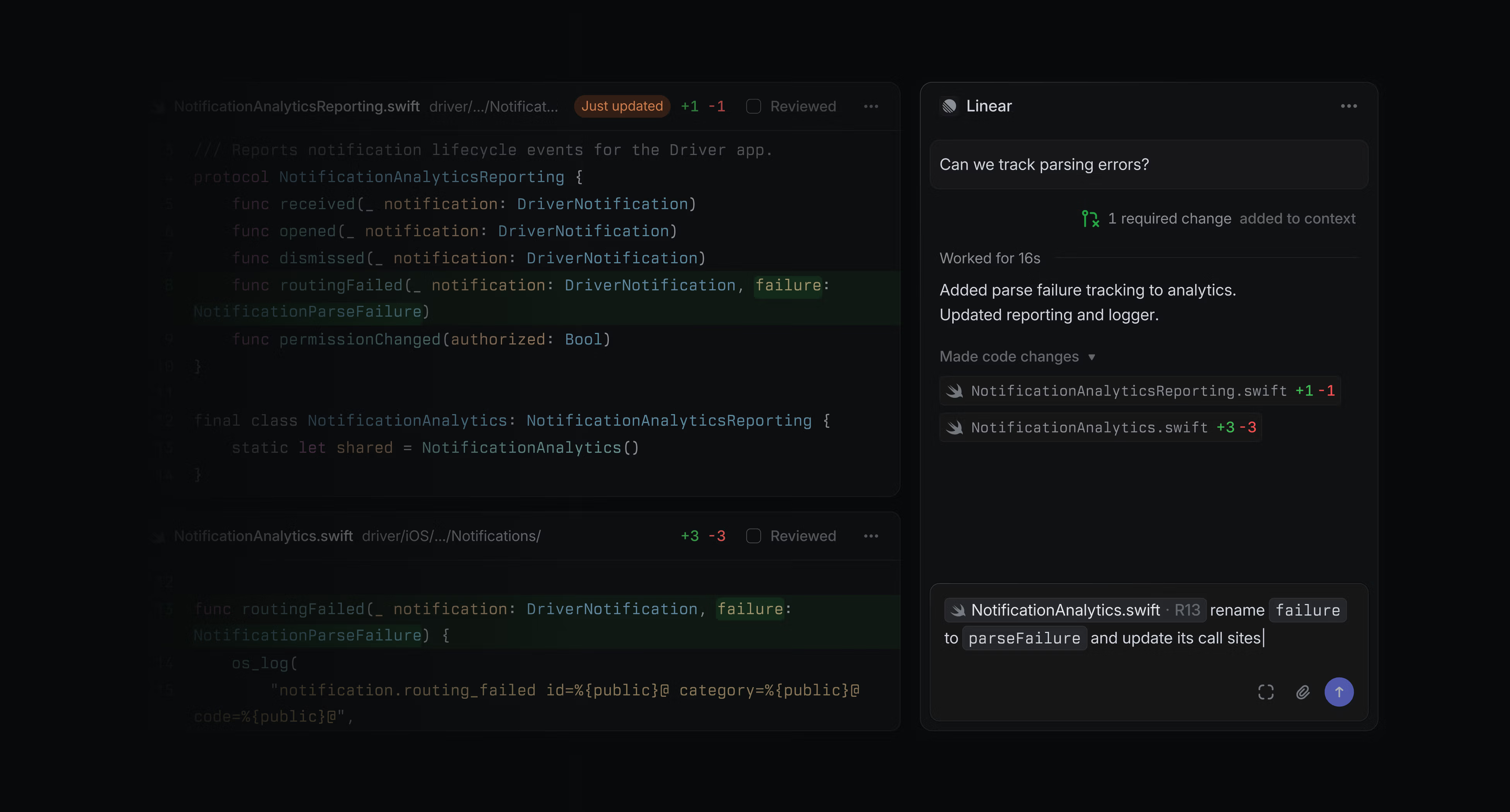
[UI, Agent coding session + deep-linking to tool]
Agent output goes through the same review as anyone else’s, and Linear Agent can act on review feedback directly from the diff, picking up refactors, tests, and follow-up edits.
You can use Linear’s views, filters, and integrations to manage agent-delegated issues across your team.