Navigating Linear
Linear is organized around the work that is relevant to you, your teams, and your workspace.
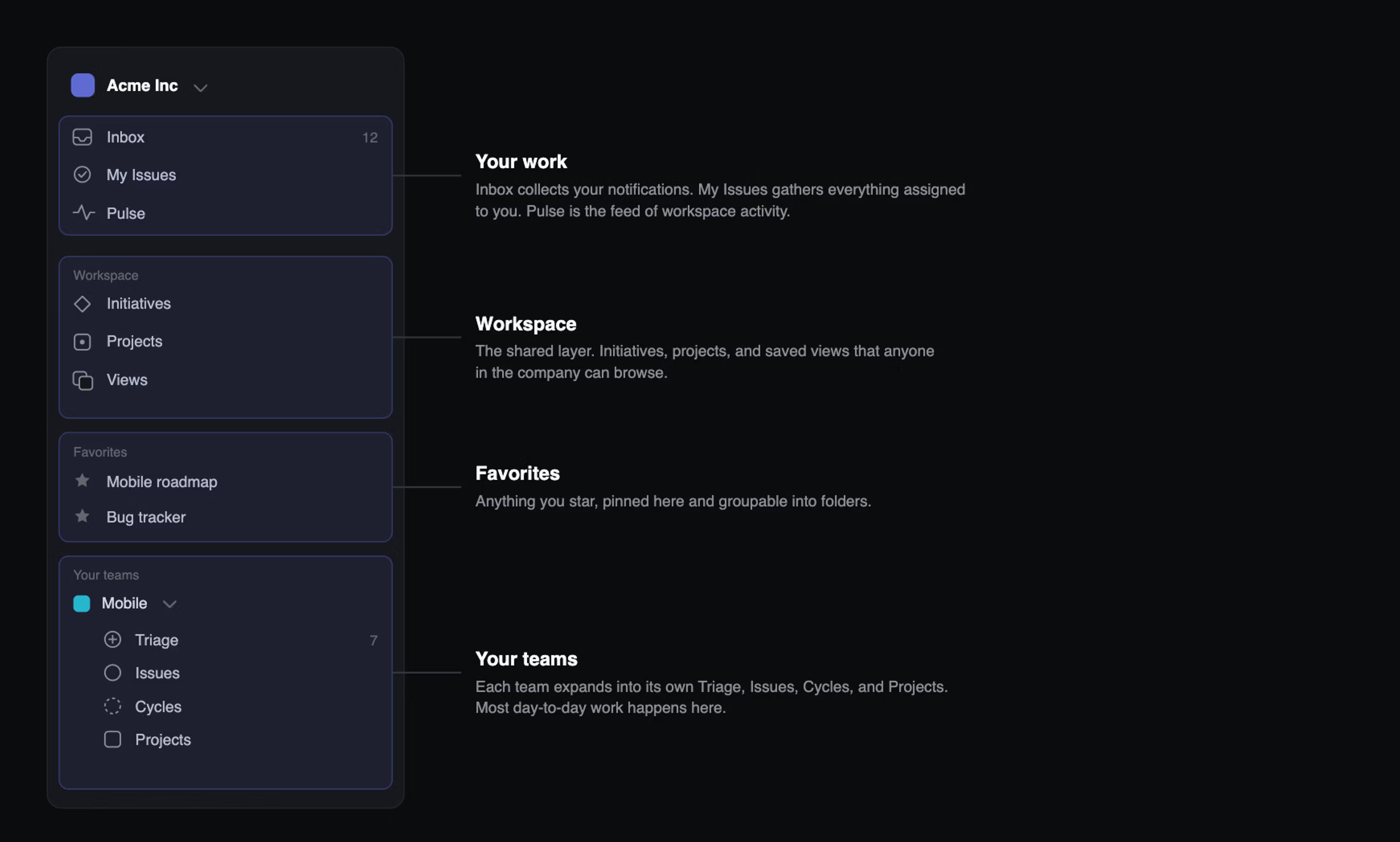
Use the sidebar to move between your personal work, shared workspace information, and your teams.
- Inbox shows updates that need your attention
- My Issues shows work assigned to you
- Workspace contains shared projects, initiatives, and views
- Your teams contain the issues, cycles, projects, and Triage queues for the teams you belong to
- Favorites lets you pin the pages you visit most
Find anything quickly
Use the command menu to open pages or run actions without leaving your keyboard.
Press Cmd + K on Mac or Ctrl + K on Windows, then type the page or action you need.
Use / to search across issues, projects, and documents. You can also search for an issue directly by its identifier, such as LIN-123.
Use keyboard shortcuts
Many common destinations have short keyboard shortcuts. For example, press G then I to open Inbox, or G then M to open My Issues.
Press ? to see the full list of shortcuts.
Open links in a new tab
Hold Cmd on Mac or Ctrl on Windows while clicking a link to open it in a new tab.