- Integrations
- WeInc
Turn website form entries into Linear issues
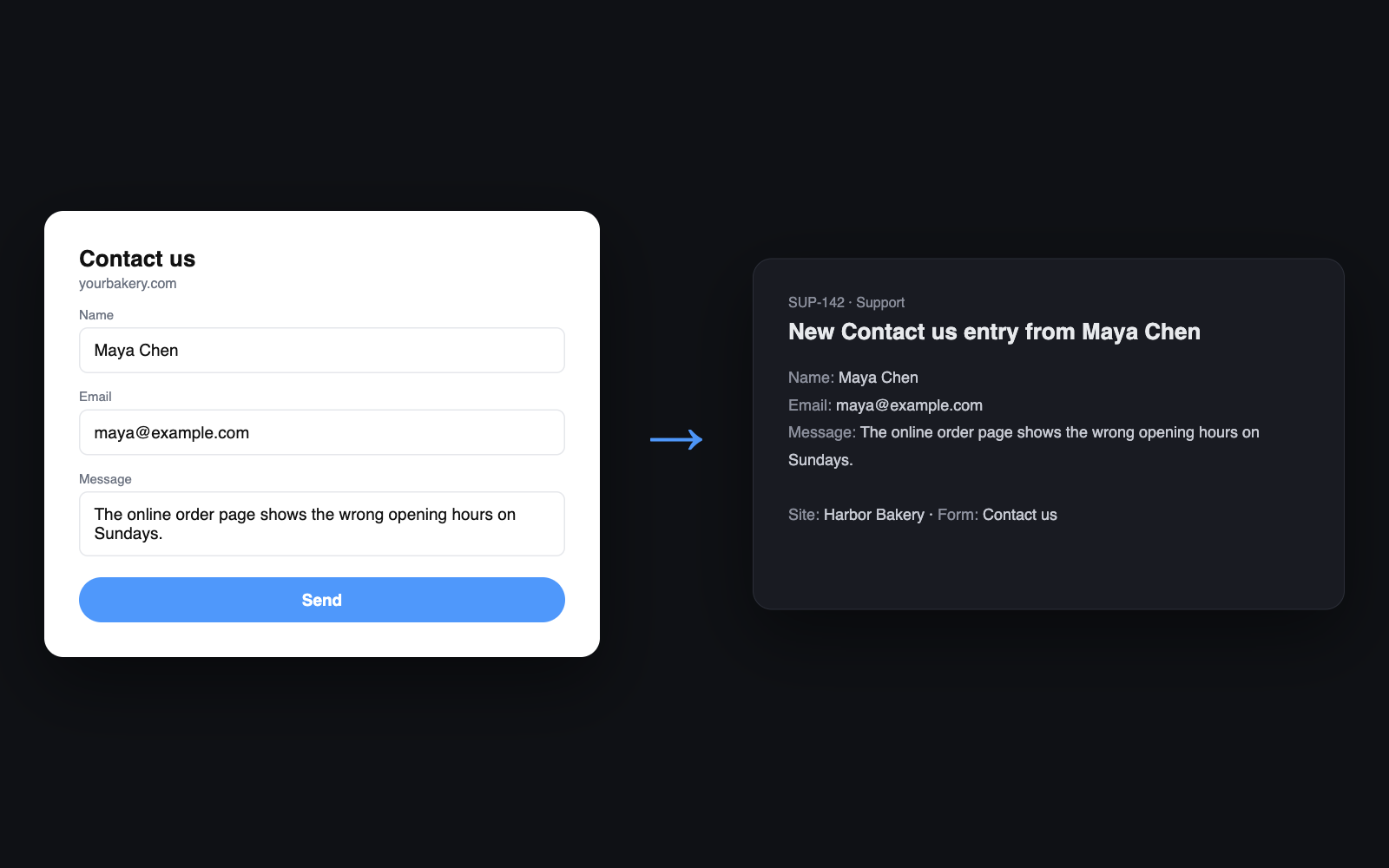
Overview
WeInc is an AI website builder. With the Linear integration, every entry from a form on your WeInc website, such as a bug report, a feature request, or a support question, becomes a Linear issue in the team you choose, so nothing sent through your site gets lost in an inbox.
How it works
Connect Linear from your website’s form settings in WeInc and choose the Linear team that should receive entries. From then on, each time a visitor submits that form, WeInc creates a new issue in that team titled “New [form name] entry from [visitor]”.
The issue description lists every field the visitor filled in, plus the site, the form, the page it was sent from, and the time, so your team has the full context without leaving Linear.
WeInc connects with Linear’s OAuth, or a personal API key if you prefer, and only needs permission to read your workspace and create issues. It never edits or deletes existing issues. Each WeInc form can send to its own Linear team, so a support form and a feedback form can land in different places.
Configure
You need a WeInc website with a form and a Linear account that can create issues in the team you want to use.
- In the WeInc editor, open the form’s settings and choose Linear as where entries go.
- Press Connect with Linear and approve access.
- Paste the ID of the Linear team that should receive entries. In Linear, press Cmd/Ctrl+K and choose Copy model UUID on the team.
- Publish the site. New form entries will appear as Linear issues. You can change the team or disconnect at any time from the same settings.