- Integrations
- TestCollab
Sync TestCollab defects with Linear issues
Overview
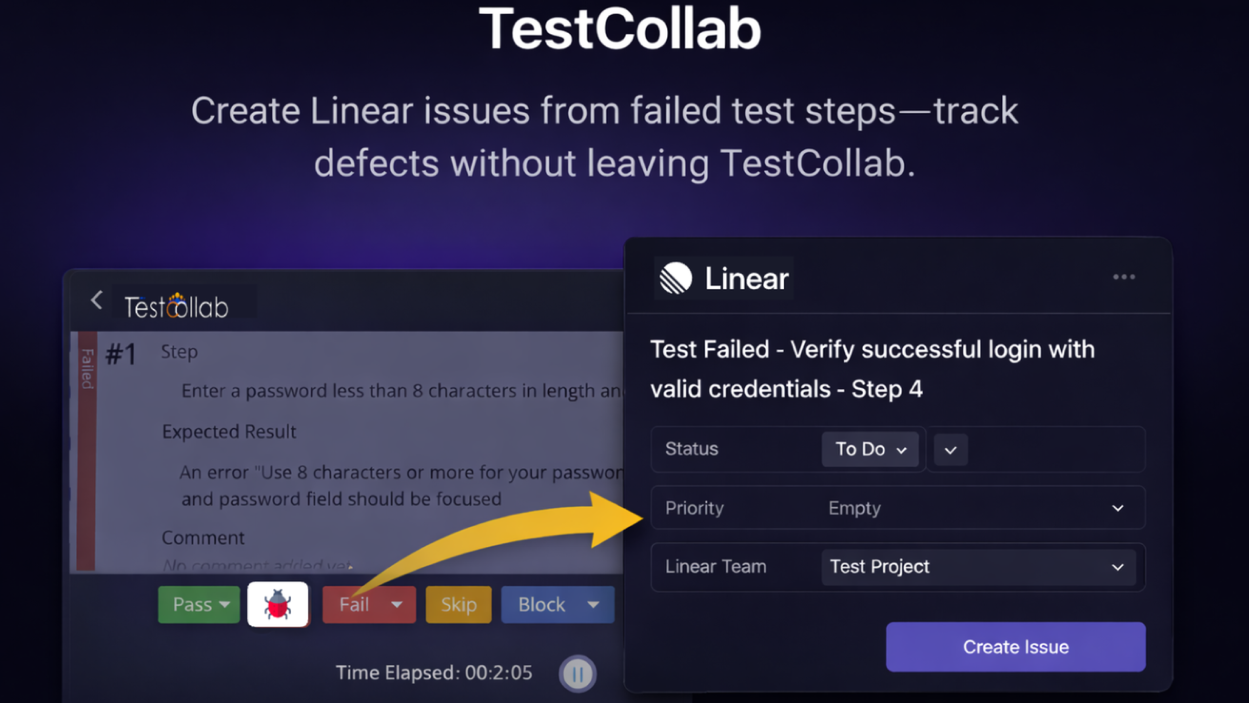
The TestCollab ↔ Linear integration helps teams manage defects end-to-end by connecting TestCollab defect tracking with Linear issues. Create and link Linear issues from TestCollab defects, keep references in sync, and improve visibility between QA and product teams.
How it works
When enabled, the integration connects a TestCollab project to a Linear workspace so defects in TestCollab can be associated with Linear issues. Teams can create a new Linear issue directly from a defect or link an existing Linear issue to a defect, making it easy to keep QA and engineering aligned.
Once linked, the defect and the Linear issue stay connected through cross-references, so anyone viewing the defect can jump to the corresponding Linear issue for triage and resolution. This reduces manual copy/paste and ensures the team works from a single source of truth for bug status and ownership.
Configure
To configure the integration, an admin (or a user with permission to manage integrations) connects TestCollab to Linear and authorizes access to the Linear workspace. After authorization, select the TestCollab project and the Linear team/project you want to map defects to.
Configuration guide