- Integrations
- SpecBot
Quality gates for human and AI-created Linear issues
Overview
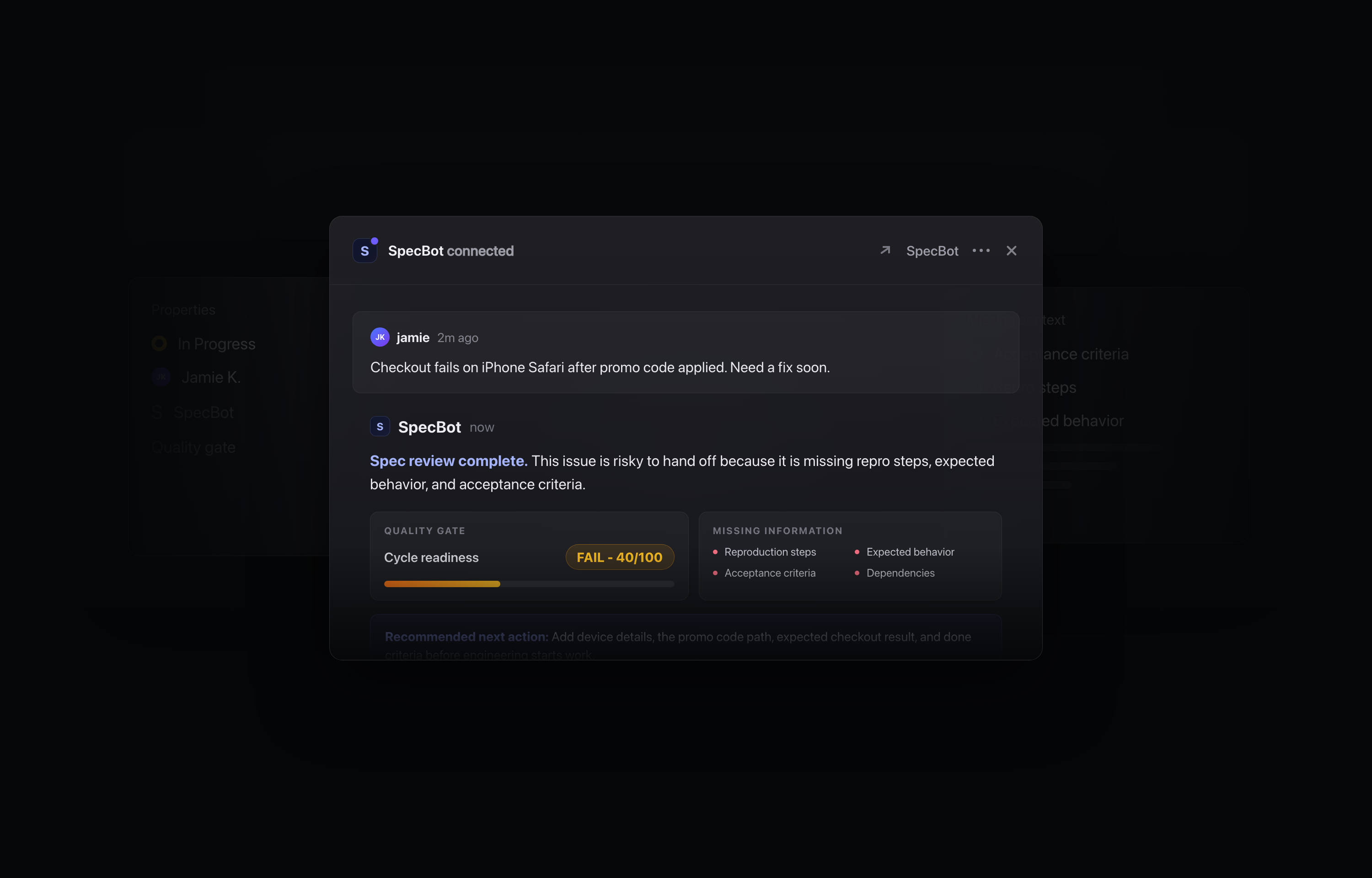
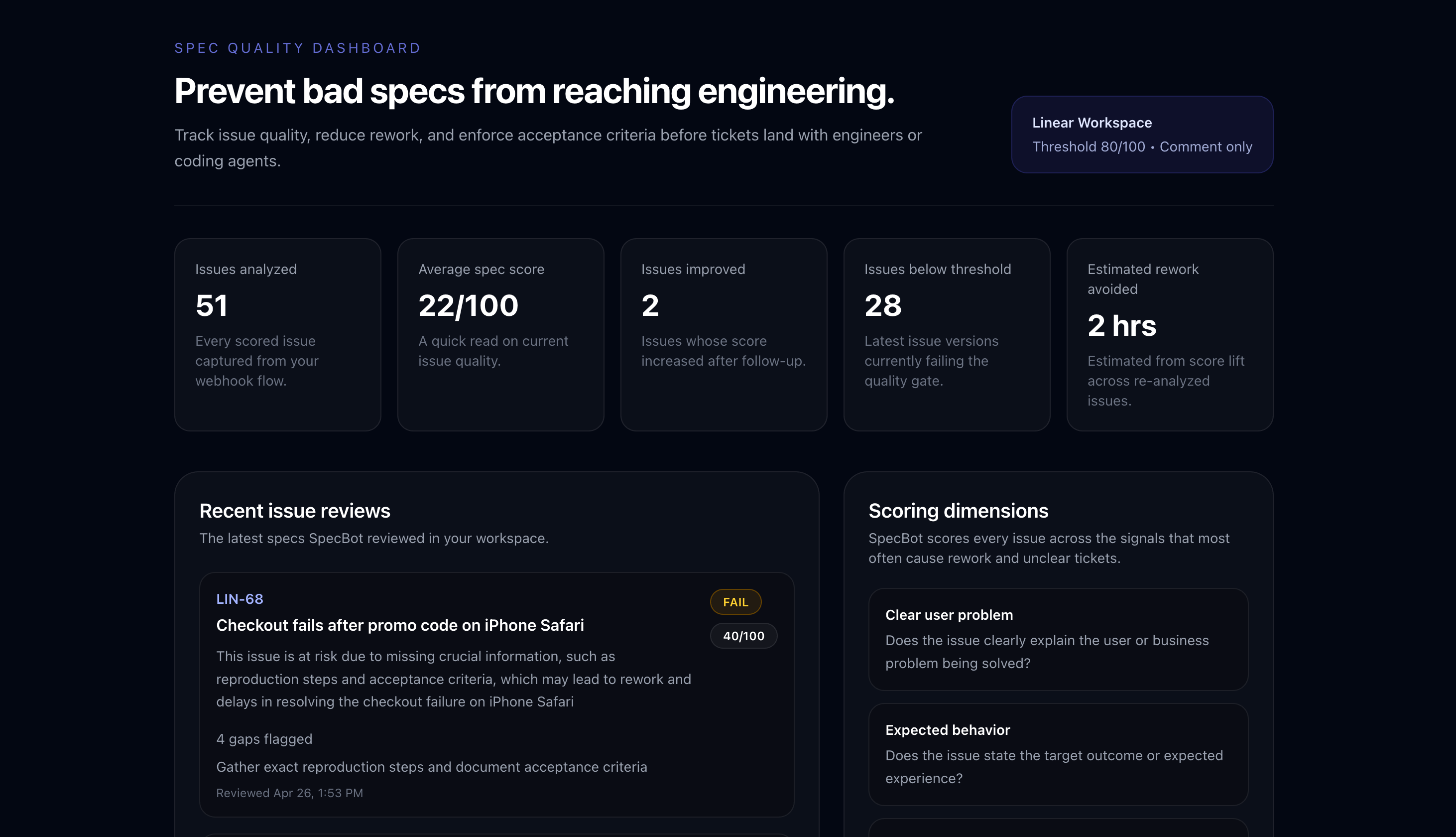
SpecBot is a spec quality gate that runs automatically on every new Linear issue. The moment a ticket is created, SpecBot scores it 0–100 across eight dimensions — clear user problem, expected behavior, acceptance criteria, edge cases, technical context, dependencies, reproduction steps, and scope clarity — then posts a structured review comment with missing context and a recommended next action.
No webhook setup. No configuration required. One OAuth click and SpecBot starts reviewing immediately — no @mention needed.
Use SpecBot when backlog issues are too vague for engineers or AI coding agents to act on confidently. It catches the gaps that cause rework, clarification loops, and missed acceptance criteria before they reach a sprint — and makes issues ready for Codex, Copilot, Cursor, and other coding agents that rely on well-specified tickets to produce reliable plans.
How it works
- Score issue readiness from 0–100 across eight completeness dimensions
- Cycle-readiness verdict posted directly on every new issue
- Flag missing acceptance criteria, repro steps, edge cases, and dependencies
- Review AI-created issues before engineering starts work
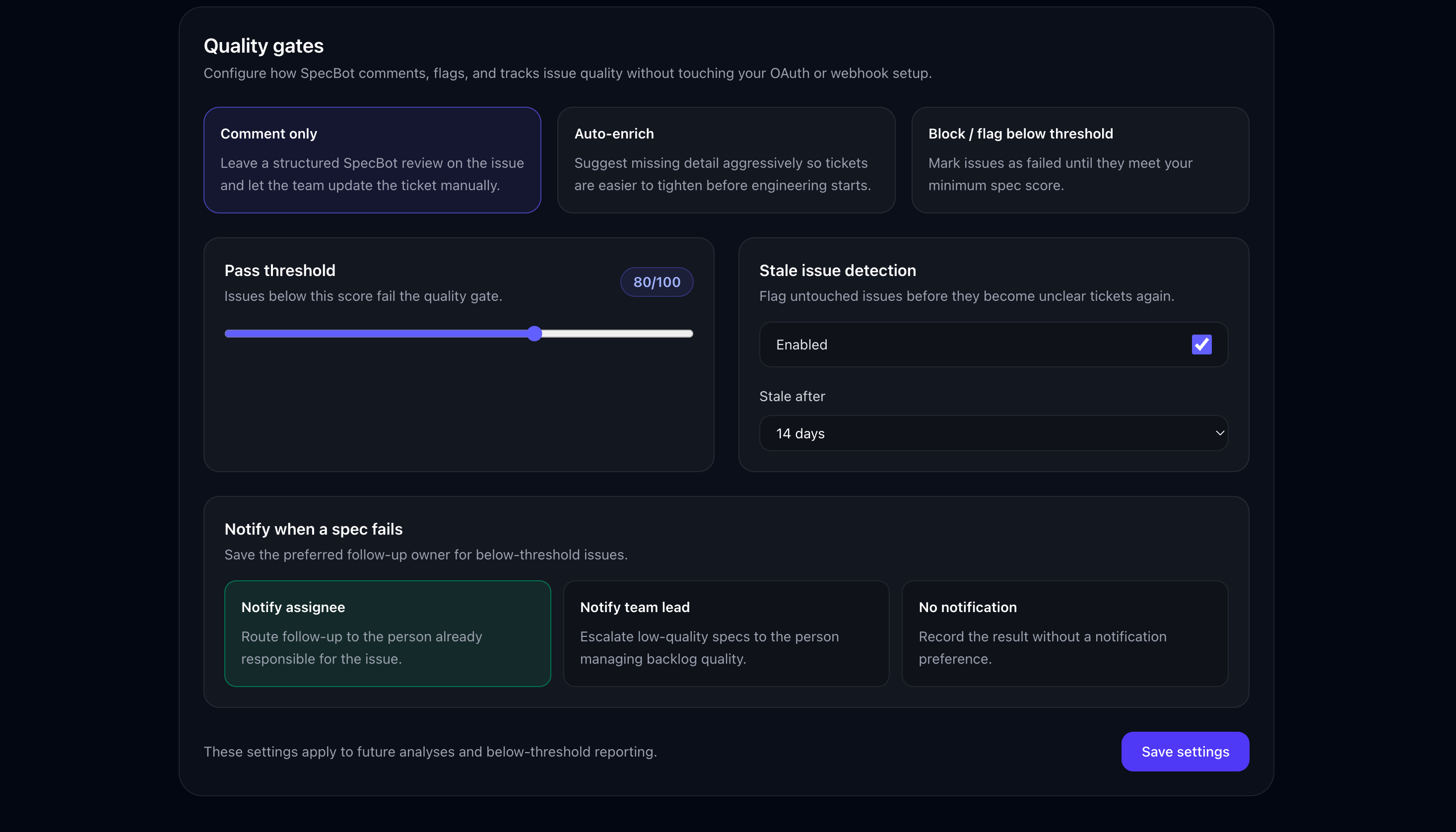
- Set quality gates: comment only, auto-enrich, or block / flag below threshold
- Gate issues before they enter cycles
Start free with 25 spec analyses per month — no credit card required. Upgrade to SpecBot Pro for unlimited analysis at $8/seat/mo, billed per active Linear seat.
Configure
Install SpecBot by clicking Add to Linear on the integration page or visiting the install link. You’ll be redirected to Linear’s OAuth flow to authorize SpecBot for your workspace. You must be a workspace admin to install.
After authorization, SpecBot creates a webhook on your first team and begins monitoring new issues immediately.
Configure settings here — toggle auto-commenting, auto-apply, and stale issue detection. No additional setup is required.
Free: 25 spec analyses per month, full 8-dimension scoring on every new issue, dashboard access. No credit card required to install.
Pro: $8/seat/mo — unlimited analysis, hygiene scanning, review queue, and custom thresholds. Billed per active Linear seat. Upgrade anytime from the dashboard. Cancel anytime.

