- Integrations
- Minds
Get research feedback from your target audience on any Linear issue


Overview
Minds brings audience research into Linear. Import epics and PRDs as research context, or mention @Minds on any issue to run a panel study with AI personas modeled on your target customers — findings come back as a comment, grounded in the full issue.
How it works
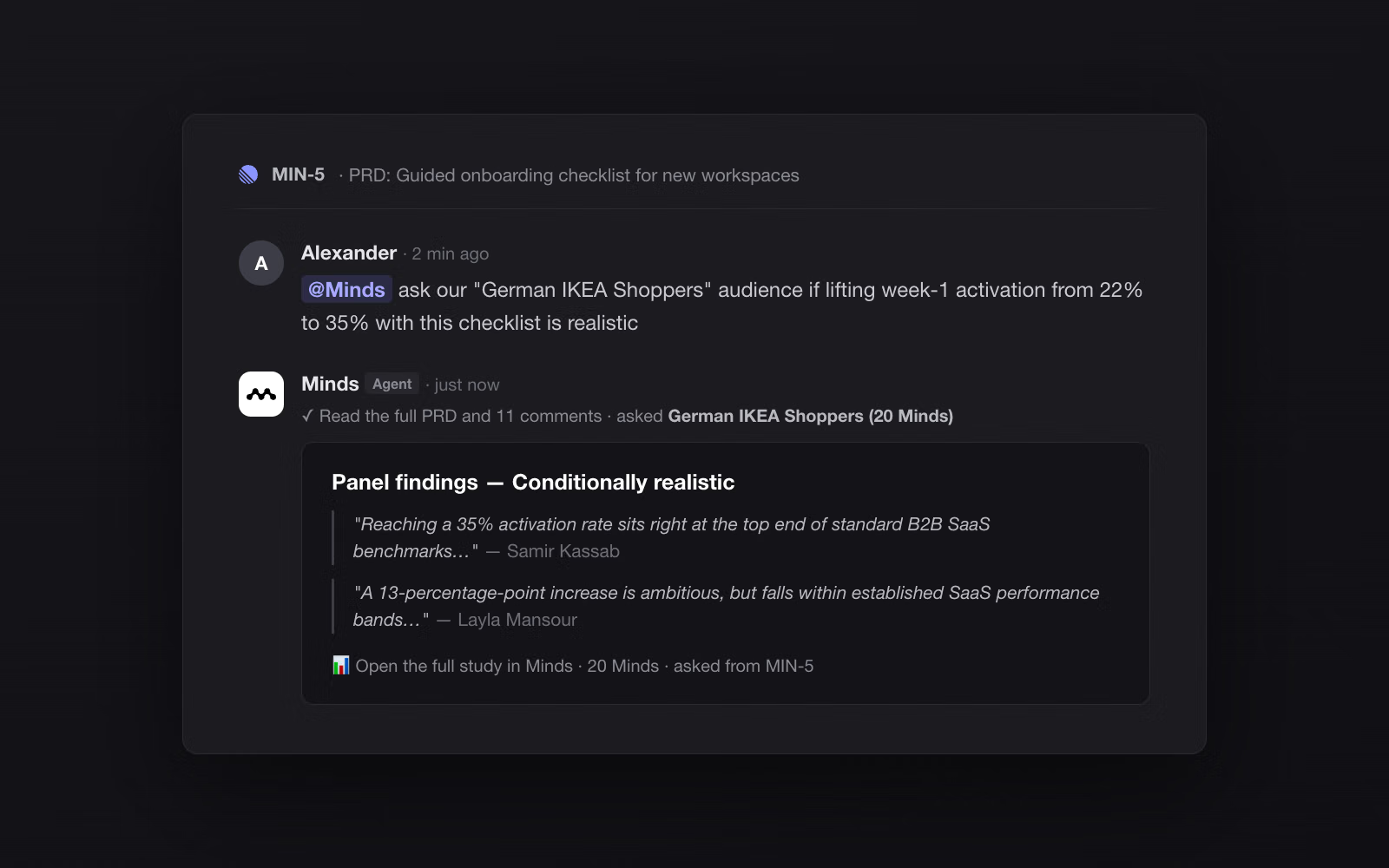
Mention @Minds on any issue and ask a question, optionally naming one of your Minds audiences — for example @Minds ask our “German IKEA Shoppers” if this pricing change feels fair. The agent reads the full issue description and comments, matches the audience, and proposes a study plan. Reply run and it asks every persona in the panel, then posts the findings back into the thread: a verdict, representative quotes with attribution, and a link to the full study in Minds.
The integration also works from the Minds side. Connect Linear in Settings and any epic, PRD, or issue becomes importable research context: pick it from the chat input or paste an issue link, and Minds flattens the description, metadata, and comments into a source document your panels reason over — no copy-paste.
Panels are built from Minds, AI personas generated from your real target-audience definitions, in groups of any size. Studies typically complete in a few minutes and every response is traceable to a persona, so product decisions in Linear can be grounded in audience evidence rather than gut feel.
Configure
Install the Minds app from your Linear workspace, or connect from the Minds side at Settings → Integrations → Linear → Connect (OAuth, read-only scope for imports). To enable the @Minds agent, choose Install @Minds agent in the same card; a workspace admin authorizes it with mentionable agent permissions. A Minds account with an active subscription is required to run panel studies.


