- Integrations
- Comma
Delegate issues to Comma and run the work on your own Codex, Claude Code, or a cloud Worker
Overview
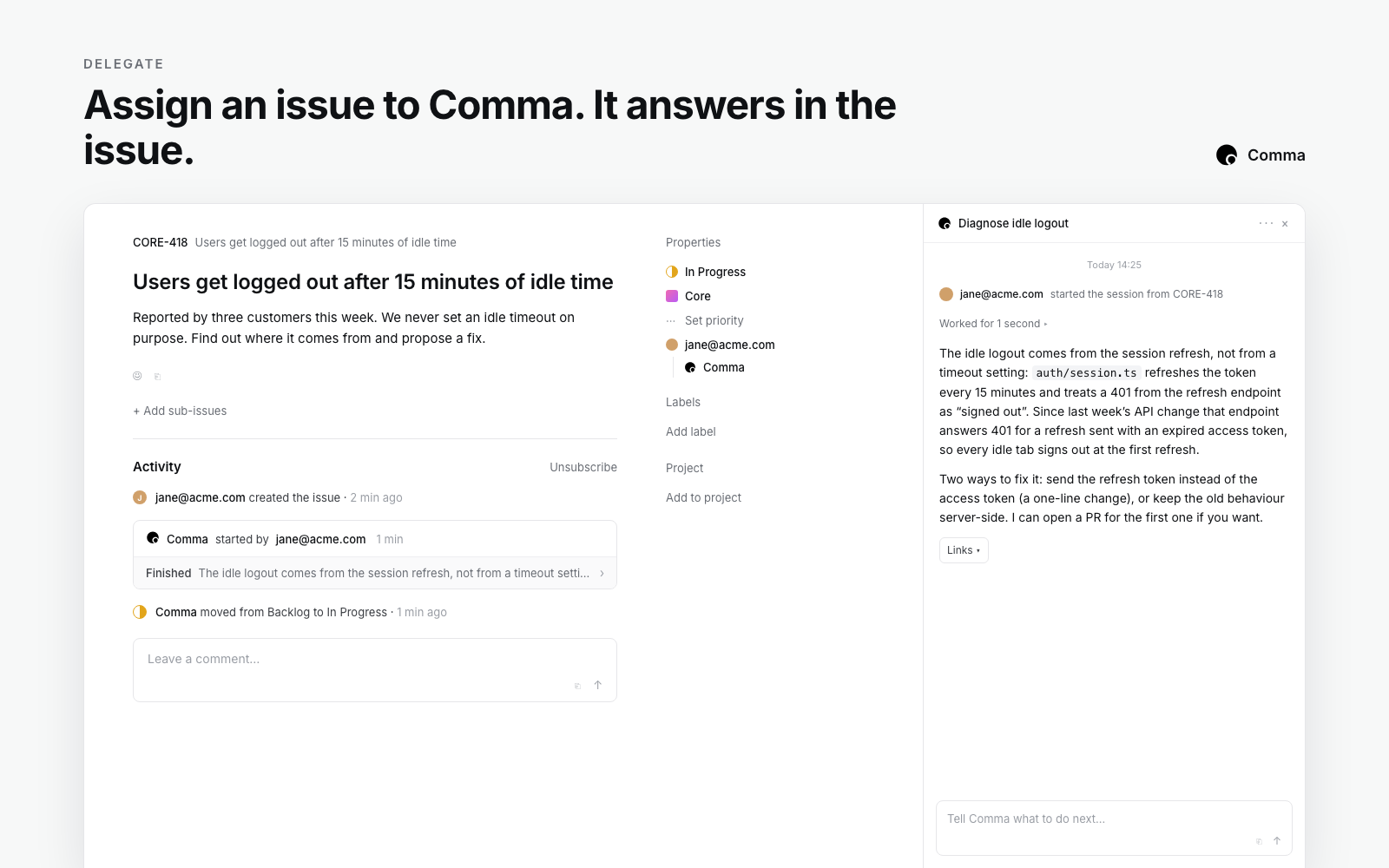
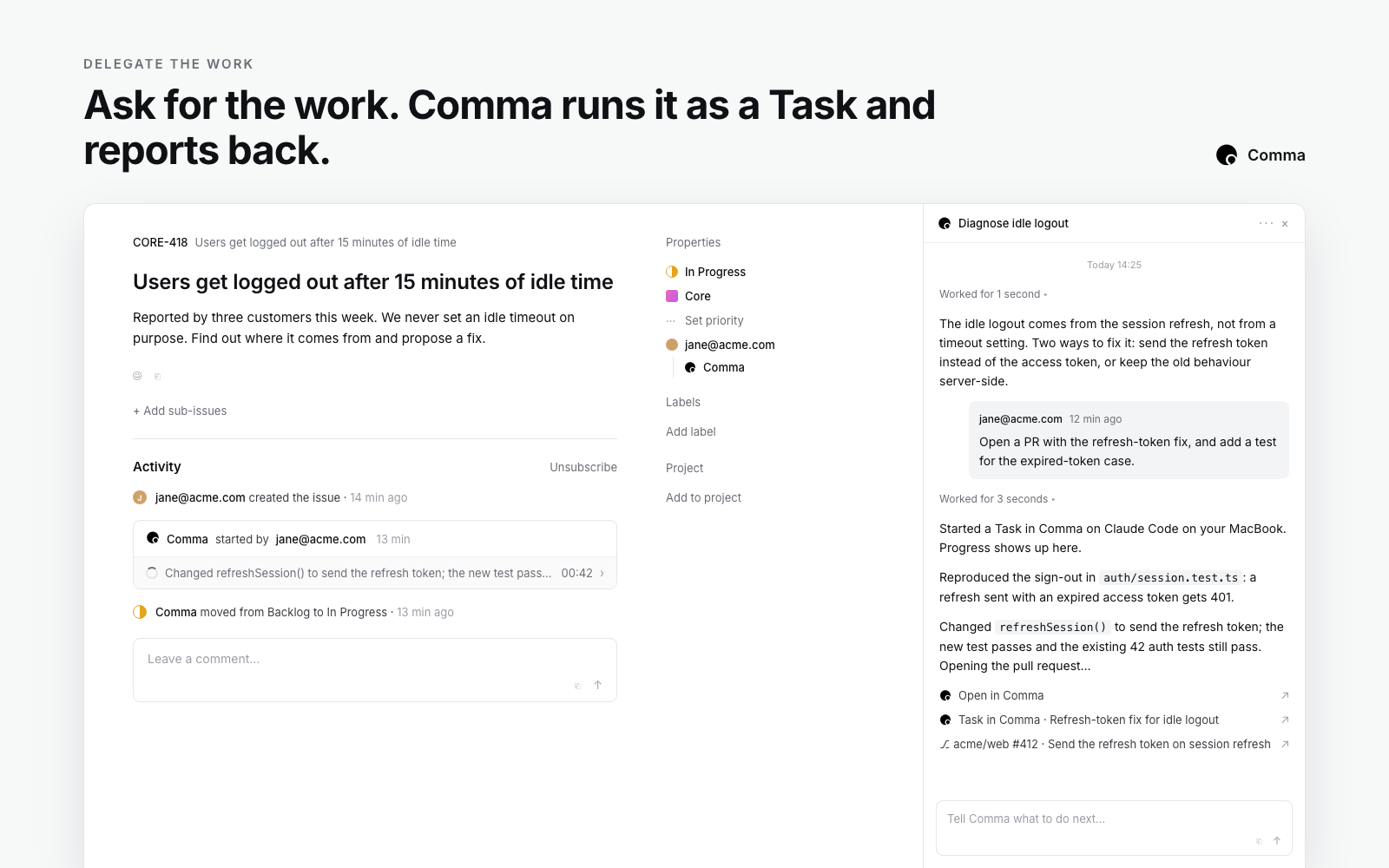
Comma is a teammate in Linear. Assign an issue to Comma or mention @Comma in a comment, and it answers in the issue within seconds. When the issue needs real work, Comma runs a Task on your own Codex or Claude Code, or on a cloud Worker, and posts progress, results, and any pull request back to the issue.
How it works
Assign an issue to Comma, or mention @Comma in a comment, and Comma starts an agent session on the issue. A question, a triage, or a plan is answered right there. When the issue needs real work, Comma starts a Task in your Comma workspace, where the Worker you chose does it: your own Codex or Claude Code on your machine, or a cloud Worker. The issue moves to your team’s started state, the session links to the Task, and the Worker’s progress, result, and any pull request are posted back to the issue as it goes.
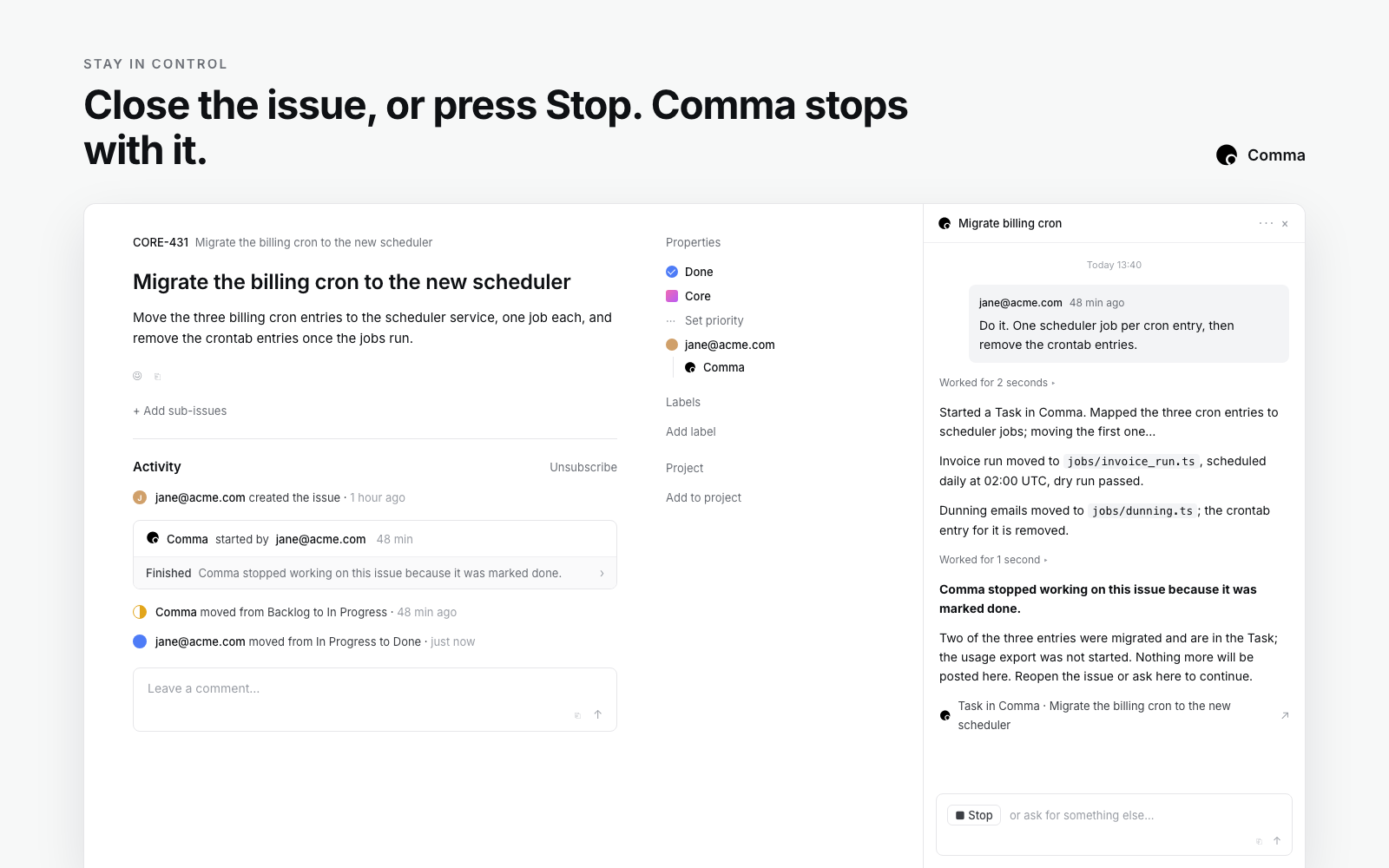
You stay in control. Reply in the session to steer or ask for more. Press Stop to end the running Task, or mark the issue done or canceled in Linear and Comma stops with it. When a Task completes, Comma can leave the issue as it is, or move it to In Review or Done, as you choose. Every delegated issue is a Task you can open in Comma to read the full transcript or continue the work there.
Each person’s issues run in their own Comma workspace, so a team shares one Linear agent while everyone’s work, Workers, and credits stay their own.
Configure
In Comma, open Settings, then Channels, and press Connect on the Linear card. Linear asks you to authorize Comma as yourself. The first person to connect in a Linear workspace also installs Comma there, which requires a Linear workspace admin. Everyone after that only links their own account. Then choose which Worker runs your Linear issues and what happens to an issue when its Task completes. Full steps are in Comma’s documentation.