Releases
Connect your CI/CD tool to Linear to know which issues ship in each release and to each environment.
Available to workspaces on the Business and Enterprise plans.
Overview
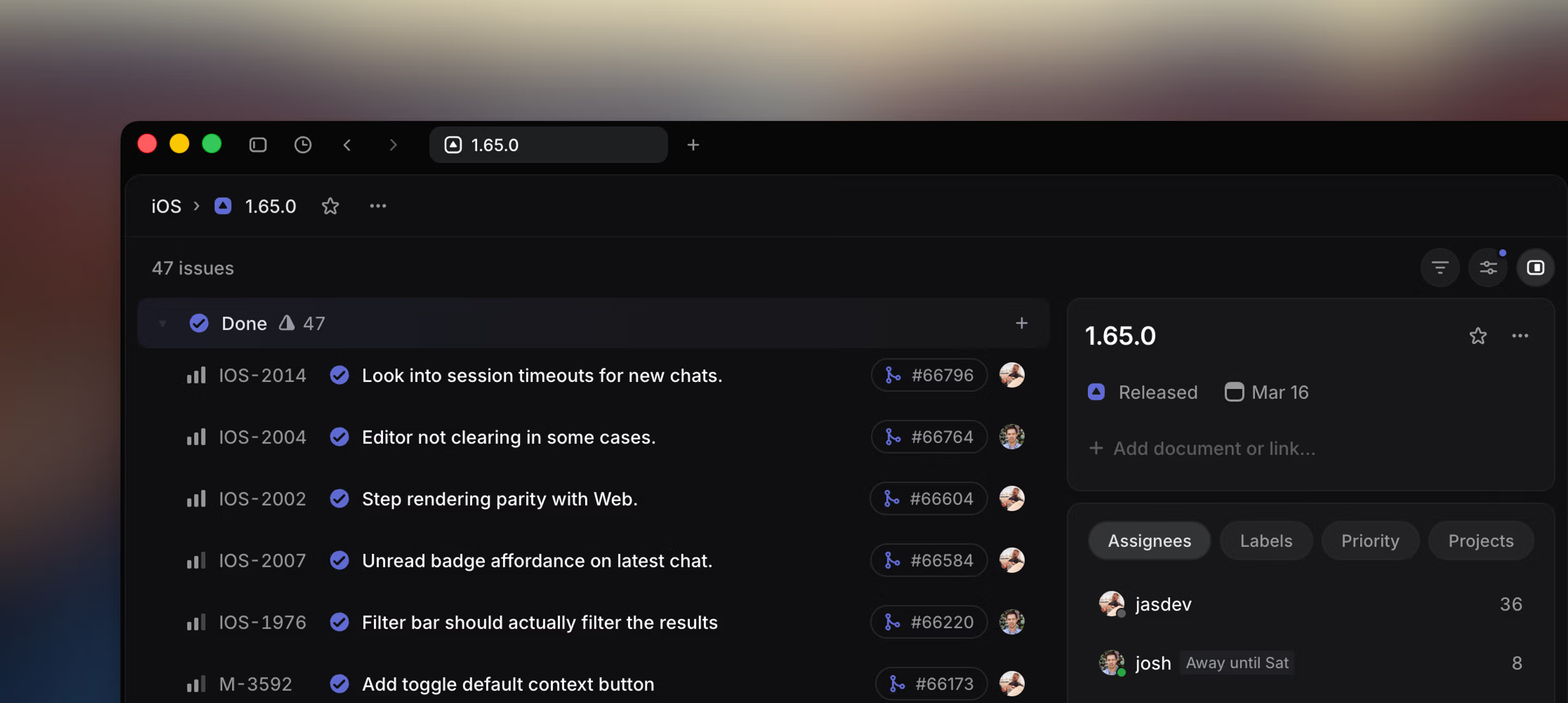
An issue’s Done status does not always mean delivered to your customers. Was the PR on that issue merged to staging or production? Is a Done issue on an Android team available to customers now, or in two weeks? What other issues are included in that release?
Linear can now answer these questions by integrating directly with your CI/CD system. After integrating, your issues are automatically grouped into releases—whether your team deploys continuously or on a scheduled release cycle.
Releases are available on Business and Enterprise plans. Business plans support releases in up to 15 pipelines, and Enterprise plans have no pipeline limit.
Release pipelines
Different teams in your workspace likely use different build processes. An iOS team may have internal, nightly, and bi-weekly scheduled releases, while your webapp may be continuously deployed as changes land. Model these different processes in Linear by creating a release pipeline for each product/environment combination you support.
We support iOS and Android apps with scheduled production releases as well as more frequent internal builds, as well as our main app which is continuously deployed.
We use a monorepo, and make use of path filters in the pipeline settings to define which commits should be included in each pipeline.
Here are the pipelines we’re using today:
| Name | Type |
|---|---|
| Android (production) | Scheduled |
| Android Internal | Continuous |
| iOS (production) | Scheduled |
| iOS Nightly | Continuous |
| iOS Internal | Continuous |
| Linear App | Continuous |
Each pipeline takes basic properties to help organize its releases and attribute ownership.
Type
Every pipeline is either continuous or scheduled. When you choose continuous, the pipeline uses a specialized interface designed for the constant flow of changes in continuously deployed environments.
Scheduled pipelines add release dates and are designed for planned release cycles. You can also use stages in pipelines, and you can freeze started stages to stop new issues from being added automatically.
Teams
Choose the team or teams most closely aligned with the pipeline. This does not prevent adding other issues to releases in the pipeline, but it sets clear ownership and improves default behaviors like suggested releases.
Move open issues to the next release
Scheduled release pipelines include a Move open issues to the next release setting. It is enabled by default.
When enabled, open issues move automatically from a completed scheduled release to the next eligible release in the pipeline. Completed and canceled issues remain on the completed release. If no eligible release exists, Linear creates a new release for the pipeline.
When disabled, open issues remain on the completed release after it is completed.
This setting is available only for scheduled release pipelines; continuous release pipelines do not show it.
Deleting a pipeline
To delete a release pipeline, open the pipeline in Settings and select Delete from the more-actions menu.
You can delete a pipeline if you’re a workspace admin, or if you’re a team owner for every team associated with the pipeline. Pipelines without associated teams can only be deleted by workspace admins.
Deleted pipelines move to Recently deleted pipelines, where they can be restored for 30 days. After 30 days, the pipeline and its associated releases are permanently deleted.
Releases
A release is a single unit within a pipeline. It has a name, a commit SHA, and a set of associated issues.
Viewing an issue’s releases
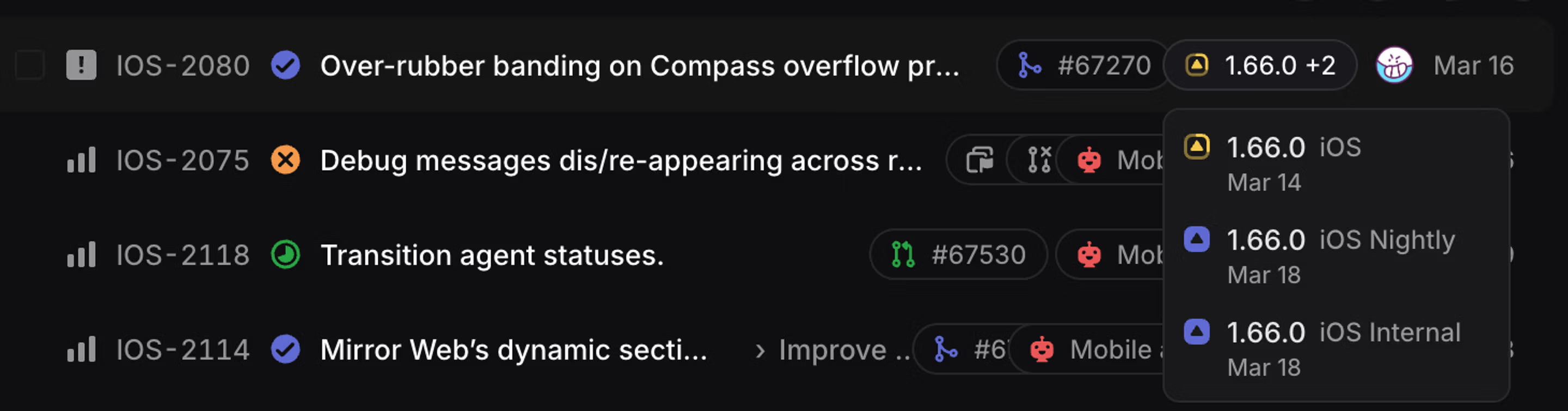
You can filter issues by release, stage, or pipeline. To see release information in your issue views, enable it in display options. Each issue also shows its release in the properties sidebar.
Status automations
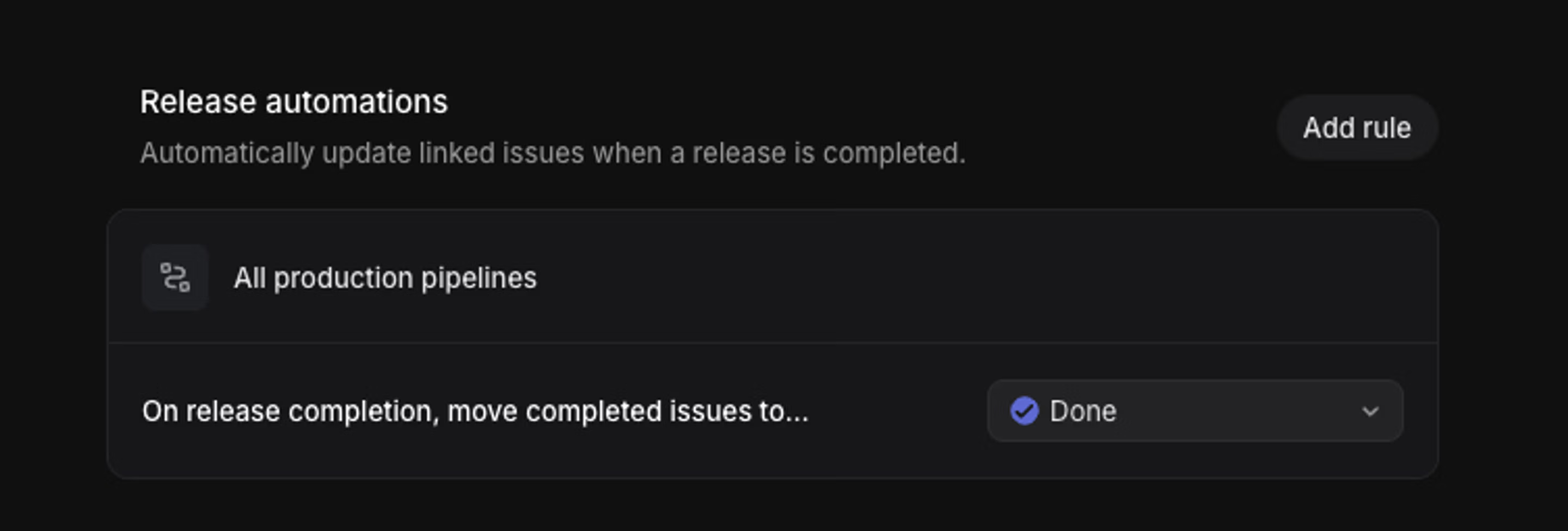
Use workflow automations to update issues based on release changes, such as when a release is completed.
The simplest rule is to move issues to a completed status on release completion. However, you can also set rules to trigger only on releases in specific pipelines for greater control.
Consider setting your Git automation to update issue status to a started “Merged” status on merge, and let a release automation mark the issue done once the change has landed. This adds the benefit of triggering integration automations (in tools like Asks and Intercom) when changes are available to customers, not just when a PR merges.
Status automations update issues when a release is completed if the issue has no linked pull requests. They also update issues with a merged pull request marked as closing the issue, as long as no linked closing or contributing pull requests remain open. Issues linked only to contributing pull requests are not updated.
Release notes
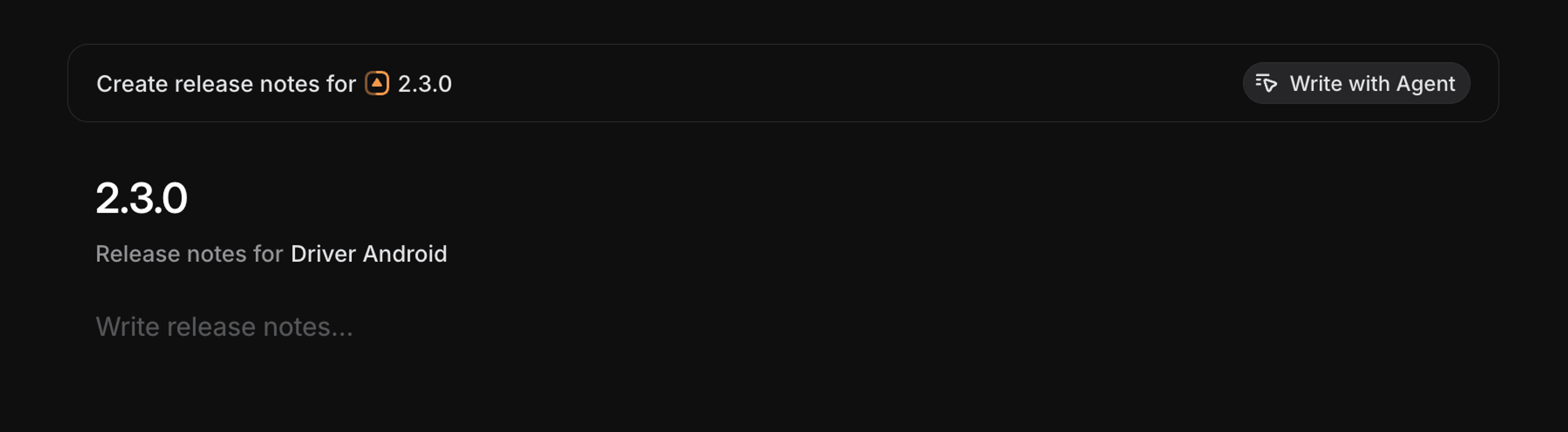
You can create release notes to summarize what shipped in a release. Scheduled pipelines can also generate release notes automatically when a release is completed.
You can write release notes yourself, or generate them with Linear. Generated release notes use Linear agent to analyze the set of issues included in a particular release (in scheduled pipelines) or a range of releases (in continuous pipelines.)
Choose your formatting for generated release notes in the Template field in pipeline settings.
Changelogs
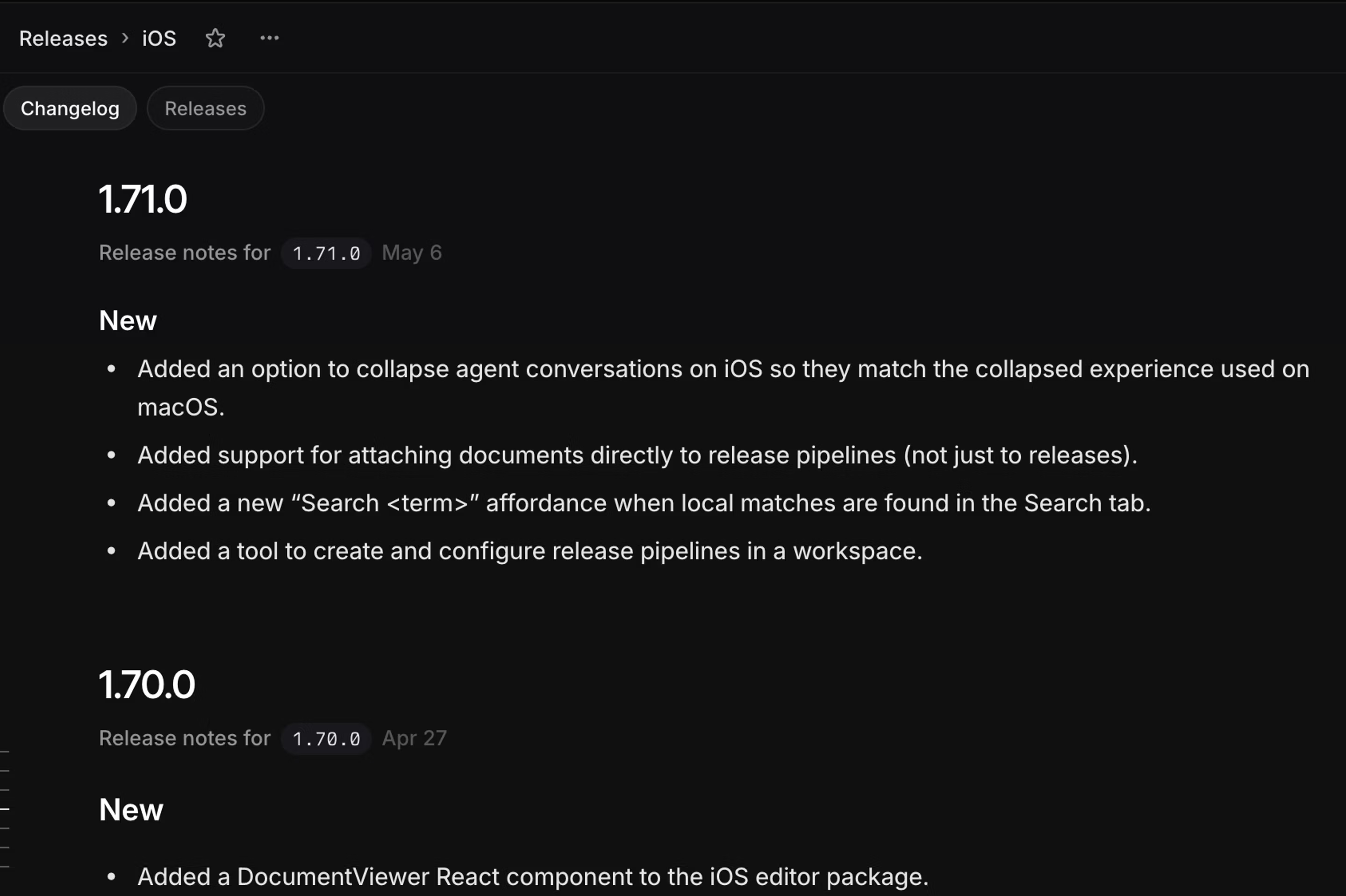
Every pipeline also has a changelog tab, which assembles its release notes chronologically. This makes it easier for your team to review and share what’s shipping.
Both scheduled and continuous pipelines have a changelog. In any pipeline, you can choose to auto-generate release notes each time a release hits production. Enable this option in pipeline settings to ensure your changelog is always up to date.
CI setup
In order to integrate with your CI/CD tool, you’ll first need to create a release pipeline in Settings → Releases. Then, follow the steps below:
Copy your pipeline’s access key
Each pipeline supports an access key. You’ll need this value to integrate with your CI. You cannot use a personal API key in place of a pipeline access key. Generate one from the pipeline in settings.
Set path filters
Path filters use glob patterns (like mobile-ios/** or backend/api/**) to specify which parts of your codebase should be included in a particular release pipeline. When you configure a pipeline with path filters, Linear will only consider commits that modify files matching those patterns.
This is useful in monorepos to make sure only relevant changes are included in the pipeline.
Integrate with your CI/CD tool
Once you have an access key and have set path filters as needed, reference the README for our open-source tool. Links to the pre-built binary for your platform can be found here.
The quickest way to get started is to use our sample GitHub action, though you can integrate with any CI/CD system that can execute command line tools.
Example for continuous deployments
Continuous releases automatically create a completed release in Linear every time code is pushed to your main branch. Each deploy maps to a single release, giving your team a clear record of what shipped and when. When a push lands on your main branch, the release action scans the new commits for Linear issue references (e.g. ENG-123), creates a release in your pipeline, attaches the referenced issues, and marks it as complete — all in one step.
To get started, you’ll need:
- A release pipeline configured in Linear (Settings → Releases) with the pipeline type set to continuous.
- A pipeline access key, generated from the pipeline’s settings page in Linear.
Setup with GitHub Actions
Refer to the linear-release-action for detailed documentation.
- Add your pipeline access key as a repository secret named LINEAR_ACCESS_KEY (Repository Settings → Secrets and variables → Actions).
- Create a workflow file (e.g. .github/workflows/linear-release.yml):
  name: Linear Release
  on:
    push:
      branches: [main]

  jobs:
    linear-release:
      runs-on: ubuntu-latest
      steps:
        - uses: actions/checkout@v4
          with:
            fetch-depth: 0 # required for commit history

        - uses: linear/linear-release-action@v0
          with:
            access_key: ${{ secrets.LINEAR_ACCESS_KEY }}
This setup will create a new release in the continuous pipeline and associate all issues found when scanning commits between now and the latest release. The name and version of the new release will be set to the current commit SHA, but can be specified if wanted.
Release Pipeline changelogs
When you open any release pipeline, you can navigate to a Changelog tab to see a summary of recent releases. From here you can create release notes manually or generate with the Linear agent.
Advanced examples
For more advanced examples including scheduled release variants, please see the linear-release repo.