Team owners
Team owners give you explicit, delegated control over how individual teams are run, without routing every change through workspace owners or admins.
Configure team owners
Workspace owners or admins on Business or Enterprise plans can:
- Go to Team settings > Access and permissions and adjust settings to be restrictive to team owners only
- Navigate to Team settings > Members to promote members to team owners
There is no limit to the number of team owners a team can have, and teams are not required to have a team owner.
Who are team owners?
- Workspace admins and owners are automatically team owners for all teams they can access. For any newly created team, the creator becomes a team owner by default
- Any team member can be promoted to team owner by an existing team owner or a workspace admin/owner
- Team owners in the parent team are team owners in the sub-teams
- Guests cannot be team owners
Team owner only operations
Certain critical actions are restricted to team owners only:
- Deleting a team
- Making a team private
- Changing a team’s parent
Configurable permissions
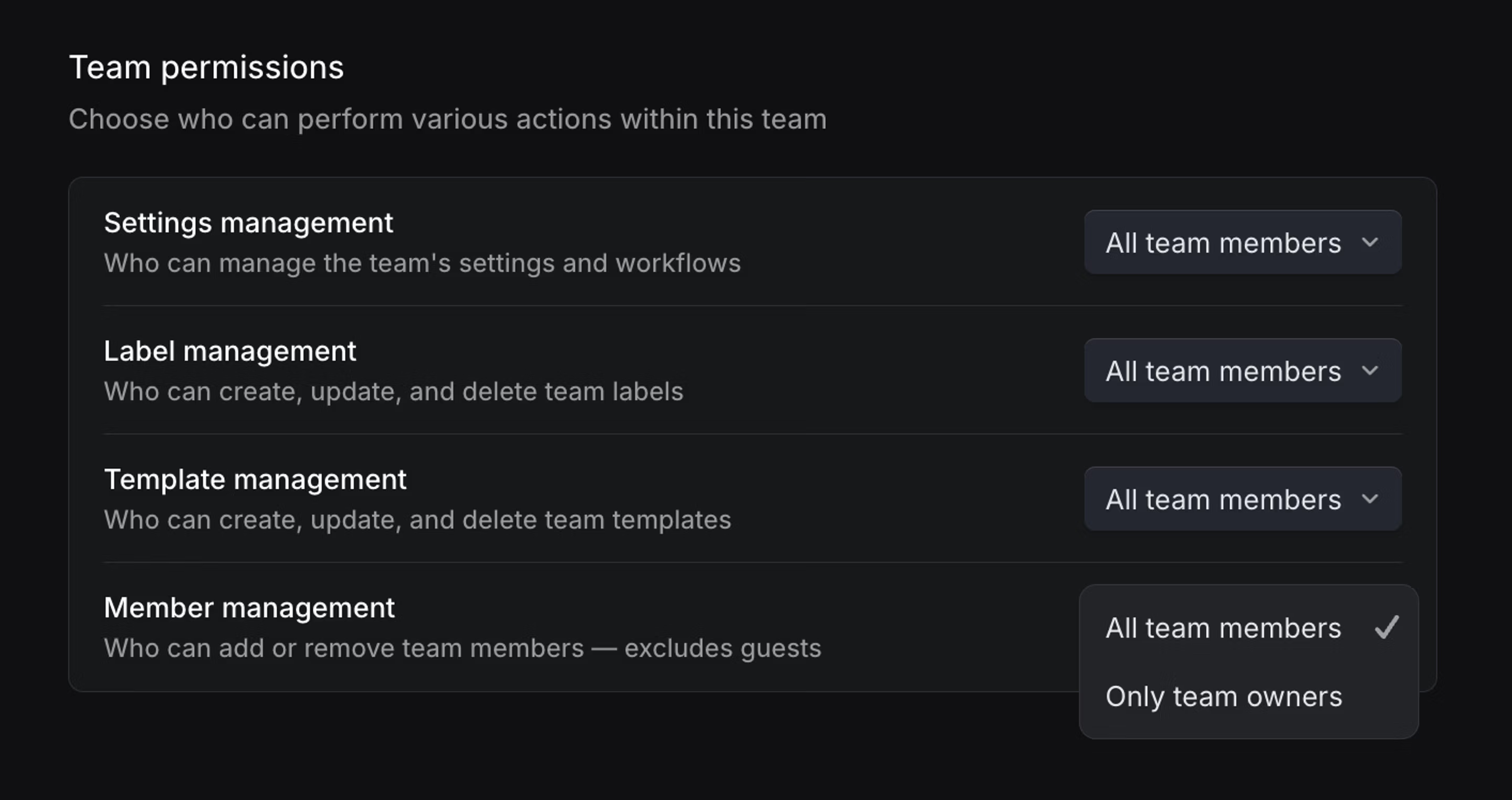
From Team settings > Access and permissions, team owners can choose whether to allow all members or only team owners to manage the following:
- Issue Label Management - Control who can create and edit team issue labels.
- Template Management - Control who can create and edit team templates.
- Team Settings Management - Control who can manage workflow statuses, cycles, triage rules, agent guidance, and other team settings.
- Member Management - Control who can add new users to the team. Note: Only team owners can add guest users, regardless of this setting.
Permission settings are not inherited from parent team to sub-team.
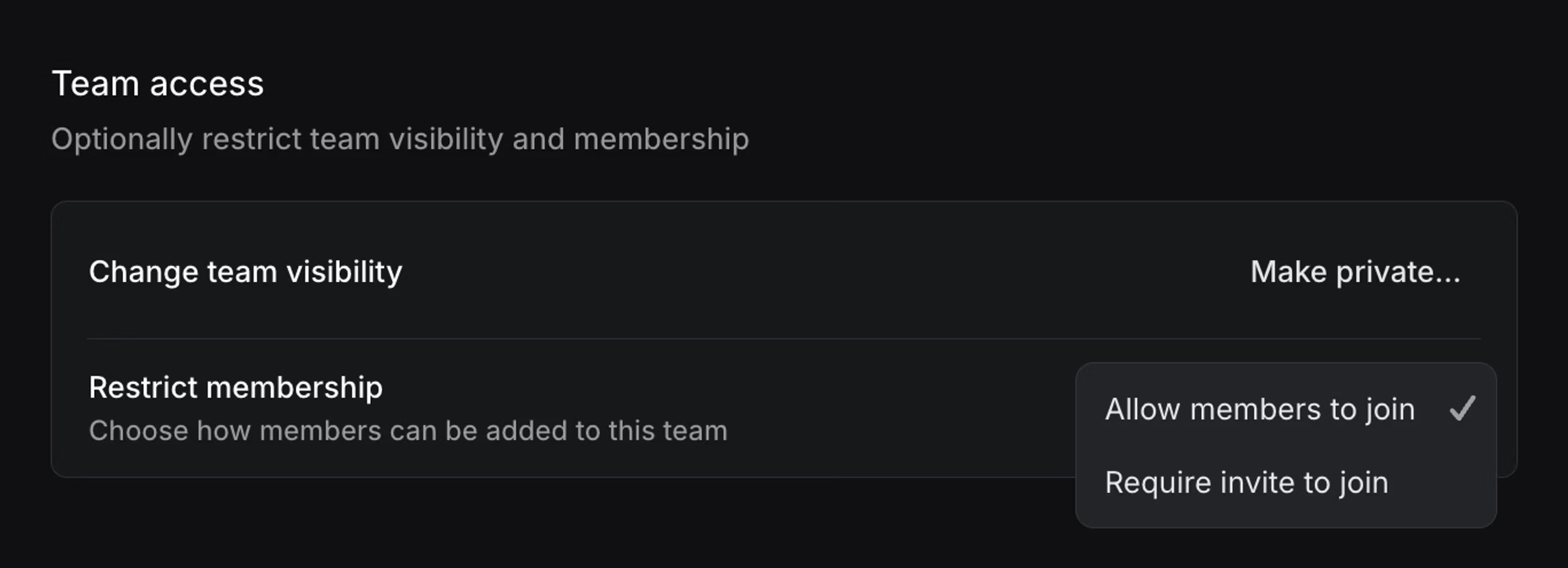
Team access
From Team settings > Access and permissions, team owners can also choose to restrict how members can join your team. By default, any member of your workspace can join a non-private team. Team owners now have the option to restrict access to only members they add or invite.