Beta: Microsoft Teams
Drive work forward from Microsoft Teams by turning conversations into issues, projects, and documents.
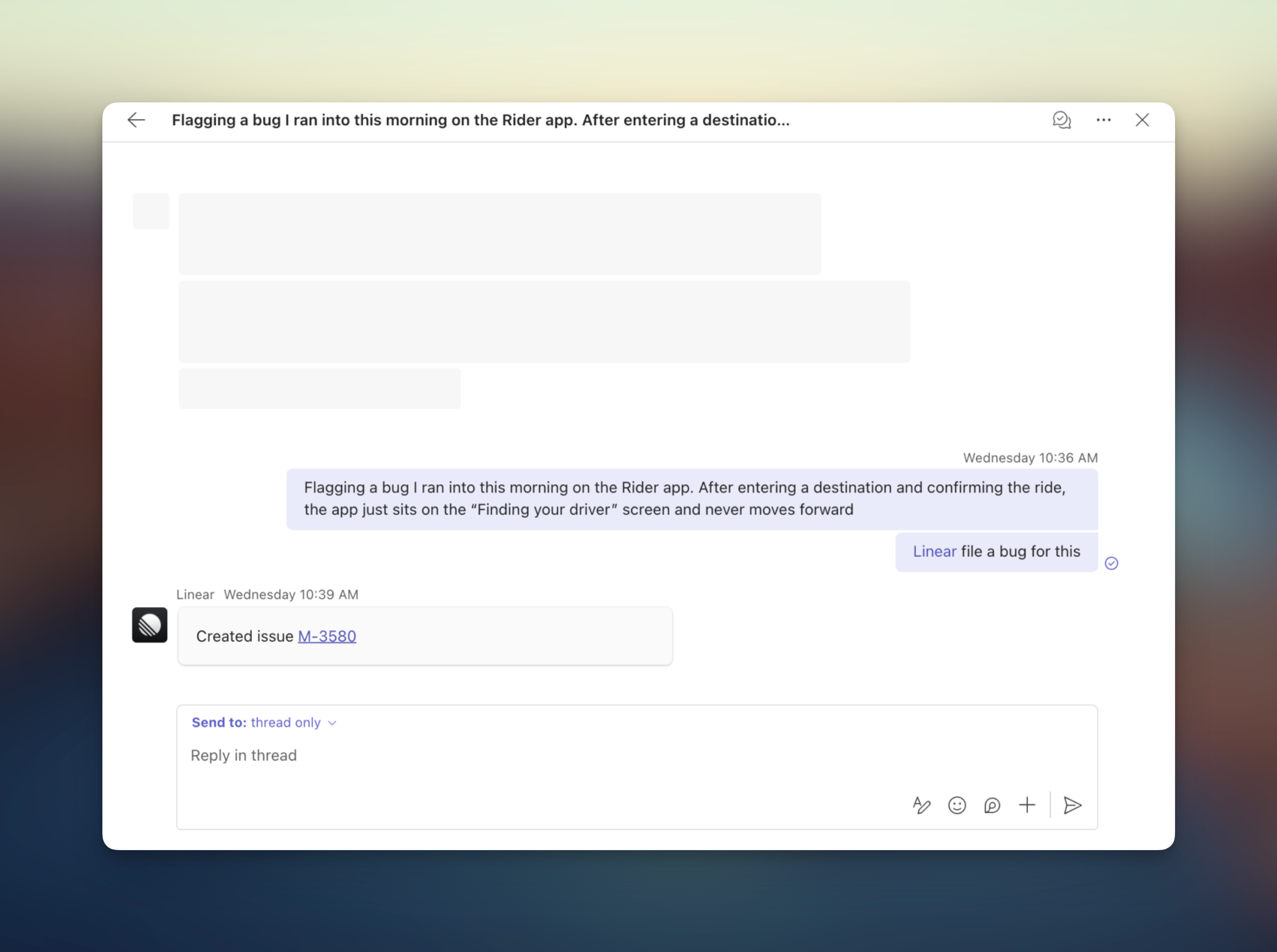
Overview
An early version of our Teams integration is now available! Use it to move work forwards from Teams by sending a quick message mentioning Linear.
Try sending:
- @linear file a bug for this and assign it to me
- @linear who usually works on notifications issues?
- @linear create a spec document on the Billing API project
This agent can take the same actions from Teams that you can take in Linear directly.
Configure
As this integration is still in development, it’s not currently listed on the Microsoft Marketplace. Here’s how you sideload it for now:
- In Linear, a workspace owner first connects Teams in Settings
- Then, a Teams admin can enable custom apps in Teams
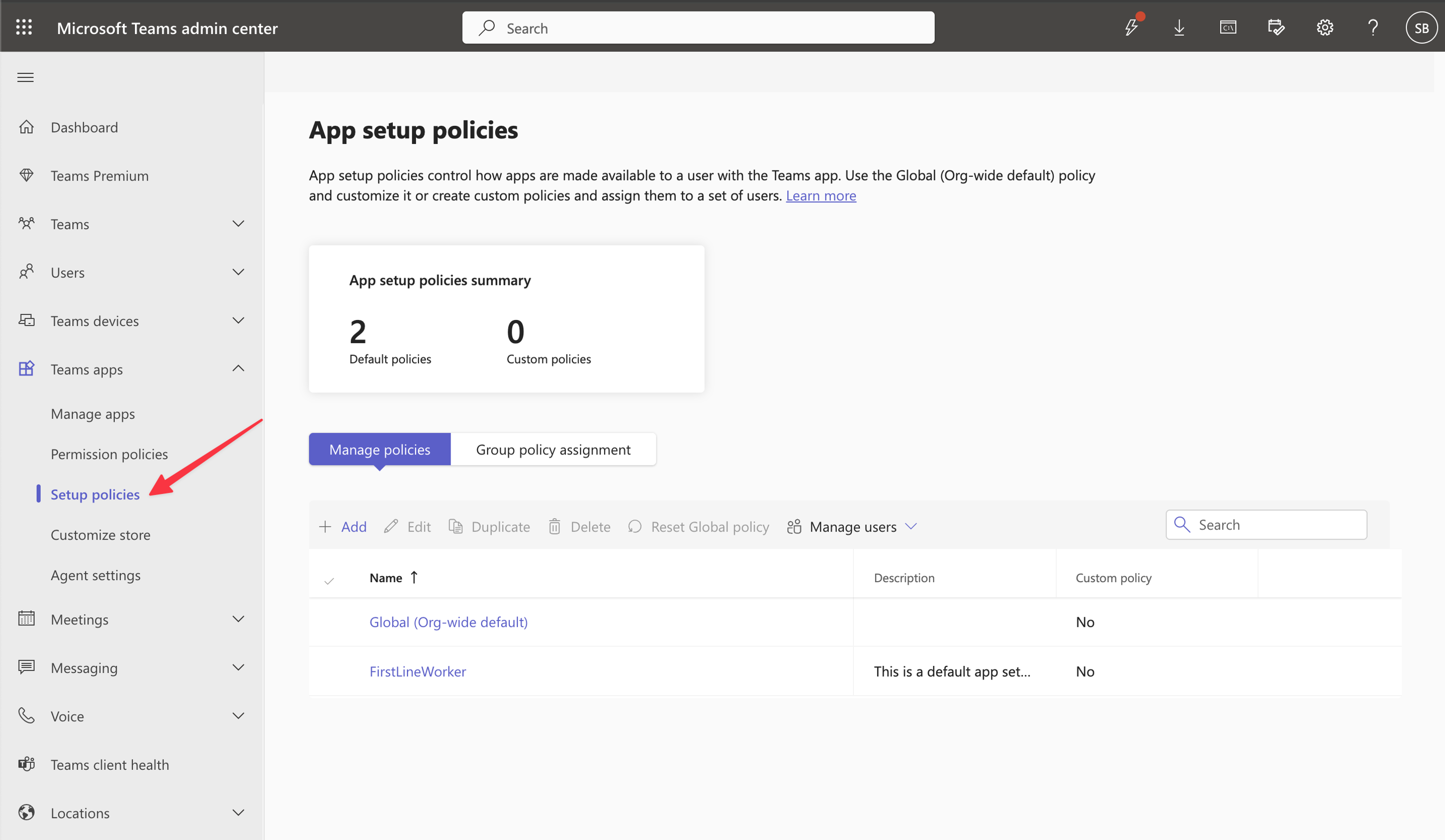
- You can either create a new policy and add specific users, or enable it org-wide
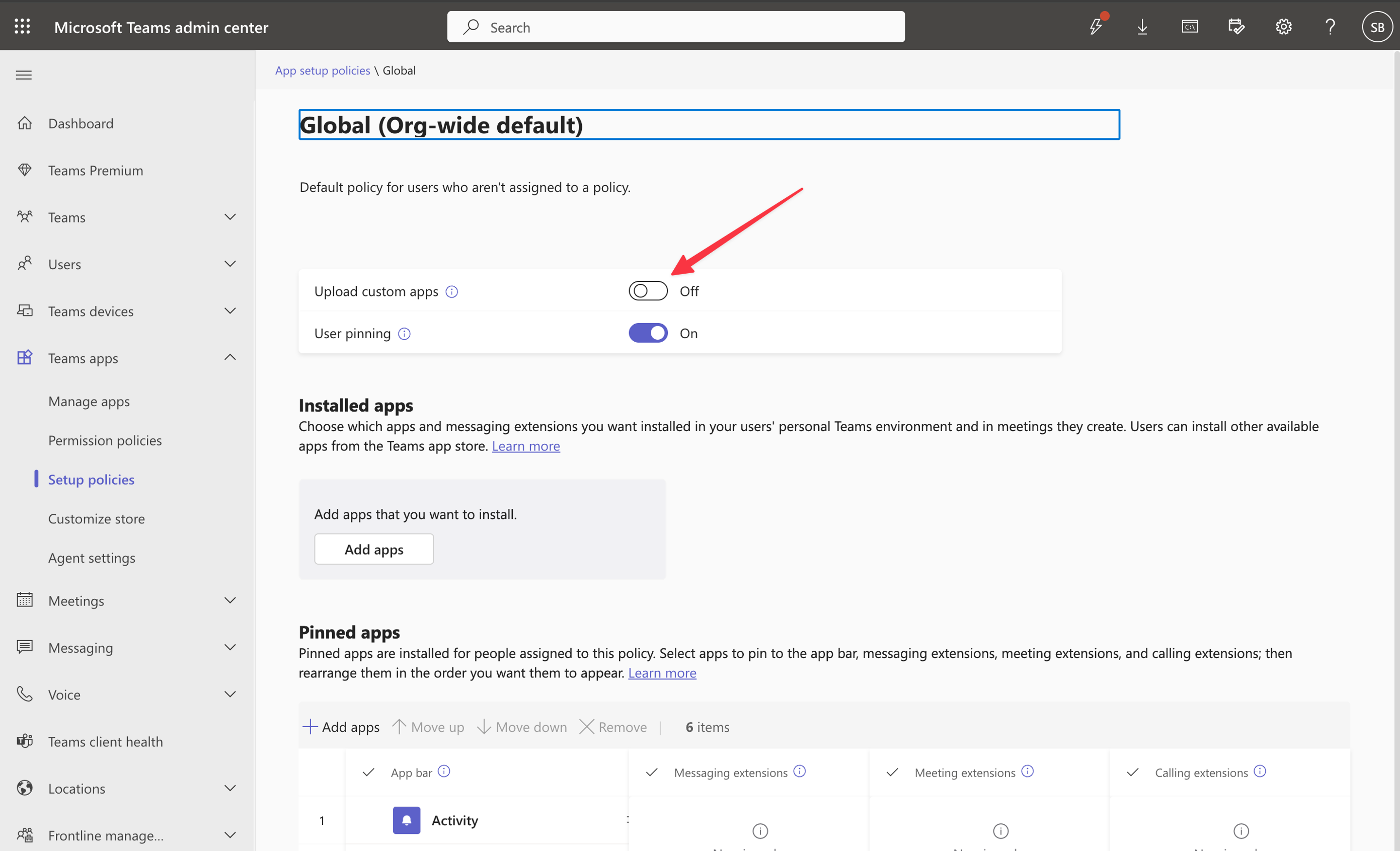
- Then, click Upload a new app action and upload this zip file (this is our app)
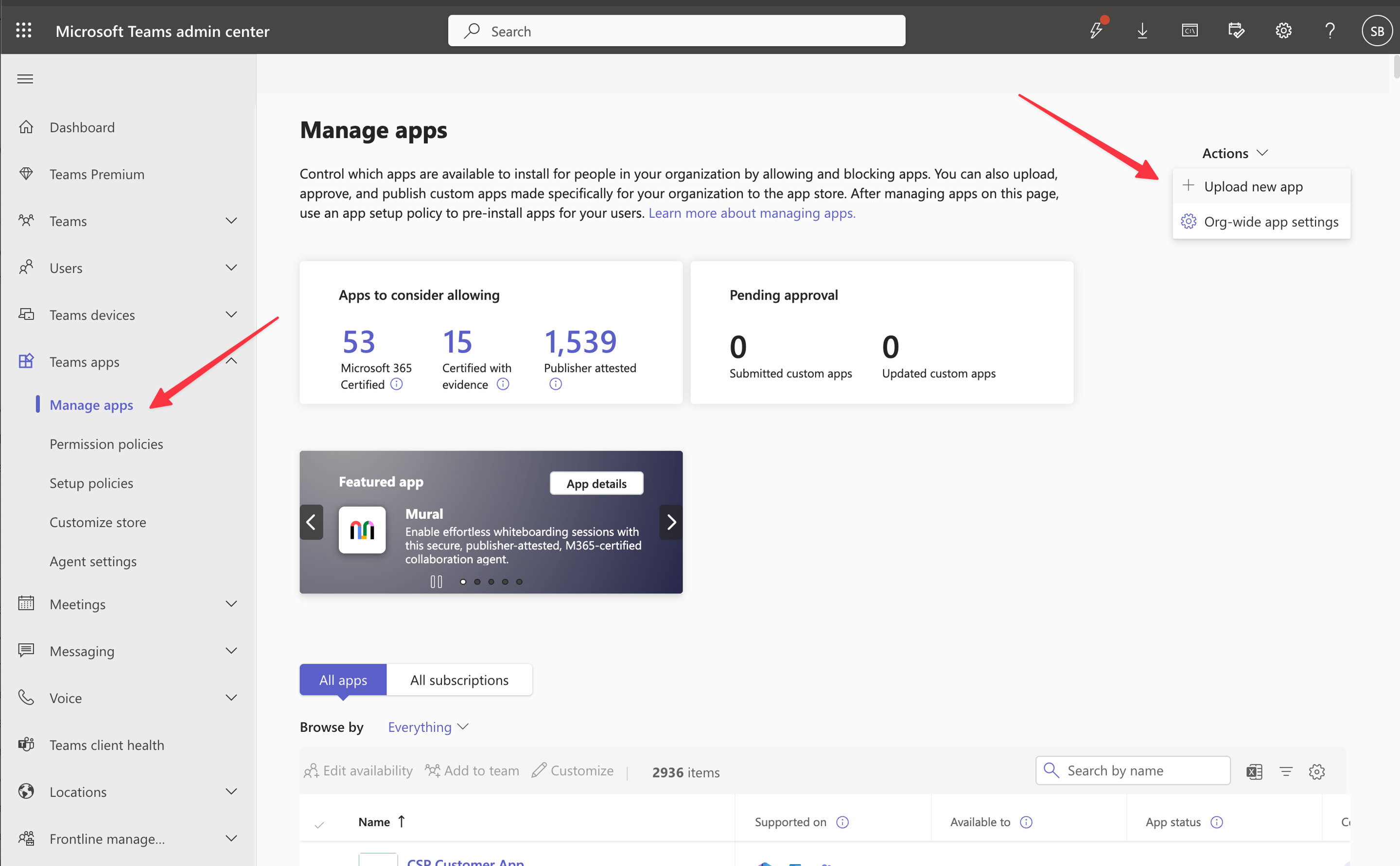
- Navigate to the newly installed Linear app
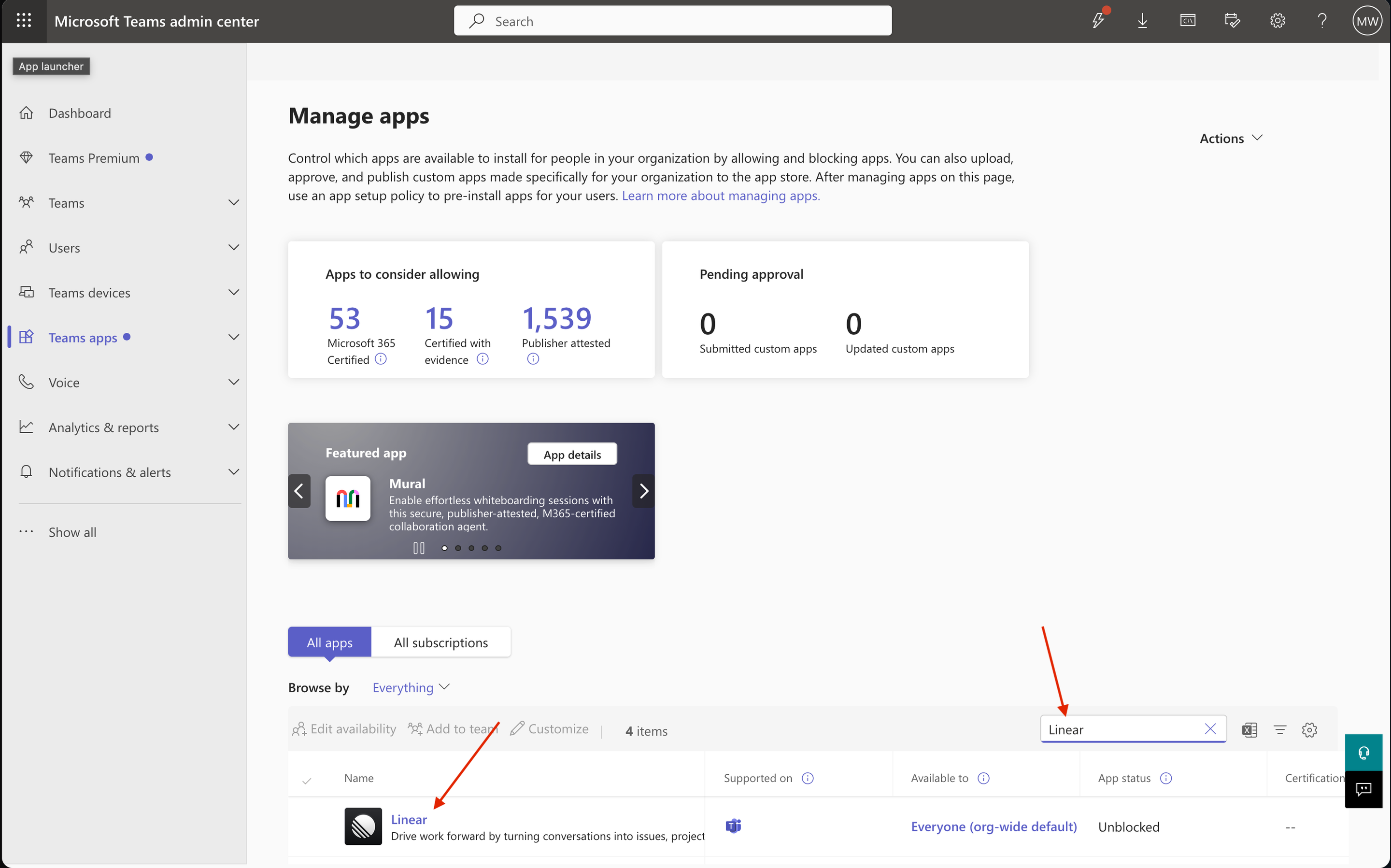
- Go to the permissions tab and click Grant admin consent
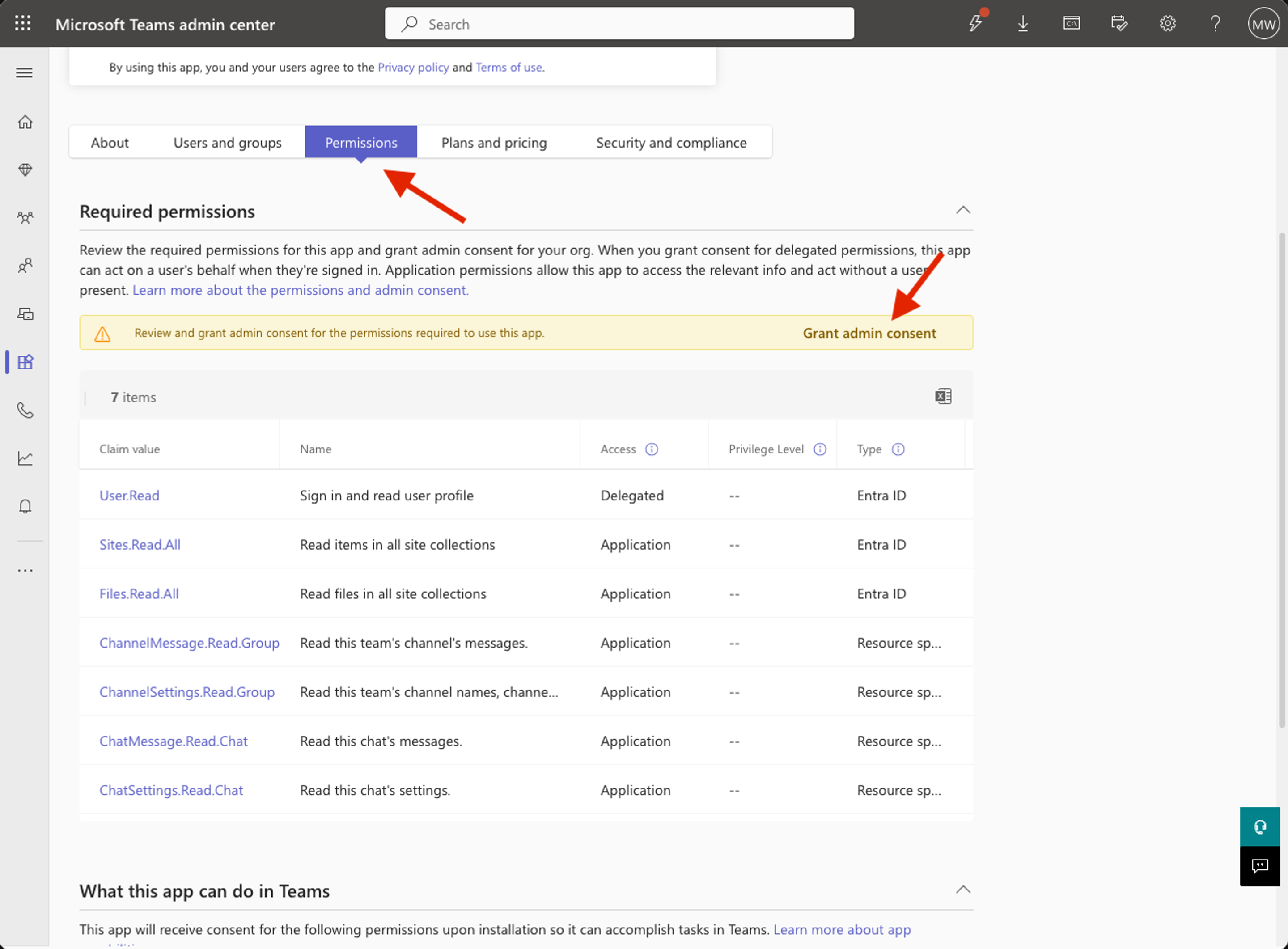
Afterwards, the app will be available for use in Teams when mentioning @Linear.
FAQ
We plan to support bidirectionally synced threads between Teams and Linear, allowing personal notifications from Linear in Teams, directing project updates to Teams, and rich unfurls of Linear URLs.
Microsoft is reviewing our app submission, we expect to be listed between mid-March and late April given the latest processing estimates.
Yes, this functionality is available on Enterprise plans.
Great, we’d love to hear it! Please contact us with feedback or bug reports.